CAPTCHA API Authentication: API Keys, Tokens, and Secure Access
When integrating a CAPTCHA API into an application, authentication is one of the first technical challenges developers need to understand.
An API may provide useful functionality, but your application must prove that it is authorized to access the service before making protected requests.
This is where API authentication comes in.
CAPTCHA API authentication helps identify applications, validate credentials, and control access to API resources. A properly configured authentication system also helps protect sensitive information, prevent unauthorized usage, and reduce security risks.
Whether you are building an integration with Python, Node.js, PHP, Java, or another programming language, understanding API keys, access tokens, and secure authentication practices is essential.
In this guide, you will learn how CAPTCHA API authentication works, how common authentication methods differ, how to manage credentials securely, and how to troubleshoot authentication errors.
Important: The examples in this article demonstrate common API authentication patterns. They are illustrative and do not represent confirmed AllCaptcha authentication headers, endpoints, token formats, or credential-management features. Always follow the official documentation for the API provider you use.
What Is CAPTCHA API Authentication?
CAPTCHA API authentication is the process of verifying that an application or user has permission to access a CAPTCHA API.
When your application sends a request to a protected API endpoint, the provider may require credentials such as:
- An API key.
- An access token.
- A client ID and client secret.
- A signed request.
- Another provider-specific authentication credential.
The API server validates the submitted credentials before deciding whether to process the request.
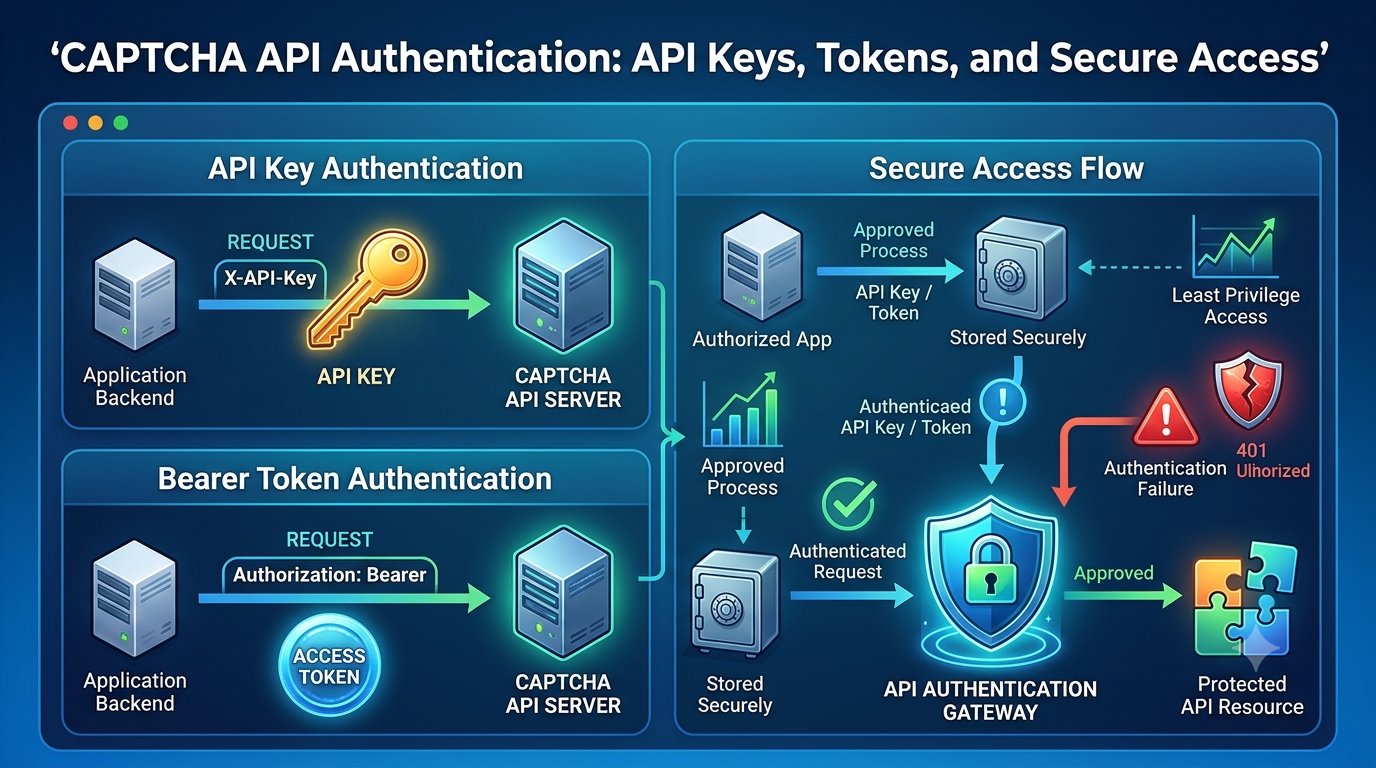
A typical authentication workflow looks like this:
- A developer obtains API credentials through the provider's approved process.
- The application stores the credentials securely.
- The application includes the required authentication information in an API request.
- The API server validates the credentials.
- The server accepts or rejects the request.
- The application processes the response.
If authentication succeeds, the application can proceed according to the permissions associated with its credentials.
If authentication fails, the API may return an HTTP error such as 401 Unauthorized or 403 Forbidden.
The exact response depends on the provider's authentication system.
Why Is Authentication Important for CAPTCHA APIs?
Authentication is more than a technical requirement. It is an important part of API security and usage management.
1. Prevent Unauthorized Access
Authentication helps ensure that only applications with valid credentials can access protected API resources.
Without proper authentication, an API provider would have difficulty controlling access to its services.
2. Identify API Consumers
Credentials can help providers associate requests with a particular account, application, or integration.
This can support usage tracking, account management, and troubleshooting.
3. Protect API Resources
Authentication helps prevent unauthorized parties from using protected operations.
It can also work alongside authorization policies, rate limits, and other security controls.
4. Support Usage Monitoring
API credentials may be used to associate requests with an account or application.
This makes it easier to investigate unusual activity, monitor usage, and identify potential credential leaks.
5. Improve Application Security
A secure authentication architecture reduces the risk of exposing sensitive credentials through frontend code, public repositories, or application logs.
API Authentication vs. API Authorization
Authentication and authorization are related, but they are not the same.
Authentication answers:
Who or what is making this request?
Authorization answers:
What is this requester allowed to do?
For example, an application may successfully authenticate using a valid API key but still lack permission to access a particular resource.
Comparison
| Feature | Authentication | Authorization |
|---|---|---|
| Main purpose | Verify identity | Determine permissions |
| Main question | Who are you? | What can you access? |
| Common mechanisms | API keys, tokens, signatures | Roles, scopes, policies |
| Example failure | Invalid credential | Insufficient permission |
| Common HTTP status | 401 | 403 |
A secure CAPTCHA API integration needs to handle both concepts correctly.
Common CAPTCHA API Authentication Methods
Different API providers use different authentication mechanisms.
The following are common patterns developers may encounter.
1. API Key Authentication
An API key is a unique credential assigned to an application or account.
The application includes this key when sending requests to the API.
For example, a provider might require a custom HTTP header:
GET /tasks HTTP/1.1
Host: api.example.com
X-API-Key: YOUR_API_KEY
Another provider may use a different header or authentication format.
The header above is only an illustrative example.
Advantages of API keys:
- Simple to implement.
- Easy to configure.
- Suitable for many server-to-server integrations.
- Convenient for identifying applications.
Potential disadvantages:
- A leaked key may be misused.
- Long-lived credentials require careful management.
- Permissions may be limited depending on the provider's implementation.
- Key rotation requires coordination.
API keys are commonly used in server-side integrations because they are relatively straightforward to manage.
2. Bearer Token Authentication
Bearer authentication uses an access token that the application includes in the HTTP Authorization header.
Example:
GET /tasks HTTP/1.1
Host: api.example.com
Authorization: Bearer YOUR_ACCESS_TOKEN
The server validates the token before processing the request.
A bearer token grants access to whoever possesses it, subject to the provider's validation and permission rules.
This means that bearer tokens must be protected like passwords.
Advantages:
- Standardized HTTP authentication format.
- Can support expiration.
- Can work with scopes and permissions.
- Suitable for many modern API architectures.
Potential disadvantages:
- Tokens can be stolen if exposed.
- Expired tokens need renewal or replacement.
- Token lifecycle management adds complexity.
3. OAuth 2.0 Authentication
OAuth 2.0 is an authorization framework that allows applications to obtain access tokens through defined authorization flows.
Depending on the provider, an application may use:
- Client credentials.
- Authorization code flow.
- Other supported OAuth grant mechanisms.
For server-to-server integrations, the client credentials flow is often relevant when explicitly supported by the provider.
A simplified flow looks like this:
- The application identifies itself using its client credentials.
- It requests an access token from an authorization server.
- The authorization server validates the credentials.
- The application receives an access token.
- The application sends the token to the protected API.
- The API validates the token and evaluates the associated permissions.
OAuth 2.0 is more flexible than a simple static API key, but it also requires additional implementation and configuration.
Do not assume a CAPTCHA API supports OAuth 2.0 unless its official documentation confirms it.
4. Signed Request Authentication
Some APIs authenticate requests using cryptographic signatures.
The application generates a signature using a secret and specific request data.
The server independently calculates or verifies the signature.
Depending on the signing scheme, the signature may include:
- HTTP method.
- Request path.
- Timestamp.
- Request body.
- A secret key.
- A nonce or unique request identifier.
This approach can help verify request integrity and sender authenticity.
However, the exact signing algorithm and canonicalization rules must be followed precisely.
Authentication Methods Comparison
| Authentication Method | Complexity | Typical Use |
|---|---|---|
| API key | Low | Simple server-to-server access |
| Bearer token | Medium | Token-based API access |
| OAuth 2.0 | Medium to high | Delegated or application authorization |
| Signed requests | Medium to high | Cryptographically authenticated requests |
The best method is the one officially supported by the provider and appropriate for your application's security requirements.
How to Use an API Key Securely
API keys are convenient, but they can create significant security risks when handled incorrectly.
A common mistake is placing a secret API key directly in application source code.
For example, avoid this approach:
const API_KEY = "actual-secret-key";
If the code is committed to a public repository or distributed to users, the key may be exposed.
Step 1: Store the API Key in an Environment Variable
Instead of hardcoding credentials, store them in environment variables.
Example .env file:
CAPTCHA_API_KEY=your_secret_api_key
Do not commit the .env file to version control.
Add it to .gitignore:
.env
.env.*
!.env.example
An .env.example file can contain placeholder values without exposing real credentials.
Step 2: Read the Key from the Environment
Node.js example:
const apiKey = process.env.CAPTCHA_API_KEY;

if (!apiKey) {
    throw new Error("CAPTCHA API key is missing");
}
Python example:
import os

api_key = os.getenv("CAPTCHA_API_KEY")

if not api_key:
    raise RuntimeError("CAPTCHA API key is missing")
PHP example:
$apiKey = getenv("CAPTCHA_API_KEY");

if (!$apiKey) {
    throw new RuntimeException(
        "CAPTCHA API key is missing"
    );
}
Java example:
String apiKey = System.getenv("CAPTCHA_API_KEY");

if (apiKey == null || apiKey.isBlank()) {
    throw new IllegalStateException(
        "CAPTCHA API key is missing"
    );
}
These examples show how to read environment variables. The method used to load .env files depends on your application and framework.
Step 3: Send Credentials Using the Documented Method
Once the application loads the credential, include it in the request using the exact authentication format required by the provider.
Illustrative Node.js example:
async function callApi(url, payload) {
    const apiKey = process.env.CAPTCHA_API_KEY;

    if (!apiKey) {
        throw new Error("Missing API key");
    }

    const response = await fetch(url, {
        method: "POST",
        headers: {
            "Content-Type": "application/json",
            "X-API-Key": apiKey
        },
        body: JSON.stringify(payload)
    });

    if (!response.ok) {
        throw new Error(
            `API request failed: ${response.status}`
        );
    }

    return response.json();
}
The URL, header name, and payload format are placeholders.
Use the actual authentication method specified in the provider's official documentation.
How to Authenticate a CAPTCHA API Request with Bearer Tokens
If an API uses bearer token authentication, your application needs to include the token in the Authorization header.
Illustrative Node.js example:
async function sendAuthenticatedRequest(
    url,
    accessToken
) {
    const response = await fetch(url, {
        method: "GET",
        headers: {
            "Authorization": `Bearer ${accessToken}`,
            "Accept": "application/json"
        }
    });

    if (!response.ok) {
        throw new Error(
            `Request failed: ${response.status}`
        );
    }

    return response.json();
}
Important Bearer Token Security Rules
- Do not expose tokens in frontend JavaScript.
- Do not include tokens in URLs.
- Use HTTPS.
- Store tokens securely.
- Respect expiration times.
- Avoid logging token values.
- Follow the provider's renewal and revocation procedures.
A bearer token should be treated as a sensitive credential.
API Key vs. Access Token: What Is the Difference?
Developers sometimes use the terms API key and access token interchangeably.
However, they can represent different authentication models.
An API key is often a relatively long-lived credential associated with an application or account.
An access token may be temporary and issued after an authentication or authorization process.
Comparison
| Feature | API Key | Access Token |
|---|---|---|
| Typical lifetime | Often long-lived | Often time-limited |
| Issuance | Provider-issued credential | May be issued by an authorization server |
| Renewal | Usually replaced or rotated | May support renewal |
| Permissions | Depends on provider | May support scopes |
| Implementation | Usually simpler | May require token lifecycle handling |
| Main risk | Exposure of a persistent secret | Theft or misuse before expiration |
These are common patterns, not universal rules.
Some providers use short-lived API keys, while others issue long-lived tokens.
Always review the provider's actual credential model.
How to Protect CAPTCHA API Credentials in Production
Moving from a development environment to production introduces additional security considerations.
A credential that is safe in a local test may become exposed if the application is deployed incorrectly.
1. Never Expose Secret Keys in Frontend Code
Do not place private API keys in:
- Public JavaScript files.
- HTML source code.
- Mobile application source code without an appropriate protected architecture.
- Public configuration files.
- Client-side environment variables that are embedded in browser bundles.
A browser application should generally communicate with your own backend, which can securely manage server-side credentials.
2. Use HTTPS for API Requests
HTTPS protects data during transmission between your application and the API server.
Do not send secret credentials through unencrypted HTTP connections.
3. Use a Secrets Manager When Appropriate
For production applications, consider a dedicated secrets-management system.
Examples include:
- Cloud provider secret managers.
- Managed deployment secrets.
- Container orchestration secrets.
- Dedicated enterprise secrets platforms.
The best solution depends on your infrastructure.
4. Rotate Credentials Carefully
If a credential is exposed or suspected to be compromised, follow the provider's credential revocation and replacement procedure.
A controlled rotation process should include:
- Create or obtain a replacement credential if supported.
- Update the application configuration.
- Verify that requests work with the replacement.
- Revoke the compromised credential.
- Monitor for unusual activity.
Do not assume every provider supports multiple active keys or automatic rotation.
5. Apply Least-Privilege Access
Use the smallest permissions necessary for each application or integration.
If the provider supports scoped credentials, separate credentials for different environments or services may reduce the impact of a leak.
Do not assume that every API key system offers granular permissions.
6. Separate Development and Production Credentials
Avoid using the same secret across local development, staging, and production.
Separate credentials make it easier to identify usage and reduce the risk that a development leak affects production.
7. Monitor Credential Usage
Watch for unusual activity, such as:
- Unexpected increases in request volume.
- Requests from unfamiliar environments.
- Repeated authentication failures.
- Unusual usage patterns.
- Unexpected API errors.
Monitoring can help identify credential misuse early.
How to Handle Authentication Errors
Authentication errors can prevent your application from accessing an API.
Understanding the common causes makes troubleshooting much easier.
1. HTTP 401 Unauthorized
A 401 Unauthorized response generally indicates that valid authentication credentials were not provided or could not be accepted.
Possible causes:
- Missing API key.
- Incorrect API key.
- Expired access token.
- Incorrect authorization header.
- Malformed credential.
- Revoked credential.
How to fix it:
- Verify that the credential is present.
- Check the exact header format.
- Confirm that the credential belongs to the correct account.
- Check expiration and revocation status.
- Review the provider's authentication documentation.
2. HTTP 403 Forbidden
A 403 Forbidden response generally means the server understood the request but refused access.
Possible causes:
- Insufficient permissions.
- Restricted resource access.
- Account restrictions.
- Unsupported operations.
- Provider-specific security policies.
How to fix it:
- Check the permissions associated with the credential.
- Verify the account's access status.
- Review endpoint requirements.
- Contact the provider if the restriction is unclear.
A 403 response does not always mean the API key is invalid.
3. HTTP 429 Too Many Requests
A 429 Too Many Requests response indicates that the application has exceeded a request limit or encountered a rate-limiting policy.
How to fix it:
- Review the documented rate limits.
- Respect the
Retry-Afterheader when provided. - Implement exponential backoff.
- Control request concurrency.
- Avoid unnecessary API calls.
4. Missing Authentication Header
An application may accidentally send a request without the required authentication header.
This can happen when configuration values are missing or request-building logic is incorrect.
How to fix it:
- Check environment variables.
- Inspect request headers without printing secret values.
- Verify the API client configuration.
- Add validation before sending requests.
5. Invalid Token Format
Some providers require a specific token structure or authorization scheme.
For example, a provider may expect:
Authorization: Bearer YOUR_TOKEN
Sending the token without the Bearer prefix could cause authentication to fail.
Always follow the exact format required by the provider.
How to Debug CAPTCHA API Authentication Issues
When authentication fails, follow a structured troubleshooting process.
Step 1: Verify Environment Variables
Check that the required credential exists.
Node.js:
if (!process.env.CAPTCHA_API_KEY) {
    console.error("API credential is not configured");
}
Avoid printing the actual key.
Step 2: Check the Authentication Format
Confirm whether the API expects:
- A custom API key header.
- An
Authorization: Bearerheader. - Basic authentication.
- A signed request.
- Another documented mechanism.
Step 3: Check the Request URL
Make sure the application is sending requests to the correct documented API environment and endpoint.
Step 4: Check Credential Status
Verify that the credential has not expired, been revoked, or become restricted.
Step 5: Inspect the HTTP Response
Review:
- HTTP status code.
- Safe error message.
- Provider error code.
- Request identifier, if supplied.
- Relevant response headers.
Do not log secrets or complete sensitive request bodies.
Step 6: Test Outside the Application
If permitted by the provider, use a secure API testing tool to reproduce the request.
This helps determine whether the issue comes from the application or the credential configuration.
Step 7: Review Recent Configuration Changes
Authentication failures can appear after:
- Deployment changes.
- Environment variable updates.
- Credential rotation.
- SDK upgrades.
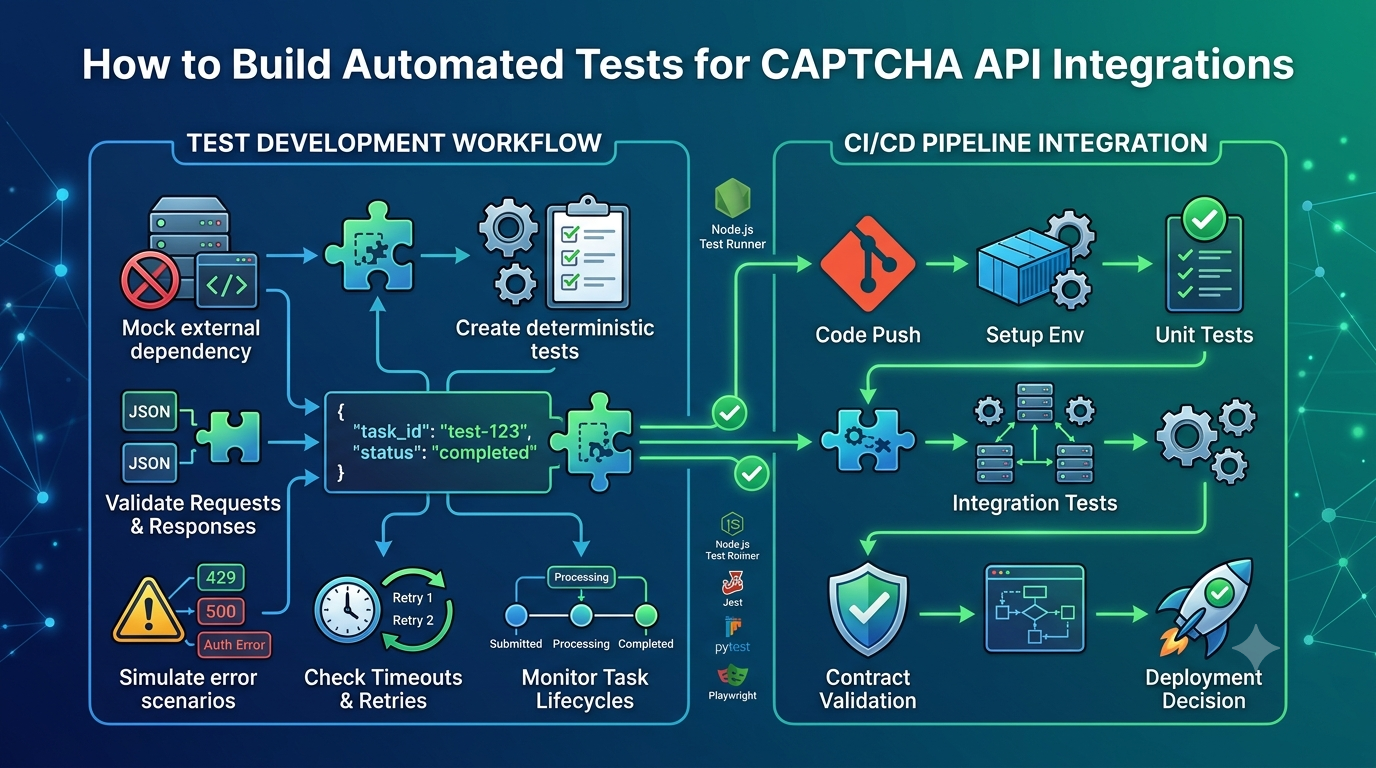
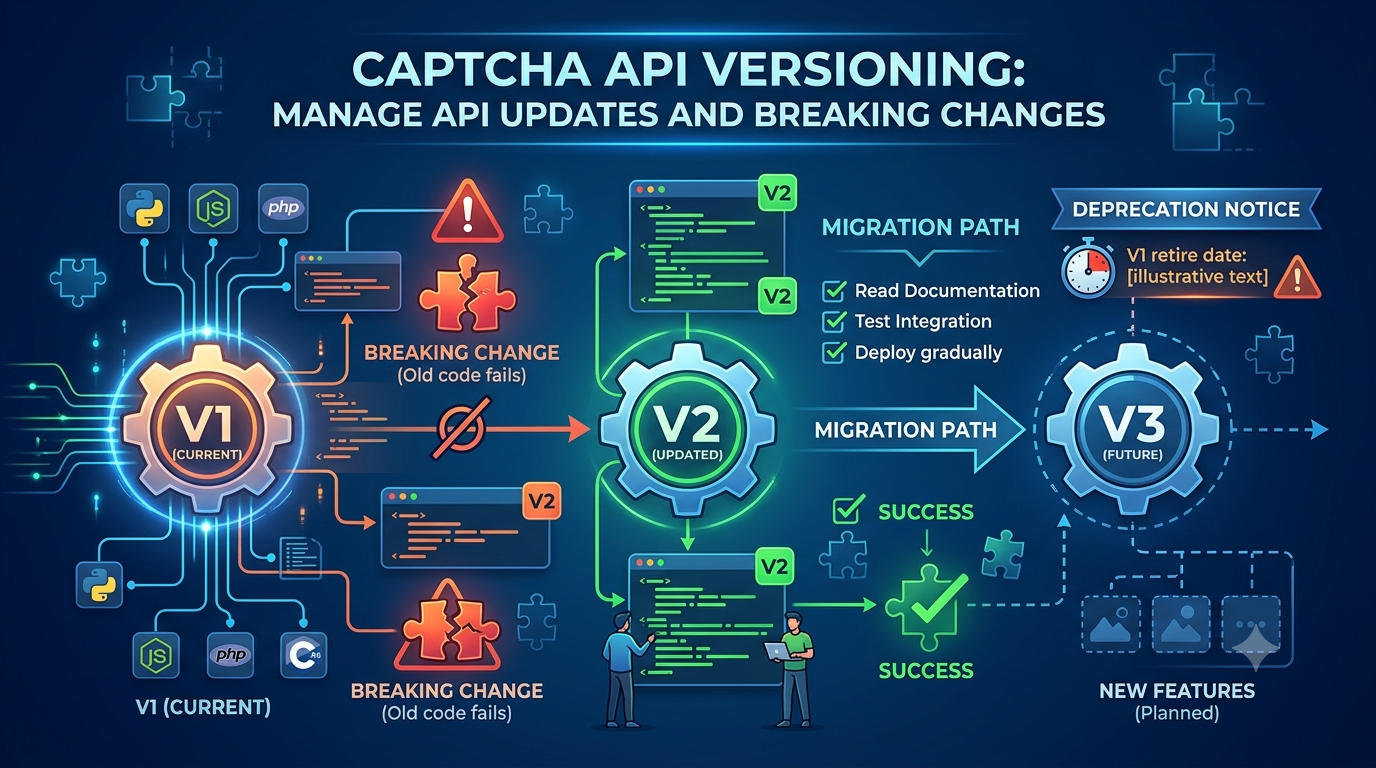
- API version migrations.
Check recent changes before modifying unrelated code.
CAPTCHA API Authentication Best Practices
Use these practices to build a secure and maintainable API integration.
| Best Practice | Why It Matters |
|---|---|
| Store credentials outside source code | Prevents accidental exposure |
| Use HTTPS | Protects credentials in transit |
| Follow official authentication documentation | Avoids incorrect request formats |
| Separate environment credentials | Limits the impact of leaks |
| Rotate compromised credentials | Restores security after exposure |
| Use least privilege where supported | Limits unauthorized operations |
| Avoid logging secrets | Reduces information leakage |
| Monitor unusual usage | Helps detect misuse |
| Validate configuration at startup | Identifies missing credentials early |
| Handle authentication errors safely | Improves reliability |
Authentication should be part of your application's overall security design, not an isolated configuration step.
CAPTCHA API Authentication Checklist
Before deploying your integration, review this checklist:
- Confirm the provider's supported authentication method.
- Obtain credentials through the approved process.
- Store credentials securely.
- Avoid hardcoding secrets.
- Keep credentials out of frontend code.
- Use HTTPS for all protected requests.
- Verify the exact authentication header format.
- Separate development and production credentials.
- Implement safe authentication error handling.
- Avoid logging API keys and access tokens.
- Review expiration and revocation policies.
- Rotate compromised credentials promptly.
- Apply least-privilege permissions where supported.
- Monitor unusual API activity.
- Document credential management procedures.
Frequently Asked Questions
1. What is CAPTCHA API authentication?
CAPTCHA API authentication is the process of verifying that an application has valid credentials and permission to access a protected CAPTCHA API.
Common mechanisms include API keys, bearer tokens, OAuth 2.0, and signed requests.
2. What is an API key?
An API key is a credential issued by an API provider to identify or authenticate an application or account.
It is usually included in an HTTP request using the authentication format specified by the provider.
3. Is an API key the same as an access token?
Not necessarily.
API keys are often long-lived credentials, while access tokens may be temporary and issued through an authentication or authorization process.
The exact distinction depends on the provider.
4. Where should I store my CAPTCHA API key?
Store private API keys in environment variables or a secure secrets manager.
Avoid hardcoding them in source code, committing them to public repositories, or exposing them in browser applications.
5. Can I use a CAPTCHA API key in frontend JavaScript?
You should not expose a private API key in frontend JavaScript.
Browser code can be inspected by users, which may reveal embedded credentials.
Use a backend service to manage server-side API credentials securely.
6. What does HTTP 401 mean when calling a CAPTCHA API?
A 401 Unauthorized response generally indicates missing, invalid, expired, or incorrectly formatted authentication credentials.
Check the provider's authentication documentation and verify the request headers.
7. What is the difference between HTTP 401 and 403?
A 401 response generally indicates an authentication problem.
A 403 response generally indicates that access is refused despite the request being understood.
The exact meaning may depend on the provider's implementation.
8. How often should I rotate API keys?
There is no universal rotation interval.
Follow the provider's security recommendations and your organization's credential-management policy.
Rotate credentials immediately when they are exposed or suspected to be compromised.
9. Does every CAPTCHA API support OAuth 2.0?
No.
Authentication methods vary between providers. Check the official documentation to determine whether OAuth 2.0 or another authentication mechanism is supported.
10. How can I troubleshoot CAPTCHA API authentication failures?
Start by checking credential configuration, request headers, token expiration, endpoint requirements, account permissions, and HTTP response details.
Avoid logging the actual credential while debugging.
Conclusion
CAPTCHA API authentication is a fundamental part of building secure API integrations.
By understanding API keys, bearer tokens, OAuth 2.0, and signed requests, developers can choose the correct authentication approach for their applications.
However, using the correct authentication method is only the first step.
Credentials must also be stored securely, transmitted over HTTPS, protected from frontend exposure, and monitored for suspicious usage.
A reliable authentication strategy should include secure configuration, careful credential rotation, least-privilege access where available, and clear error-handling procedures.
Before integrating with AllCaptcha or another provider, always review its official authentication documentation to confirm the supported credential type, request format, and security requirements.
With these practices in place, developers can build more secure, maintainable, and reliable CAPTCHA API integrations.
SEO Information
SEO Title: CAPTCHA API Authentication: API Keys and Secure Access
Meta Description: Learn how CAPTCHA API authentication works, use API keys and access tokens securely, protect credentials, and troubleshoot common authentication errors.
Focus Keyword: CAPTCHA API authentication
Secondary Keywords:
- CAPTCHA API key
- CAPTCHA API access token
- API authentication methods
- Secure API authentication
- API key security
- Bearer token authentication
- OAuth 2.0 API
- API authentication errors
- Protect API credentials
URL Slug: captcha-api-authentication-guide
Suggested Featured Image: A developer security illustration showing an application connecting to a CAPTCHA API through an authentication gateway, with an API key, access token, and security shield.
Suggested Image Alt Text: CAPTCHA API authentication diagram showing API keys, access tokens, and secure API access.
Suggested Internal Links
Add contextual internal links to these related AllCaptcha articles:
- CAPTCHA API Security Best Practices: How to Protect API Keys and Requests – Link from the sections about storing credentials and production security.
- CAPTCHA API Documentation: How to Read Endpoints, Parameters, and Responses – Link from the section about reviewing authentication requirements.
- CAPTCHA API Error Codes: Common Errors and How to Fix Them – Link from the authentication troubleshooting section.
- How to Integrate a CAPTCHA Solver API with Node.js: A Complete Guide – Link from the Node.js authentication examples.
- CAPTCHA API Versioning: How to Manage API Updates and Breaking Changes – Link from the section about authentication changes during API migrations.
Suggested Schema Markup
Article– Describe the main educational article.BreadcrumbList– Define the page's position within the AllCaptcha website structure.FAQPage– Consider only when appropriate under Google's current structured-data guidelines. Structured data does not guarantee enhanced search visibility.