CAPTCHA API Documentation: How to Read Endpoints, Parameters, and Responses
Working with a CAPTCHA API often starts with one important task: understanding its documentation.
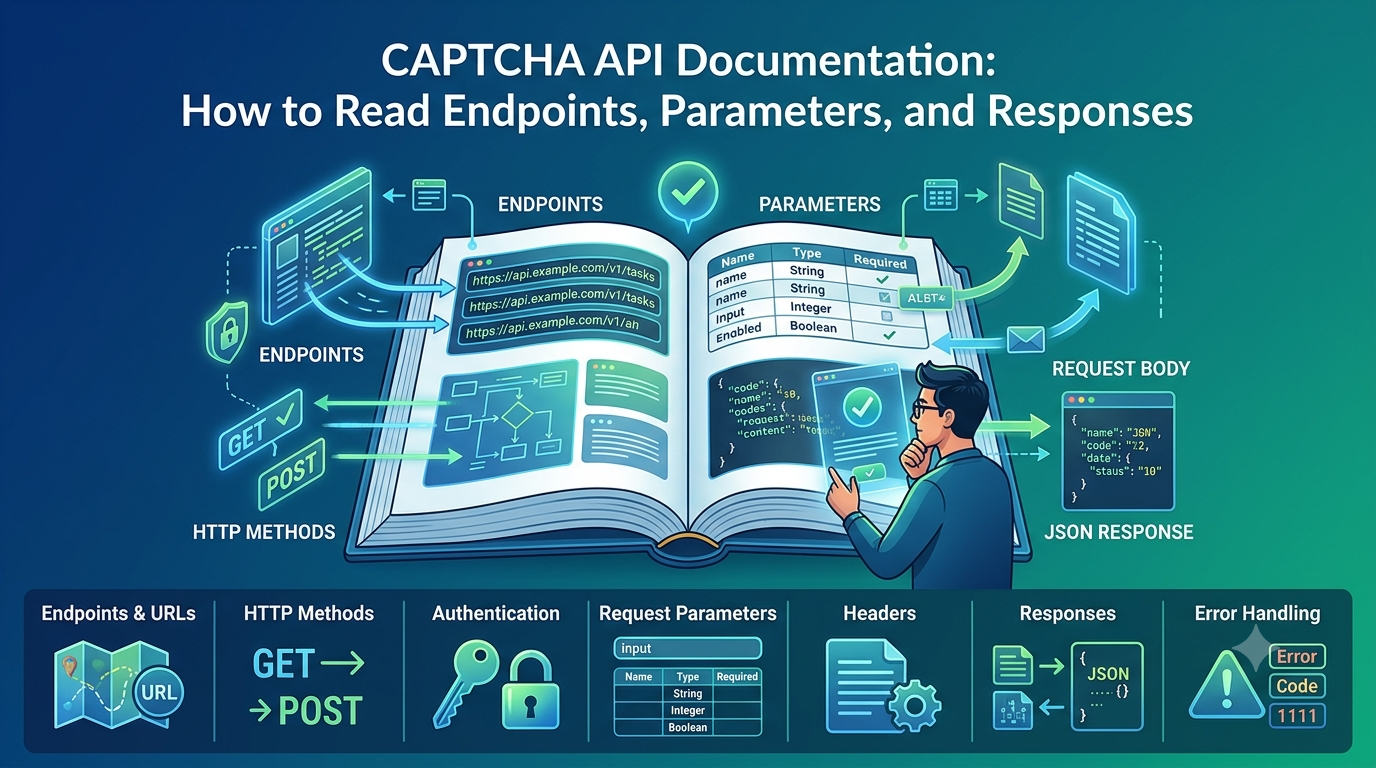
API documentation explains how an application communicates with an external service. It describes available endpoints, HTTP methods, authentication requirements, request parameters, response formats, error codes, and usage limitations.
However, technical documentation can be confusing, especially for developers who are integrating an API for the first time. A small misunderstanding about an endpoint, required parameter, or response field can cause authentication failures, invalid requests, or unexpected application behavior.
In this guide, you will learn how to read CAPTCHA API documentation, understand common API terminology, interpret request and response structures, and avoid common integration mistakes.
Whether you are working with Python, PHP, JavaScript, Java, or another programming language, these principles will help you build more reliable API integrations.
What Is CAPTCHA API Documentation?
CAPTCHA API documentation is a technical reference that explains how developers can interact with a CAPTCHA-related service through HTTP requests.
It typically provides information about:
- Available API endpoints.
- Supported HTTP methods.
- Authentication requirements.
- Required and optional parameters.
- Request headers.
- JSON request structures.
- Response formats.
- Error codes and messages.
- Rate limits and usage restrictions.
- Examples in different programming languages.
For example, an API provider might document an endpoint that accepts a task submission request and returns a task identifier.
The application can then use another documented endpoint to retrieve the task status or final result.
The exact endpoint names, authentication method, parameters, and response fields vary between providers. Always follow the documentation for the specific API you are integrating.
Why Is API Documentation Important?
Understanding API documentation before writing code can save considerable development time.
1. Prevent Integration Errors
Many API errors happen because developers send incorrect parameters, use the wrong HTTP method, or misunderstand the expected request format.
Reading the documentation first helps prevent these mistakes.
2. Understand Authentication Requirements
Different APIs use different authentication methods.
Some require an API key in an HTTP header, while others may use a different documented mechanism.
Using the wrong authentication format can result in unauthorized requests.
3. Handle Responses Correctly
An API may return different response structures depending on whether an operation succeeds, fails, or is still processing.
Understanding these structures allows your application to handle each situation correctly.
4. Improve Security
Documentation may explain important requirements concerning API key management, HTTPS, request validation, and data handling.
Following these recommendations helps protect your integration.
5. Build More Maintainable Applications
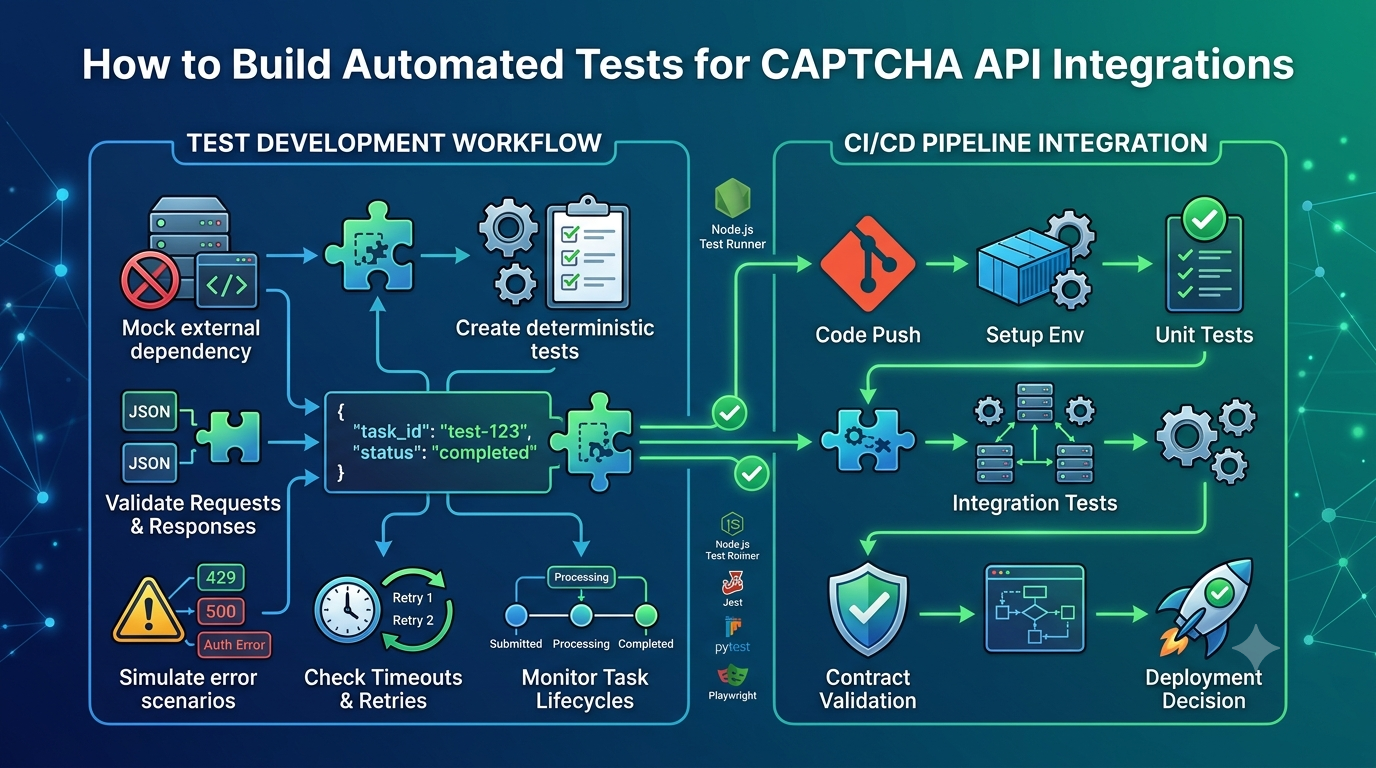
When developers understand the API's expected behavior, they can create reusable clients, consistent error handling, and better automated tests.
7 Important Sections to Look for in CAPTCHA API Documentation
Most API documentation contains several recurring sections.
Here are the seven areas developers should examine before beginning an integration.
1. Base URL and API Endpoints
An endpoint is a specific URL used to access an API operation.
The base URL identifies the API server, while the endpoint path identifies the operation.
For example, an illustrative API URL might look like this:
https://api.example.com/v1/tasks
In this example:
https://api.example.comis the illustrative server address./v1represents an example API version./tasksrepresents an example resource.
This is a placeholder, not an actual AllCaptcha endpoint.
Common Types of API Endpoints
Depending on the provider, a CAPTCHA API may document endpoints for:
| Endpoint Purpose | Description |
|---|---|
| Authentication | Validates API credentials |
| Task creation | Submits a new processing task |
| Task status | Checks whether a task is complete |
| Result retrieval | Retrieves the final task result |
| Account information | Returns account-related information |
| Usage information | Provides available usage or balance information, if supported |
Not every provider offers all these endpoints.
What Should You Check?
Before using an endpoint, identify:
- Its exact URL.
- Whether it requires authentication.
- Which HTTP methods it supports.
- Required request headers.
- Required parameters.
- Expected response format.
- Applicable rate limits.
Never assume that two API providers use identical endpoint structures.
2. HTTP Methods
HTTP methods describe the type of operation an application wants to perform.
The most common methods found in API documentation include GET, POST, PUT, PATCH, and DELETE.
GET
GET is commonly used to retrieve information.
For example, an API might use a GET request to retrieve the status of an existing task.
GET /v1/tasks/12345
POST
POST is commonly used to submit data or create a new resource.
For example, an API might accept a task creation request through POST.
POST /v1/tasks
PUT
PUT is commonly used to replace an existing resource.
Whether an API supports PUT depends on its design.
PATCH
PATCH is commonly used to update selected fields of an existing resource.
DELETE
DELETE is used to request removal of a resource when the API supports that operation.
HTTP Method Comparison
| Method | Common Purpose | Typical Use |
|---|---|---|
| GET | Retrieve information | Check task status |
| POST | Submit or create data | Create a task |
| PUT | Replace a resource | Update a complete resource |
| PATCH | Modify selected fields | Update specific settings |
| DELETE | Remove a resource | Delete a supported resource |
The table describes common HTTP conventions. Always use the method specified in the provider's documentation.
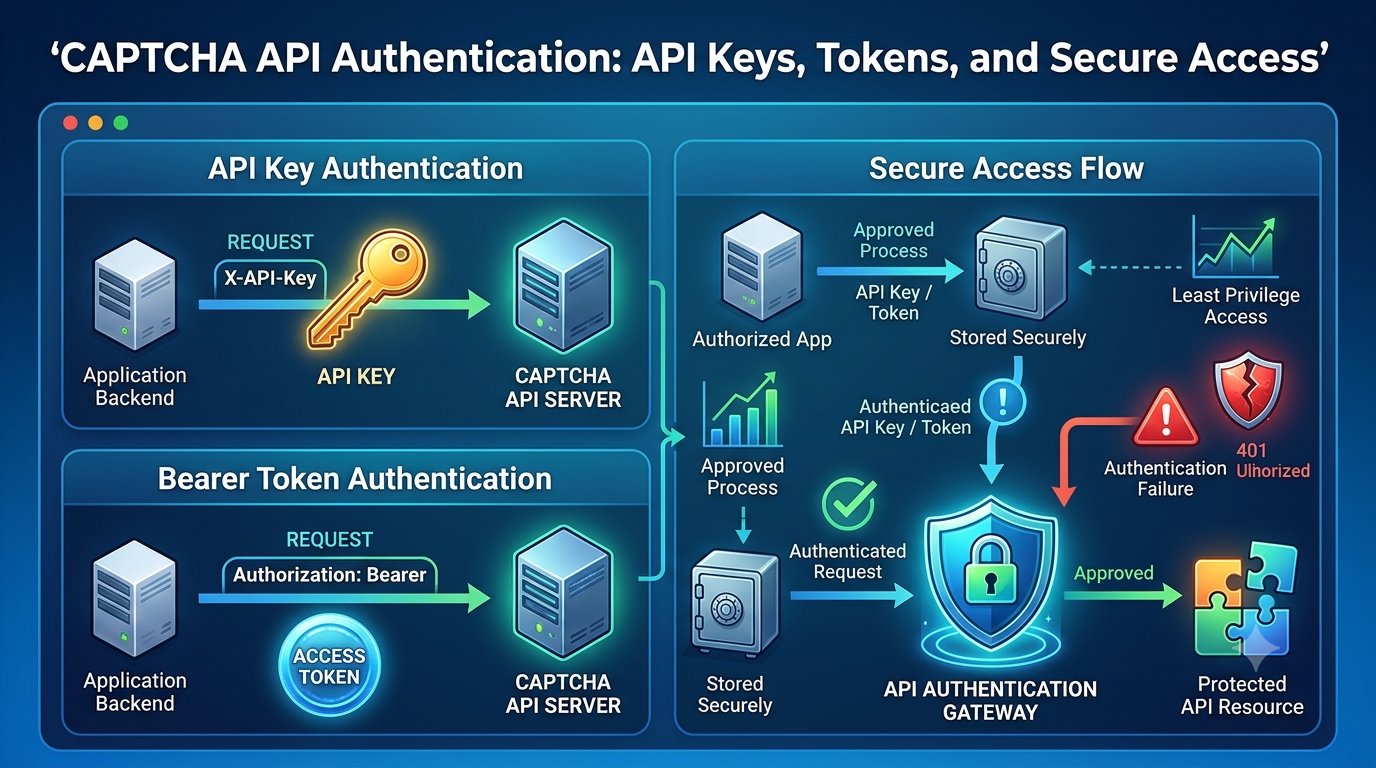
3. Authentication and API Keys
Authentication allows an API provider to identify and authorize an application.
Many API services use API keys, but the exact authentication mechanism differs between providers.
Common Authentication Methods
API key in an HTTP header
An illustrative example:
Authorization: Bearer YOUR_API_KEY
API key in a custom header
Some providers define their own header name:
X-API-Key: YOUR_API_KEY
API key in a request body
Some APIs document authentication fields inside the JSON request body.
These examples are alternative authentication patterns. They are not interchangeable, and neither should be assumed to be the actual AllCaptcha authentication format without checking its official documentation.
How to Protect Your API Key
API keys should be treated as sensitive credentials.
Follow these practices:
- Store API keys in environment variables or a secure secrets manager.
- Never publish API keys in frontend JavaScript.
- Avoid committing credentials to public Git repositories.
- Do not include API keys in application logs.
- Rotate credentials if they are exposed.
- Use HTTPS for API communication.
Example using an environment variable in Node.js:
const apiKey = process.env.CAPTCHA_API_KEY;

if (!apiKey) {
    throw new Error("Missing CAPTCHA API key");
}
This example demonstrates secure configuration handling. The authentication header or request field must match the provider's actual documentation.
4. Request Parameters
Request parameters are values that an application sends to an API.
They tell the API what operation to perform and provide the information required to process the request.
Parameters may appear in:
- URL paths.
- URL query strings.
- HTTP headers.
- JSON request bodies.
- Form-encoded request bodies.
Required Parameters
Required parameters must be included for the request to be valid.
For example, an illustrative API might require a task type and a target resource identifier.
If a required parameter is missing, the API may return a validation error.
Optional Parameters
Optional parameters are not always necessary.
They may allow developers to configure additional behavior, but they should only be included when supported by the provider.
Parameter Types
API documentation often defines parameter data types.
| Data Type | Example | Description |
|---|---|---|
| String | "example" |
Text value |
| Integer | 100 |
Whole number |
| Number | 10.5 |
Numeric value |
| Boolean | true |
True or false |
| Array | ["a", "b"] |
Collection of values |
| Object | {"key":"value"} |
Structured data |
| Null | null |
Missing or empty value, when permitted |
Example Request Body
The following is a generic JSON example:
{
  "type": "EXAMPLE_TASK",
  "target": "https://example.com",
  "options": {
    "language": "en"
  }
}
The field names and values above are illustrative only. They do not represent confirmed AllCaptcha parameters or supported task types.
How to Read Parameter Descriptions
For every parameter, check:
- Parameter name.
- Data type.
- Whether it is required.
- Accepted values.
- Default value, if documented.
- Maximum or minimum length.
- Format restrictions.
- Whether it is case-sensitive.
For example, a parameter that expects an integer should not automatically be supplied as a string.
Incorrect:
{
  "timeout": "30"
}
Potentially correct when the documented type is integer:
{
  "timeout": 30
}
Always follow the documented data type.
5. Request Headers
HTTP headers provide additional information about an API request.
Common headers include:
| Header | Purpose |
|---|---|
| Authorization | Sends authentication credentials |
| Content-Type | Identifies the request body format |
| Accept | Indicates the expected response format |
| User-Agent | Identifies the client application |
| Idempotency-Key | Helps prevent duplicate operations when supported |
Understanding Content-Type
If an API expects JSON, its documentation may require:
Content-Type: application/json
This tells the server that the request body contains JSON data.
Understanding Accept
A request may include:
Accept: application/json
This indicates that the client expects a JSON response.
However, not every API requires every header. Use the headers specified by the provider.
6. API Responses
An API response is the information returned by the server after receiving a request.
Responses usually contain an HTTP status code, response headers, and sometimes a JSON or XML response body.
Example of a Successful Response
{
  "success": true,
  "data": {
    "task_id": "example_12345",
    "status": "processing"
  }
}
This is an illustrative response structure, not an actual AllCaptcha response.
Example of a Failed Response
{
  "success": false,
  "error": {
    "code": "INVALID_REQUEST",
    "message": "A required parameter is missing"
  }
}
Again, the field names and error values are examples only.
Important Response Fields
When reading response documentation, pay attention to:
Success indicator
Some APIs use a Boolean field to indicate whether an operation succeeded.
Task ID
Asynchronous APIs may return an identifier that the application uses to check task progress.
Status
A status field may indicate whether an operation is pending, processing, completed, or failed.
Result
The result field may contain the information returned after processing.
Error code
An error code helps developers identify the type of failure.
Error message
The message provides additional information about the problem.
Do not assume that every API uses these exact fields. Check the response examples and field definitions in the actual documentation.
7. HTTP Status Codes and Error Handling
HTTP status codes provide information about the result of an HTTP request.
Understanding them is essential for building reliable API clients.
| Status Code | Meaning | Common Developer Action |
|---|---|---|
| 200 | OK | Process the successful response |
| 201 | Created | Handle the newly created resource |
| 202 | Accepted | Check whether processing continues asynchronously |
| 400 | Bad Request | Validate request parameters |
| 401 | Unauthorized | Check authentication credentials |
| 403 | Forbidden | Check permissions or access restrictions |
| 404 | Not Found | Verify the endpoint or resource identifier |
| 408 | Request Timeout | Investigate timeout conditions |
| 429 | Too Many Requests | Respect rate limits and retry guidance |
| 500 | Internal Server Error | Investigate server-side failure |
| 502 | Bad Gateway | Check upstream service availability |
| 503 | Service Unavailable | Handle temporary service unavailability |
| 504 | Gateway Timeout | Investigate upstream response delays |
These are standard HTTP status meanings. An API may provide additional error codes or use particular status codes according to its documented behavior.
How to Handle API Errors
A reliable application should:
- Check the HTTP status code.
- Parse the response body safely.
- Identify whether the error is temporary or permanent.
- Log useful diagnostic information without exposing secrets.
- Retry only when appropriate.
- Apply backoff and respect any documented retry instructions.
For more detailed troubleshooting, see the related AllCaptcha article about CAPTCHA API error codes.
How to Read an API Documentation Example Step by Step
Consider a hypothetical API documentation entry:
Operation: Create a task
Method: POST
Path: /v1/tasks
Content type: application/json
Authentication: Required
Request body:
{
  "type": "EXAMPLE_TASK",
  "target": "https://example.com"
}
Illustrative response:
{
  "task_id": "12345",
  "status": "processing"
}
Here is how to interpret it.
Step 1: Identify the Operation
The operation creates a new task.
Step 2: Check the HTTP Method
The documentation specifies POST.
Your application must use POST rather than assuming GET is acceptable.
Step 3: Combine the Base URL and Path
If the documentation provides a base URL, combine it with the documented path to construct the complete endpoint.
Do not invent a production URL based on an example.
Step 4: Check Authentication
The request requires authentication.
Find the exact authentication instructions before writing the request code.
Step 5: Validate the Request Body
The example contains two fields.
Check whether both are required, which data types they accept, and whether additional fields are permitted.
Step 6: Understand the Response
The example response contains a task identifier and a processing status.
This suggests that the operation may continue asynchronously.
However, you must inspect the documentation for the exact status values and the method used to retrieve the final result.
How to Test a CAPTCHA API Before Integration
Before integrating an API into a production application, developers should validate their understanding of the documentation.
1. Start with a Simple Request
Use a documented endpoint and the minimum valid request parameters.
Avoid adding optional fields until the basic operation works.
2. Use an API Testing Tool
Tools such as Postman or curl can help developers inspect HTTP requests and responses.
Example curl structure:
curl -X POST "https://api.example.com/v1/tasks" \
  -H "Content-Type: application/json" \
  -H "Authorization: Bearer YOUR_API_KEY" \
  -d '{
    "type": "EXAMPLE_TASK"
  }'
This is a generic example with a placeholder endpoint and illustrative authentication format. Replace every field with the actual requirements from your API provider.
Do not run placeholder examples as production requests.
3. Check Successful and Failed Responses
Test both valid and invalid inputs in an authorized environment.
Confirm that your application can handle:
- Successful responses.
- Missing required parameters.
- Invalid credentials.
- Invalid request formats.
- Rate-limit responses.
- Network timeouts.
- Unexpected response bodies.
4. Verify Asynchronous Workflows
If the API supports asynchronous processing, test the complete workflow.
Check that your application can:
- Submit a task.
- Store the returned task identifier.
- Check task status using the documented method.
- Handle pending tasks.
- Retrieve completed results.
- Stop polling after completion or failure.
5. Test Security
Confirm that API keys are not exposed in frontend code, application logs, or public repositories.
Use test credentials and an authorized environment whenever possible.
Common Mistakes When Reading API Documentation
Even experienced developers can misunderstand API specifications.
Here are some mistakes worth avoiding.
Mistake 1: Assuming All APIs Use the Same Structure
Two providers may offer similar services but use completely different endpoint paths, authentication methods, and response formats.
Better approach: Follow the documentation for the specific provider.
Mistake 2: Ignoring Required Parameters
Some parameters may appear optional in an example but be mandatory for a particular operation.
Better approach: Read the parameter reference, not just the example request.
Mistake 3: Using the Wrong HTTP Method
A GET request cannot automatically replace a documented POST operation.
Better approach: Follow the method specified for each endpoint.
Mistake 4: Treating HTTP 200 as Proof That the Entire Task Is Complete
An HTTP 200 response means the HTTP request succeeded. It does not necessarily mean an asynchronous task has finished.
Better approach: Check the response body and documented task status.
Mistake 5: Ignoring Data Types
Sending a string where an integer is required may result in validation errors.
Better approach: Validate request data types before sending requests.
Mistake 6: Copying Example Credentials or URLs
Documentation examples often contain placeholders.
Better approach: Replace placeholders with the correct values from your provider's official documentation and secure configuration.
Mistake 7: Ignoring Rate Limits
Even correctly formatted requests may be rejected if they exceed documented usage limits.
Better approach: Read the rate-limit section and implement appropriate request scheduling.
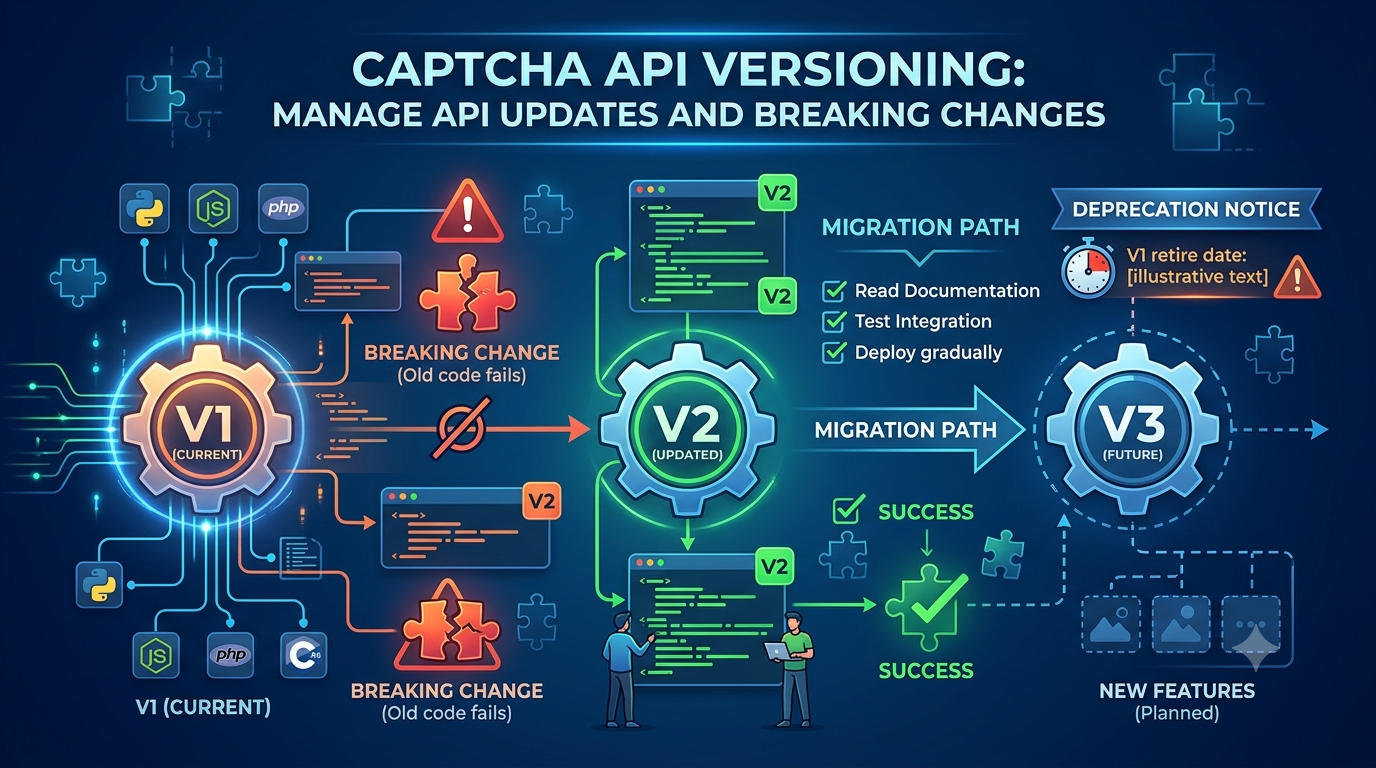
Mistake 8: Ignoring API Versioning
An endpoint may change between API versions.
Better approach: Check the version used by your integration and review migration notes before upgrading.
A Practical Checklist for Reading CAPTCHA API Documentation
Use this checklist before starting development:
- Identify the API base URL.
- Confirm the API version.
- Find the endpoint for the required operation.
- Check the required HTTP method.
- Understand the authentication mechanism.
- Review required and optional parameters.
- Confirm all parameter data types.
- Check required HTTP headers.
- Review successful response examples.
- Review error response examples.
- Understand asynchronous processing, if applicable.
- Check rate limits and usage restrictions.
- Review timeout and retry recommendations.
- Confirm security requirements.
- Test requests in an authorized environment.
Frequently Asked Questions
1. What is CAPTCHA API documentation?
CAPTCHA API documentation is a technical guide explaining how developers can communicate with a CAPTCHA-related service. It typically describes endpoints, authentication, request parameters, response structures, and error handling.
2. What is an API endpoint?
An API endpoint is a specific URL where an application sends requests to access a particular operation or resource.
For example, an API may have separate endpoints for creating tasks and retrieving their status.
3. What is the difference between an endpoint and a parameter?
An endpoint identifies where an API request should be sent.
A parameter provides information required by the operation.
For example, an endpoint might identify a task status operation, while a task ID parameter identifies which task the application wants to check.
4. What is the difference between GET and POST?
GET is commonly used to retrieve information, while POST is commonly used to submit data or create resources.
The correct method depends on the API operation and its documentation.
5. How do I know which parameters are required?
Look for the parameter reference in the API documentation.
It should identify required fields, optional fields, accepted data types, and any validation restrictions.
6. What does a 401 API error mean?
HTTP 401 means the request lacks valid authentication credentials for the requested resource.
Check the API key, authentication format, and other requirements documented by the provider.
7. Why does an API return HTTP 200 but my task is still processing?
Some APIs use asynchronous processing.
The HTTP request may succeed while the underlying task continues running.
Check the response body and follow the documented method for retrieving the final result.
8. How can I test an API without writing application code?
Tools such as Postman and curl allow developers to send HTTP requests, inspect headers, and review response bodies.
Always use valid test credentials and an authorized environment.
9. Should I use API examples directly in production?
No. Documentation examples are often simplified and may contain placeholder URLs, credentials, or parameters.
Review the complete API specification and replace placeholders with verified production values before deployment.
10. How often should I review API documentation?
Review documentation whenever you upgrade an API version, change integration behavior, encounter unexpected errors, or receive a provider announcement about API changes.
Regular reviews help prevent compatibility and security problems.
Conclusion
Understanding CAPTCHA API documentation is one of the most important steps in building a reliable API integration.
Developers should know how to identify endpoints, interpret HTTP methods, configure authentication, validate parameters, understand response structures, and handle HTTP errors.
It is equally important to review rate limits, asynchronous workflows, security requirements, and API versioning before deploying an integration.
Rather than copying code examples without understanding them, treat API documentation as the source of truth for every request your application sends.
By following a structured approach, developers can reduce integration errors, improve troubleshooting, and build more secure and maintainable CAPTCHA API clients.
SEO Information
SEO Title: CAPTCHA API Documentation: How to Read Endpoints and Responses
Meta Description: Learn how to read CAPTCHA API documentation, understand endpoints, HTTP methods, authentication, parameters, JSON responses, and common API errors.
Focus Keyword: CAPTCHA API documentation
Secondary Keywords:
- CAPTCHA API endpoints
- CAPTCHA API parameters
- CAPTCHA API integration guide
- API request and response
- CAPTCHA API authentication
- API documentation for developers
- CAPTCHA API error handling
- REST API documentation
URL Slug: captcha-api-documentation-guide
Suggested Featured Image: A software developer reviewing API documentation on a computer screen, with endpoint diagrams, JSON request examples, and response data.
Suggested Image Alt Text: CAPTCHA API documentation guide showing endpoints, parameters, authentication, and JSON responses
Suggested Internal Links
Add contextual links to these related AllCaptcha articles:
- CAPTCHA Solver API Tutorial: How REST APIs Work – Link from the HTTP methods and endpoint sections.
- CAPTCHA API Error Codes: Common Errors and How to Fix Them – Link from the HTTP status codes and error handling sections.
- CAPTCHA Token Verification: How It Works and Common Mistakes – Link from the API response and verification workflow sections.
- CAPTCHA API Security Best Practices: How to Protect API Keys and Requests – Link from the authentication and API key security sections.
Suggested Schema Markup
Article– For the main educational article.BreadcrumbList– To describe the page's position within the AllCaptcha website structure.FAQPage– Consider only if the FAQ content and Google's current structured-data guidelines make it appropriate. Structured data does not guarantee enhanced search visibility.