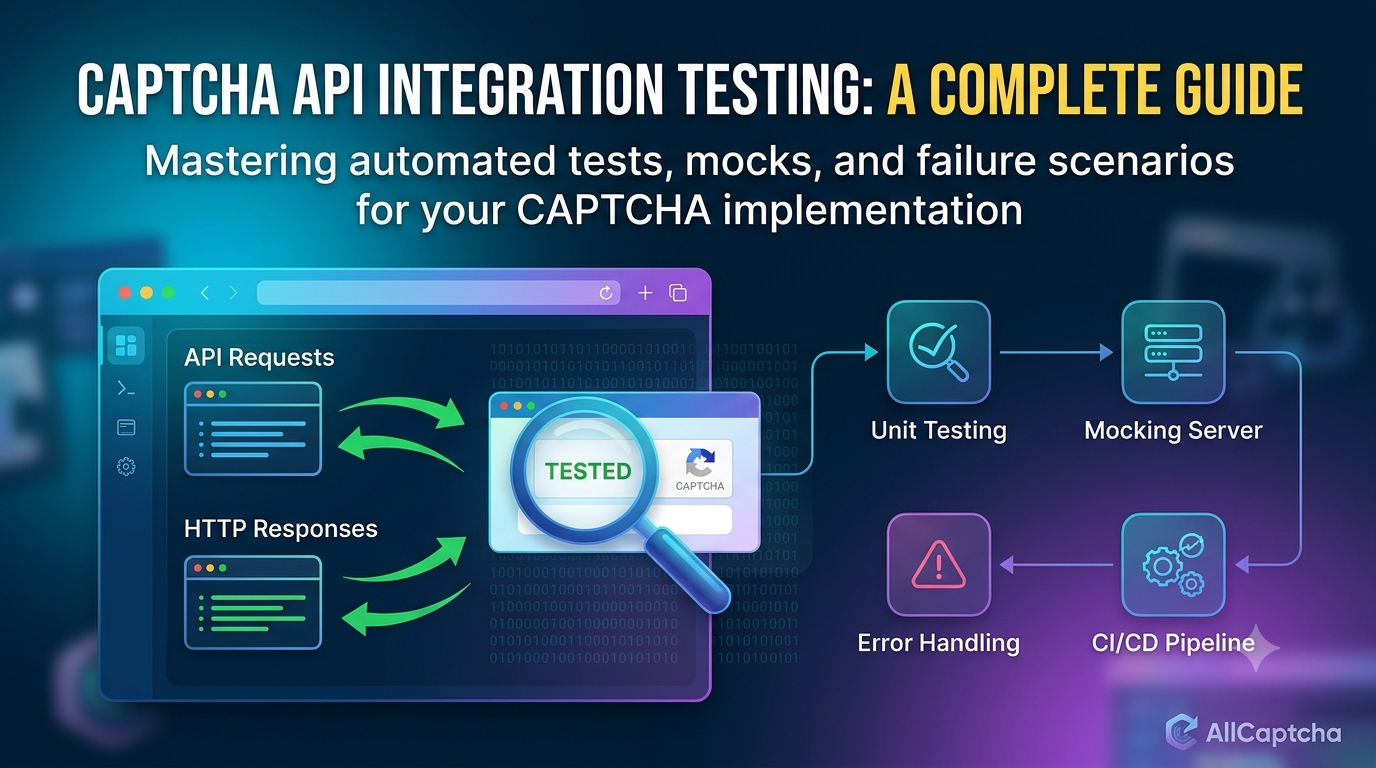
CAPTCHA API Integration Testing: A Complete Guide
Integrating a CAPTCHA API into an application is only the first step. Developers also need to verify that requests are formatted correctly, responses are handled safely, errors are reported properly, and the application continues to work when the external service is slow or unavailable.
CAPTCHA API integration testing helps teams validate the interaction between their application and a CAPTCHA-related service before deploying changes to production. A well-designed testing strategy can uncover configuration mistakes, authentication problems, timeout issues, unexpected responses, and reliability gaps early in the development process.
In this guide, you will learn how to test a CAPTCHA API integration, choose the right testing approach, mock external API responses, validate error handling, and incorporate tests into a CI/CD pipeline.
All examples use generic interfaces and simulated responses. Replace them with the actual API contract and approved testing mechanisms documented by your provider. Only test applications and services you own or have permission to assess.
Table of Contents
- What Is CAPTCHA API Integration Testing?
- Why Is Integration Testing Important?
- Types of CAPTCHA API Tests
- Prepare a Safe Testing Environment
- Design a Testable API Integration
- Unit Testing with Mock Responses
- Integration Testing with a Mock HTTP Server
- Test Success and Failure Scenarios
- Test Timeouts and Retry Behavior
- Add CAPTCHA Tests to a CI/CD Pipeline
- Common Testing Mistakes
- Best Practices and Checklist
- Frequently Asked Questions
- Conclusion
1. What Is CAPTCHA API Integration Testing?
CAPTCHA API integration testing verifies that an application communicates correctly with a CAPTCHA-related service or a controlled substitute for that service.
Unlike a unit test, which usually checks one function in isolation, an integration test examines how multiple components work together. These components may include an HTTP client, authentication configuration, JSON serialization, response parsing, error handling, and application business logic.
For example, a web application might need to:
- Send a documented request to an external API.
- Include the required authentication information.
- Interpret the response correctly.
- Handle unsuccessful HTTP responses.
- Respond safely when the API is unavailable.
- Record useful diagnostic information without exposing secrets.
A test suite should verify these behaviors without requiring developers to complete real CAPTCHA challenges during every automated test run.
Example workflow
A typical integration-testing workflow looks like this:
- The application receives a test request.
- Its API client constructs an HTTP request.
- A mock service or approved test endpoint returns a predefined response.
- The application parses the response.
- The test verifies the result and relevant side effects.
- The test reports success or failure.
This approach makes the integration repeatable and easier to debug.
2. Why Is Integration Testing Important?
External APIs introduce dependencies that developers cannot fully control. Network failures, configuration changes, rate limits, and service interruptions can all affect application behavior.
Testing the integration helps identify these problems before users encounter them.
Catch configuration errors early
A missing environment variable, incorrect URL, or malformed request can prevent an API integration from working.
Automated tests can verify configuration validation and request construction before deployment.
Validate response handling
An API may return valid JSON containing an application-level error. Tests should confirm that the application distinguishes a successful HTTP request from a successful business operation.
Improve reliability
Timeout and failure tests help verify that the application fails safely instead of hanging indefinitely or retrying without limits.
Reduce testing costs
Mocks and approved test environments can reduce dependence on live service calls. They also make automated tests more predictable.
Support continuous delivery
A repeatable test suite can run whenever developers change the API client, update dependencies, or modify related application logic.
3. Types of CAPTCHA API Tests
Different testing levels answer different questions. A robust test strategy combines them rather than relying on one type alone.
| Test type | What it verifies | External service required? |
|---|---|---|
| Unit test | Individual functions and response-processing logic | No |
| Mock-based integration test | Interaction between application components and a simulated HTTP API | No live service required |
| Contract test | Requests and responses match a documented API schema | Not necessarily |
| Staging integration test | Communication with an approved test environment | Yes, if using a staging service |
| End-to-end test | The complete authorized application workflow | Depends on the test setup |
| Resilience test | Behavior under timeouts, failures, and rate limits | Usually simulated |
Unit testing
Unit tests are suitable for validating functions such as response parsing, input validation, and status mapping.
They are fast and should form the foundation of the test suite.
Mock-based integration testing
Mock-based integration tests simulate HTTP responses while exercising more of the application's integration logic.
They are useful for checking request headers, JSON bodies, error mapping, and timeout handling.
Contract testing
Contract tests verify that an implementation follows a known API specification. They are particularly valuable when an external provider changes its documented request or response format.
Staging integration testing
Staging tests validate actual connectivity using provider-approved credentials and test configurations. They should run less frequently than fast unit tests if they depend on network access or external quotas.
4. Prepare a Safe Testing Environment
Before writing tests, establish an environment that is separate from production.
A good testing environment should provide:
- Test credentials or official test keys where available.
- Mock endpoints or a local mock server.
- Synthetic test data.
- Isolated configuration.
- Predictable responses for success and failure scenarios.
- Logging that excludes API keys and sensitive tokens.
Use mocks or official test modes
If your CAPTCHA provider offers a documented test mode, sandbox, or test credentials, use those features according to the provider's instructions.
If no suitable test mode is available, mock the external HTTP service for automated tests. Use a real endpoint only for authorized staging tests where the provider's terms and configuration permit it.
Separate test and production configuration
For example, a Java application might read its endpoint from an environment variable:
String apiBaseUrl = System.getenv("CAPTCHA_API_BASE_URL");

if (apiBaseUrl == null || apiBaseUrl.isBlank()) {
    throw new IllegalStateException(
        "CAPTCHA_API_BASE_URL must be configured."
    );
}
This snippet validates configuration only. It does not define an actual AllCaptcha URL.
Keep test and production credentials separate, and avoid placing secrets directly in source code or test fixtures.
5. Design a Testable API Integration
Testing is easier when HTTP communication is separated from business logic.
For example, an application can use three conceptual components:
- API client: Builds requests and receives HTTP responses.
- Response parser: Converts documented response fields into application data.
- Business service: Decides how the application should respond to the result.
This separation lets you test each component independently.
Example architecture
Application Service
        |
        v
CAPTCHA API Client
        |
        v
HTTP Client
        |
        +---- Mock API in automated tests
        |
        +---- Approved staging API in integration tests
The mock and staging targets are alternatives. Automated tests should not accidentally send production traffic or use live security challenges.
Define clear outcomes
Instead of passing raw response strings throughout the application, define meaningful outcomes such as:
- Successful response.
- Invalid request.
- Authentication failure.
- Rate limit reached.
- Service unavailable.
- Request timed out.
- Unexpected response format.
Map these outcomes from the provider's documented contract. Avoid assuming that every provider uses the same JSON fields or error codes.
6. Unit Testing with Mock Responses
A unit test should validate application logic without calling the external API.
Suppose your Java application has a function that determines whether an HTTP response is successful. You can test that function using predefined status codes.
public class ApiStatusHandler {

    public static boolean isHttpSuccess(int statusCode) {
        return statusCode >= 200 && statusCode < 300;
    }
}
A corresponding JUnit 5 test might look like this:
import org.junit.jupiter.api.Test;

import static org.junit.jupiter.api.Assertions.*;

class ApiStatusHandlerTest {

    @Test
    void acceptsSuccessfulHttpStatus() {
        assertTrue(ApiStatusHandler.isHttpSuccess(200));
        assertTrue(ApiStatusHandler.isHttpSuccess(201));
    }

    @Test
    void rejectsUnsuccessfulHttpStatus() {
        assertFalse(ApiStatusHandler.isHttpSuccess(400));
        assertFalse(ApiStatusHandler.isHttpSuccess(500));
    }
}
This is a unit test, not a full API integration test. It demonstrates how to verify a small piece of response-handling logic without making network requests.
For a production implementation, add tests for documented application-level errors and invalid response formats. An HTTP 200 response alone does not guarantee that the requested operation succeeded.
What should you mock?
Depending on your architecture, mock:
- The HTTP client interface.
- The API response body.
- The clock used for deadlines.
- Retry delays or scheduling.
- Any external dependency that would make the test unpredictable.
Keep the mock behavior aligned with the documented contract, and update the tests when the contract changes.
7. Integration Testing with a Mock HTTP Server
A mock HTTP server allows your application to send real HTTP requests to a controlled local endpoint.
This is useful when you want to test more than individual functions, including:
- HTTP methods and paths.
- Request headers.
- JSON serialization.
- Response deserialization.
- HTTP status handling.
- Network timeout behavior.
One option for Java projects is WireMock. Add the version approved for your project and compatible with your Java version.
For example, a Maven test dependency can be declared as follows:
<dependency>
    <groupId>org.wiremock</groupId>
    <artifactId>wiremock</artifactId>
    <version>${wiremock.version}</version>
    <scope>test</scope>
</dependency>
Define wiremock.version using a current, compatible version verified against the official WireMock documentation.
Example: Simulate a successful response
The following JUnit-style example demonstrates the testing pattern. It uses a fictional endpoint and a generic JSON response, not a verified AllCaptcha API contract.
import static com.github.tomakehurst.wiremock.client.WireMock.*;
import static org.junit.jupiter.api.Assertions.*;

import com.github.tomakehurst.wiremock.WireMockServer;
import org.junit.jupiter.api.AfterEach;
import org.junit.jupiter.api.BeforeEach;
import org.junit.jupiter.api.Test;

class CaptchaApiIntegrationTest {

    private WireMockServer mockServer;

    @BeforeEach
    void setUp() {
        mockServer = new WireMockServer(0);
        mockServer.start();

        mockServer.stubFor(
            post(urlEqualTo("/test-api"))
                .willReturn(
                    aResponse()
                        .withStatus(200)
                        .withHeader(
                            "Content-Type",
                            "application/json"
                        )
                        .withBody(
                            "{\"status\":\"ok\"}"
                        )
                )
        );
    }

    @AfterEach
    void tearDown() {
        mockServer.stop();
    }

    @Test
    void mockApiReturnsExpectedResponse() {
        // Connect your application's HTTP client to:
        // mockServer.baseUrl() + "/test-api"

        assertTrue(mockServer.isRunning());
    }
}
This example demonstrates how to configure a mock response. The final assertion only verifies that the mock server is running; it does not yet prove that your application's HTTP client sent the correct request.
To complete the integration test, instantiate your actual client with mockServer.baseUrl(), call the client method, and assert the returned result. Then verify that the expected request was received.
For example, WireMock can verify a request using a method such as verify(postRequestedFor(urlEqualTo("/test-api"))).
Important: Adapt the imports and setup to the WireMock version selected for your project. Use the actual client method and response schema from your application.
8. Test Success and Failure Scenarios
A good test suite should include both expected behavior and edge cases.
Recommended test cases
| Scenario | Mock behavior | Expected application behavior |
|---|---|---|
| Successful response | Valid documented response | Parse and return the expected result |
| Invalid request | HTTP 400 | Report a request validation error |
| Authentication failure | HTTP 401 or documented equivalent | Report an authentication problem without exposing credentials |
| Permission denied | HTTP 403 or documented equivalent | Report insufficient access |
| Rate limited | HTTP 429 | Respect retry instructions and limits |
| Service unavailable | HTTP 503 | Fail gracefully or retry eligible operations |
| Malformed JSON | Invalid response body | Handle parsing failure safely |
| Empty response | Empty body | Avoid treating missing data as success |
| Unexpected schema | Required field missing | Reject or safely handle the response |
| Slow response | Delayed mock response | Enforce a request deadline |
These HTTP statuses are general examples. The exact behavior and error mapping must follow the provider's documentation.
Test application-level errors
Do not test only HTTP status codes. Some services may return an HTTP success status while including an application-level failure in the response body.
Your tests should verify that the application interprets the documented fields correctly.
Test malformed responses
External services can occasionally return unexpected content because of proxy errors, configuration issues, or changes to the API.
Verify that your application handles malformed JSON, missing fields, and unexpected data types without crashing or accepting invalid results.
9. Test Timeouts and Retry Behavior
Timeout handling is important because an external service may respond slowly or become temporarily unavailable.
Your tests should confirm that:
- Connection and request timeouts are configured.
- A timed-out operation produces a controlled error.
- Retry attempts are bounded.
- Retry delays do not block application threads unnecessarily.
- Rate-limit instructions are respected.
- Non-idempotent requests are not repeated blindly.
Example: Test a request timeout
If your client supports configurable request timeouts, use a mock endpoint that deliberately delays its response beyond the configured limit.
A JUnit test can then assert that the client returns or throws the expected timeout outcome.
The exact exception depends on the HTTP client and how the application wraps exceptions. Avoid making assertions against a particular exception unless your implementation guarantees it.
Use exponential backoff
For retryable failures, exponential backoff can reduce pressure on an overloaded service.
A typical strategy increases the delay after each failed attempt and adds random jitter to avoid many clients retrying simultaneously.
For example, a retry policy could use:
- A maximum number of attempts.
- A maximum overall deadline.
- Increasing delays with jitter.
- Special handling for
Retry-After. - A clear list of retryable errors.
Do not retry every failure. Invalid credentials, malformed requests, and unsupported parameters generally require correction rather than repetition.
10. Add CAPTCHA Tests to a CI/CD Pipeline
Continuous integration allows teams to run tests automatically whenever code changes.
A useful pipeline separates fast, deterministic tests from tests that depend on external infrastructure.
Recommended pipeline
- Compile the Java application.
- Run unit tests.
- Run mock-based integration tests.
- Validate the API contract.
- Run approved staging tests when appropriate.
- Publish test reports.
- Deploy only when the required checks pass.
Example GitHub Actions workflow
The following example runs Java tests with Maven. It does not contact a live CAPTCHA service and assumes that your project uses a compatible Maven and Java setup.
name: Java API Tests

on:
  push:
  pull_request:

jobs:
  test:
    runs-on: ubuntu-latest

    steps:
      - name: Check out source code
        uses: actions/checkout@v4

      - name: Set up Java
        uses: actions/setup-java@v4
        with:
          distribution: temurin
          java-version: "17"
          cache: maven

      - name: Run tests
        run: mvn --batch-mode test
Before adopting this workflow, check the current recommended versions of the GitHub Actions used by your organization and ensure that the Java version matches your project.
If you add staging tests, run them as a separate job with appropriately scoped secrets and an explicit environment configuration. Avoid exposing production API keys to untrusted pull requests.
Why separate test jobs?
Unit and mock-based integration tests should be fast and repeatable. Staging tests may fail because of network issues, temporary service outages, or external quotas.
Keeping them separate makes failures easier to diagnose and prevents a temporary external issue from obscuring a code regression.
11. Common CAPTCHA API Testing Mistakes
Testing only the happy path
A successful response does not prove that your application can handle invalid credentials, malformed JSON, timeouts, or rate limits.
Solution: Build a test matrix that includes both normal and failure scenarios.
Depending on live CAPTCHA challenges
Live challenges can make automated tests slow, inconsistent, or difficult to reproduce.
Solution: Use mocks, official test configurations, or provider-approved staging environments.
Treating HTTP success as business success
An HTTP 2xx response may still contain an application-level error.
Solution: Validate the documented response fields and business rules.
Using production credentials in CI
Exposing production secrets to test jobs increases the risk of unauthorized access and accidental production operations.
Solution: Use isolated test credentials, limited permissions, and secure secret management.
Retrying every error
Blind retries can create duplicate tasks, consume quotas, and increase service load.
Solution: Classify errors, define retryable cases, and apply bounded backoff.
Ignoring API contract changes
An external provider may change documented fields, authentication requirements, or response formats.
Solution: Review provider release notes, maintain contract tests, and verify changes in staging before deployment.
Logging sensitive responses
Request and response bodies may contain API keys, tokens, or personal data.
Solution: Redact sensitive fields and keep logs focused on operational metadata.
12. Best Practices and Checklist
Use this checklist before releasing an API integration.
- Read and follow the provider's current API documentation.
- Keep endpoint URLs and credentials in configuration.
- Separate unit, mock-based integration, and staging tests.
- Verify HTTP methods, paths, headers, and request bodies.
- Test successful responses and application-level errors.
- Test malformed JSON and missing response fields.
- Verify timeout and retry behavior.
- Respect documented rate limits.
- Prevent duplicate operations when retrying requests.
- Use approved test credentials and environments.
- Keep secrets out of source code and logs.
- Run deterministic tests in CI/CD.
- Monitor integration failures after deployment.
- Revalidate the integration when the API contract changes.
Following these practices can improve the reliability and maintainability of your CAPTCHA-related integration.
13. Frequently Asked Questions
What is CAPTCHA API integration testing?
It is the process of verifying that an application communicates correctly with a CAPTCHA-related API, including request construction, authentication, response handling, and failure recovery.
What is the difference between unit testing and integration testing?
Unit testing checks a small component in isolation. Integration testing verifies that multiple components work together, such as an HTTP client, request serializer, response parser, and application service.
Can I test a CAPTCHA API without solving a real CAPTCHA?
Yes. You can test application logic with mocks, local mock servers, official test keys, or approved staging configurations. Choose a method supported by your provider and suitable for the behavior you need to verify.
Which tools can I use for Java API integration testing?
JUnit 5 is commonly used for Java tests. WireMock can simulate HTTP services, while tools such as Mockito can mock Java interfaces and dependencies. Contract-testing tools may also be useful for validating documented API schemas.
Should integration tests call the production API?
Usually, routine automated tests should not depend on a production service. Prefer deterministic mocks and approved staging environments. If production verification is necessary, use a controlled, explicitly authorized process that follows the provider's terms.
How do I test API rate limits?
Mock rate-limit responses and verify that your application respects retry instructions, caps attempts, and avoids excessive requests. Real rate-limit tests should only be performed in an environment where the provider explicitly permits them.
How do I test API timeouts?
Use a mock server that delays its response beyond the configured request timeout. Verify that the client stops waiting and that the application returns a controlled error or follows its documented recovery strategy.
How often should CAPTCHA API integration tests run?
Unit and mock-based integration tests should generally run on every relevant code change. Contract validation and staging tests can run on pull requests, scheduled jobs, or pre-release workflows depending on their cost and reliability.
Can these examples be used directly with AllCaptcha?
The testing principles and Java patterns are general. The mock response fields, example paths, and CI workflow do not establish AllCaptcha's actual API contract. Confirm supported features, endpoints, authentication, and test options in the current official documentation before creating a live integration test.
14. Conclusion
CAPTCHA API integration testing helps developers identify problems before deployment and build applications that handle external service dependencies more reliably.
A strong strategy combines unit tests, mock-based integration tests, contract validation, and carefully controlled staging tests. It also covers error handling, timeouts, rate limits, and secure configuration.
By keeping automated tests deterministic and separating them from live CAPTCHA challenges, development teams can reduce debugging time and make their CI/CD pipelines more dependable.
For more development resources, explore AllCaptcha.com for tutorials on API integration, error handling, rate limits, and reliable automation testing.
SEO Metadata
SEO Title: CAPTCHA API Integration Testing: A Complete Guide
Meta Description: Learn how to test a CAPTCHA API integration using mocks, Java examples, CI/CD workflows, timeout handling, error scenarios, and testing best practices.
Focus Keyword: CAPTCHA API integration testing
Secondary Keywords:
- CAPTCHA API testing
- CAPTCHA integration test
- API integration testing
- Java API testing
- Mock CAPTCHA API
- CAPTCHA testing automation
- API testing in CI/CD
- CAPTCHA API error handling
Suggested URL Slug: captcha-api-integration-testing
Suggested H1: CAPTCHA API Integration Testing: A Complete Guide
Suggested Image Alt Text: Developer testing a CAPTCHA API integration with mock HTTP responses and automated tests
Suggested Schema: Article. Add FAQPage structured data only when appropriate under Google's current eligibility guidelines.
Internal Linking Suggestions
Link to these related articles on AllCaptcha.com after verifying their published URLs:
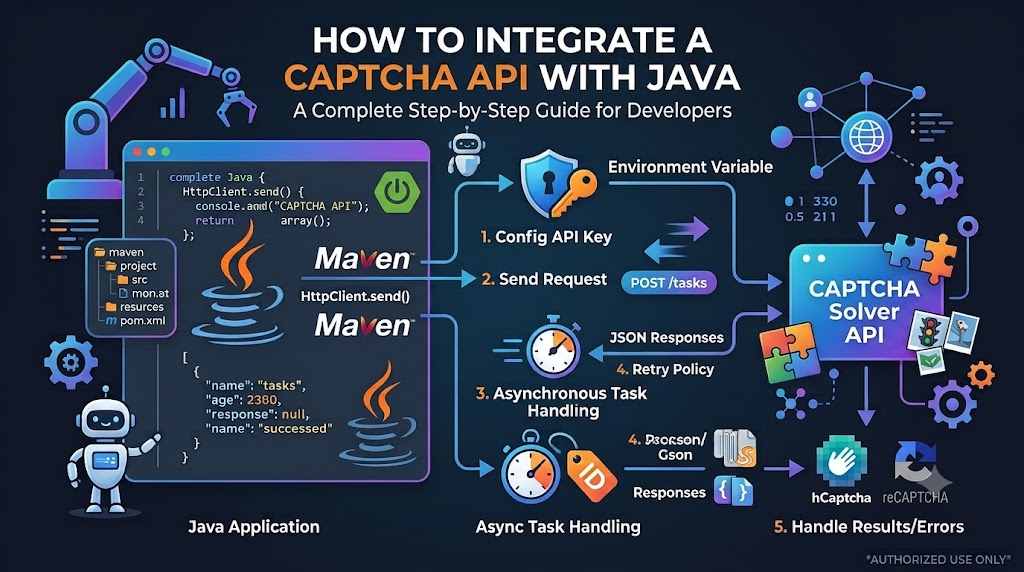
- How to Integrate a CAPTCHA API with Java — connect readers to the Java integration tutorial.
- CAPTCHA API Error Codes: Common Errors and How to Fix Them — expand on troubleshooting and response handling.
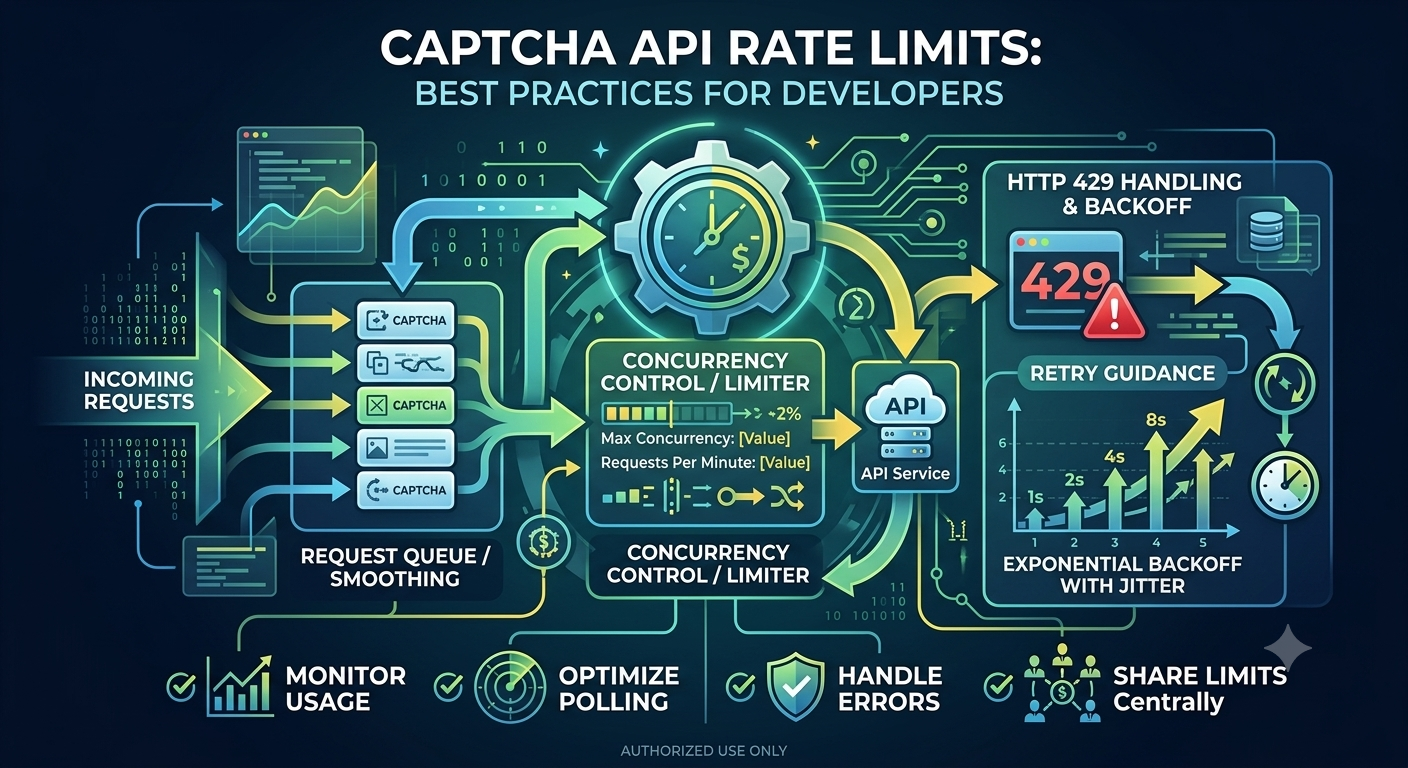
- CAPTCHA API Rate Limits: Best Practices for Developers — explain retry policies and request quotas.
- CAPTCHA Solver API Tutorial: How REST APIs Work — provide background on HTTP methods, headers, and JSON.
- How to Integrate a CAPTCHA Solver API with Python — offer an alternative implementation for Python developers.