How to Integrate a CAPTCHA API with Java: A Complete Guide
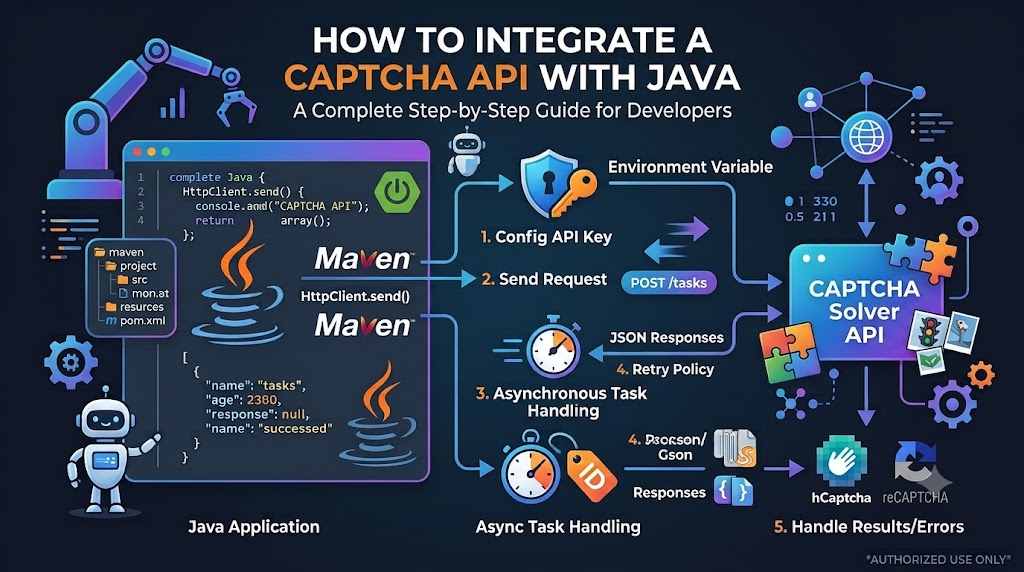
Integrating a CAPTCHA API with Java can help developers build more reliable application workflows, automate authorized testing, and handle API responses efficiently. Whether you are developing a Spring Boot application, testing a web form, or connecting your Java backend to an external service, understanding HTTP requests, JSON processing, authentication, and error handling is essential.
In this guide, you will learn how to integrate a CAPTCHA-related API with Java using the built-in HttpClient introduced in Java 11. You will also explore asynchronous task workflows, secure API key management, troubleshooting techniques, and testing best practices.
Important: The API URLs, request fields, and response formats used in this tutorial are illustrative placeholders. Before integrating AllCaptcha, replace them with the actual endpoint, authentication method, parameters, and response structure documented by the service. Use CAPTCHA testing tools only on systems you own or are authorized to test.
Table of Contents
- What Is a CAPTCHA API?
- Why Integrate a CAPTCHA API with Java?
- Prerequisites
- How Java HTTP Requests Work
- Step 1: Configure Your Java Project
- Step 2: Store Your API Key Securely
- Step 3: Send an HTTP Request
- Step 4: Process the JSON Response
- Step 5: Handle Asynchronous Tasks
- Step 6: Add Error Handling and Timeouts
- Step 7: Test the Integration
- Common Integration Errors
- Security and Performance Best Practices
- Frequently Asked Questions
- Conclusion
1. What Is a CAPTCHA API?
A CAPTCHA API is an interface that allows an application to communicate with a CAPTCHA-related service through HTTP requests. Depending on the provider, an API may expose operations for submitting supported tasks, retrieving results, checking task status, or accessing account information.
Java applications can communicate with these services using standard HTTP clients and process responses in JSON or another documented format.
Typical use cases include:
- Testing CAPTCHA integration in a staging environment.
- Automating QA workflows using approved test configurations.
- Validating API connectivity and response handling.
- Integrating a documented CAPTCHA service into an existing Java application.
- Monitoring request latency, errors, and service availability.
For production authentication, always follow the CAPTCHA provider's official verification process. Do not treat a client-side response or an unverified token as proof that a user passed a security check.
2. Why Integrate a CAPTCHA API with Java?
Java is widely used for backend services, enterprise applications, and web platforms. Its built-in HTTP client makes it possible to call external REST APIs without adding a third-party HTTP library.
The main benefits include:
Standard HTTP communication: Java's HttpClient supports HTTP requests, response handling, configurable timeouts, and asynchronous operations.
Backend integration: A Java service can coordinate API calls with application logic, databases, and monitoring systems.
Structured error handling: Java exceptions and response status codes help developers identify connectivity issues and invalid requests.
Maintainability: Reusable client classes keep network communication separate from business logic.
Testing flexibility: Mock responses and staging environments allow developers to test application behavior without relying on live CAPTCHA challenges.
The best implementation depends on the provider's actual API contract, your Java version, and whether the integration is synchronous or asynchronous.
3. Prerequisites
Before starting, prepare the following:
- Java Development Kit (JDK) 11 or later.
- An IDE such as IntelliJ IDEA, Eclipse, or Visual Studio Code.
- Basic knowledge of Java classes, exceptions, and environment variables.
- Familiarity with HTTP methods and JSON.
- Authorized access to the API documentation and credentials for the service you intend to integrate.
This tutorial uses Java's built-in HttpClient, so no additional HTTP dependency is required.
If the provider returns JSON and your application needs to parse it into Java objects, you can optionally add a JSON library such as Jackson or Gson.
4. How Java HTTP Requests Work
Most REST API integrations follow a simple sequence:
- The application prepares an HTTP request.
- The request includes the required headers and body.
- The server validates the request and processes it.
- The server returns an HTTP status code and response body.
- The Java application interprets the result and decides what to do next.
For example, an illustrative JSON request might look like this:
{
  "task": "example_task",
  "mode": "test"
}
The structure above is only an example. It is not a confirmed AllCaptcha request format.
An API may use POST to submit a task, GET to retrieve information, or another method specified in its documentation. Authentication may use a bearer token, a dedicated header, or a documented request field.
Never assume that every provider uses the same endpoint or authentication scheme.
5. Step 1: Configure Your Java Project
Create a new Java project using JDK 11 or later.
For a simple Maven project, your directory structure might look like this:
captcha-java-demo/
├── pom.xml
└── src/
    └── main/
        └── java/
            └── com/
                └── example/
                    └── CaptchaApiClient.java
A minimal pom.xml can specify Java 11 as the compilation target:
<project xmlns="http://maven.apache.org/POM/4.0.0"
         xmlns:xsi="http://www.w3.org/2001/XMLSchema-instance"
         xsi:schemaLocation="http://maven.apache.org/POM/4.0.0
         https://maven.apache.org/xsd/maven-4.0.0.xsd">

    <modelVersion>4.0.0</modelVersion>

    <groupId>com.example</groupId>
    <artifactId>captcha-java-demo</artifactId>
    <version>1.0.0</version>

    <properties>
        <maven.compiler.release>11</maven.compiler.release>
        <project.build.sourceEncoding>UTF-8</project.build.sourceEncoding>
    </properties>
</project>
This configuration is sufficient for the built-in Java HTTP client. Add a JSON library only if your application needs structured JSON parsing.
6. Step 2: Store Your API Key Securely
If the service requires an API key, avoid hardcoding it in Java source code.
Instead, read it from an environment variable:
public class Config {
    public static String getApiKey() {
        String apiKey = System.getenv("CAPTCHA_API_KEY");

        if (apiKey == null || apiKey.isBlank()) {
            throw new IllegalStateException(
                "CAPTCHA_API_KEY environment variable is missing."
            );
        }

        return apiKey;
    }
}
Set the environment variable before running your application.
On Linux or macOS:
export CAPTCHA_API_KEY="your_api_key_here"
On Windows PowerShell:
$env:CAPTCHA_API_KEY="your_api_key_here"
The example uses a generic environment variable name. Use the authentication method specified in your provider's official documentation.
Security reminders:
- Do not commit API keys to Git repositories.
- Do not print credentials in application logs.
- Use a secrets manager for production deployments where appropriate.
- Rotate exposed credentials promptly.
- Keep API credentials on the server rather than embedding them in browser-side JavaScript.
7. Step 3: Send an HTTP Request
Java 11 provides the java.net.http.HttpClient class for sending HTTP requests.
The following example demonstrates a generic JSON POST request. It is intended to show the Java networking pattern, not to represent a verified AllCaptcha endpoint.
import java.net.URI;
import java.net.http.HttpClient;
import java.net.http.HttpRequest;
import java.net.http.HttpResponse;
import java.time.Duration;

public class CaptchaApiClient {

    private final HttpClient httpClient;

    public CaptchaApiClient() {
        this.httpClient = HttpClient.newBuilder()
                .connectTimeout(Duration.ofSeconds(10))
                .build();
    }

    public String sendTestRequest(
            String endpoint,
            String apiKey
    ) throws Exception {

        String requestBody = """
            {
                "task": "example_task",
                "mode": "test"
            }
            """;

        HttpRequest request = HttpRequest.newBuilder()
                .uri(URI.create(endpoint))
                .timeout(Duration.ofSeconds(30))
                .header("Content-Type", "application/json")
                .header("Accept", "application/json")
                // Replace with the documented authentication header.
                .header("Authorization", "Bearer " + apiKey)
                .POST(
                    HttpRequest.BodyPublishers.ofString(requestBody)
                )
                .build();

        HttpResponse<String> response = httpClient.send(
                request,
                HttpResponse.BodyHandlers.ofString()
        );

        int statusCode = response.statusCode();

        if (statusCode < 200 || statusCode >= 300) {
            throw new IllegalStateException(
                    "API request failed with HTTP status: "
                            + statusCode
            );
        }

        return response.body();
    }
}
Understanding the code
HttpClientmanages HTTP communication.connectTimeout()limits how long the client waits to establish a connection.HttpRequestdefines the destination, headers, timeout, and request body.HttpResponsecontains the HTTP status code and response body.- The status code check prevents the application from treating unsuccessful HTTP responses as successful operations.
The example uses a Java text block, which is supported from Java 15 onward. If you compile with JDK 11, replace the requestBody declaration with a conventional escaped string:
String requestBody =
        "{\"task\":\"example_task\",\"mode\":\"test\"}";
Before using this client, replace the placeholder endpoint, request body, and authentication header with the values required by your provider.
8. Step 4: Process the JSON Response
A successful HTTP response does not necessarily mean that the requested operation succeeded. The response body may contain a task status, an application-level error, or other information defined by the provider.
For simple debugging, you can print a sanitized response:
String responseBody = client.sendTestRequest(
        endpoint,
        Config.getApiKey()
);

System.out.println("API response received.");
System.out.println(responseBody);
Only print the full response when you know it contains no credentials, personal data, tokens, or other sensitive information. In production, prefer structured logging with sensitive fields redacted.
For more reliable processing, use a JSON library such as Jackson.
Add this dependency to your Maven configuration if needed:
<dependency>
    <groupId>com.fasterxml.jackson.core</groupId>
    <artifactId>jackson-databind</artifactId>
    <version>2.20.0</version>
</dependency>
Check the current stable version before adopting a dependency in a production project.
You can then parse a JSON response into a tree:
import com.fasterxml.jackson.databind.JsonNode;
import com.fasterxml.jackson.databind.ObjectMapper;

public class JsonResponseParser {

    private static final ObjectMapper MAPPER =
            new ObjectMapper();

    public static JsonNode parse(String responseBody)
            throws Exception {

        return MAPPER.readTree(responseBody);
    }
}
For example:
JsonNode response = JsonResponseParser.parse(responseBody);

if (response.has("status")) {
    System.out.println(
            "Status: " + response.get("status").asText()
    );
}
The field status is illustrative. Use the actual response fields defined in the API documentation.
9. Step 5: Handle Asynchronous Tasks
Some APIs complete a request immediately. Others accept a task, return an identifier, and require a separate request to retrieve the result.
An asynchronous workflow commonly looks like this:
- Submit a task.
- Receive a task identifier.
- Check the task status after an appropriate interval.
- Stop when the task completes, fails, or reaches its deadline.
- Process the documented result.
The exact task creation endpoint, result endpoint, identifier field, polling interval, and status values are provider-specific. Do not assume that an API uses any particular naming convention.
Example: Model a task response
You can define a simple Java model for a generic task response:
public class TaskResponse {

    private String taskId;
    private String status;

    public String getTaskId() {
        return taskId;
    }

    public void setTaskId(String taskId) {
        this.taskId = taskId;
    }

    public String getStatus() {
        return status;
    }

    public void setStatus(String status) {
        this.status = status;
    }
}
This model is useful only if the provider's JSON fields match those properties or are mapped accordingly.
Poll responsibly
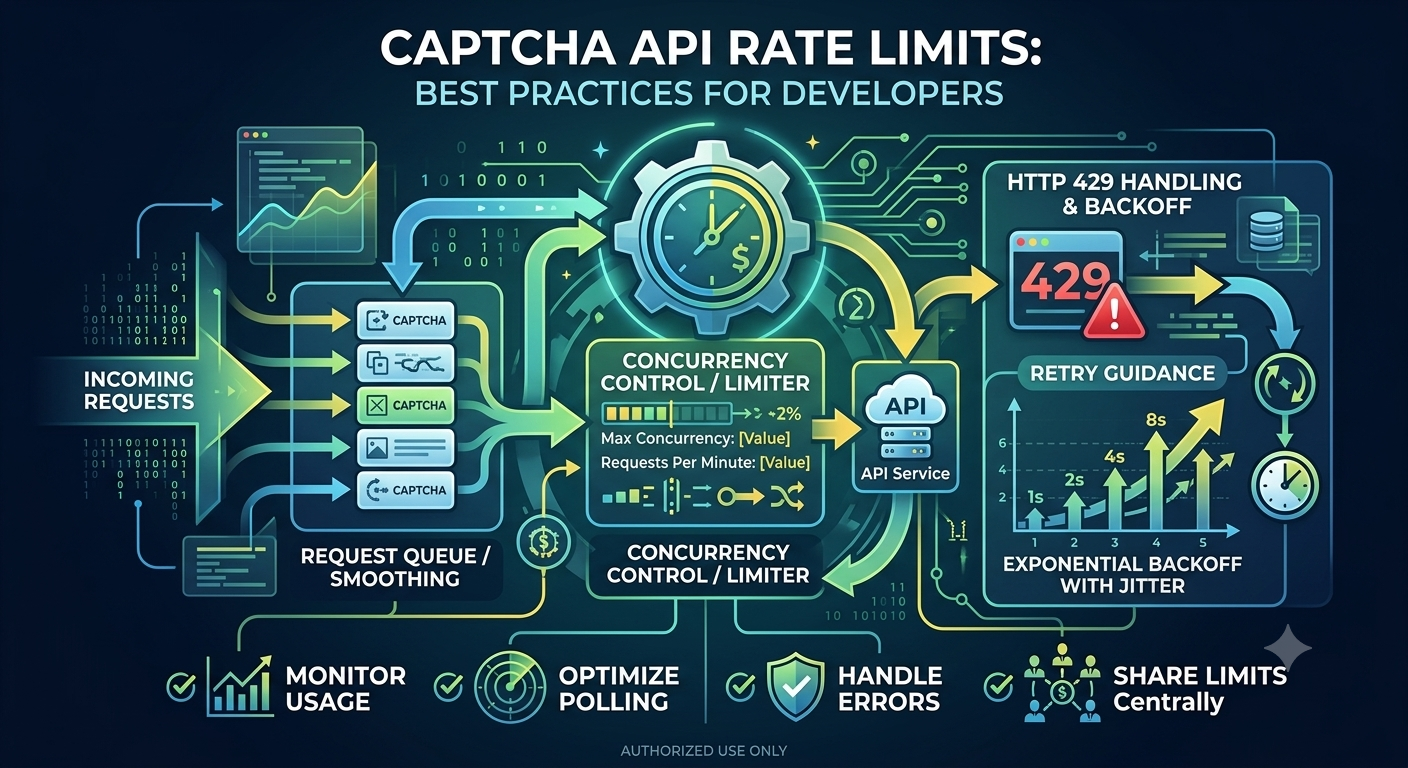
Avoid continuously sending requests without a delay. Excessive polling can waste resources and trigger rate limits.
A robust implementation should:
- Respect documented polling intervals and quotas.
- Set a maximum task deadline.
- Stop polling after a terminal success or failure state.
- Use a bounded retry policy for transient errors.
- Avoid retrying non-idempotent task creation requests blindly.
Where possible, use callbacks, webhooks, or other completion mechanisms if the provider officially supports them.
10. Step 6: Add Error Handling and Timeouts
Network requests can fail for many reasons, including connectivity problems, authentication errors, rate limits, and server-side failures.
A Java integration should distinguish between HTTP errors and network exceptions.
Here is a simple example:
import java.io.IOException;
import java.net.http.HttpTimeoutException;

public class ApiErrorHandler {

    public static void logFailure(Exception exception) {
        if (exception instanceof HttpTimeoutException) {
            System.err.println("The API request timed out.");
        } else if (exception instanceof IOException) {
            System.err.println(
                    "A network or response-reading error occurred."
            );
        } else {
            System.err.println(
                    "The API operation failed: "
                            + exception.getClass().getSimpleName()
            );
        }
    }
}
In a real application, also inspect the HTTP status code and any documented error details returned by the API.
Common HTTP statuses
| HTTP status | Typical meaning | Recommended action |
|---|---|---|
| 400 | Bad request | Check the request format and required fields |
| 401 | Unauthorized | Verify credentials and authentication format |
| 403 | Forbidden | Check permissions and account access |
| 404 | Resource not found | Verify the URL and resource identifier |
| 429 | Too many requests | Follow the documented rate limit and retry guidance |
| 500 | Internal server error | Investigate the response and retry only when appropriate |
| 502 or 503 | Gateway or service unavailable | Apply bounded backoff for eligible requests |
| 504 | Gateway timeout | Check the request deadline and service status |
These are general HTTP interpretations, not confirmed AllCaptcha-specific error codes.
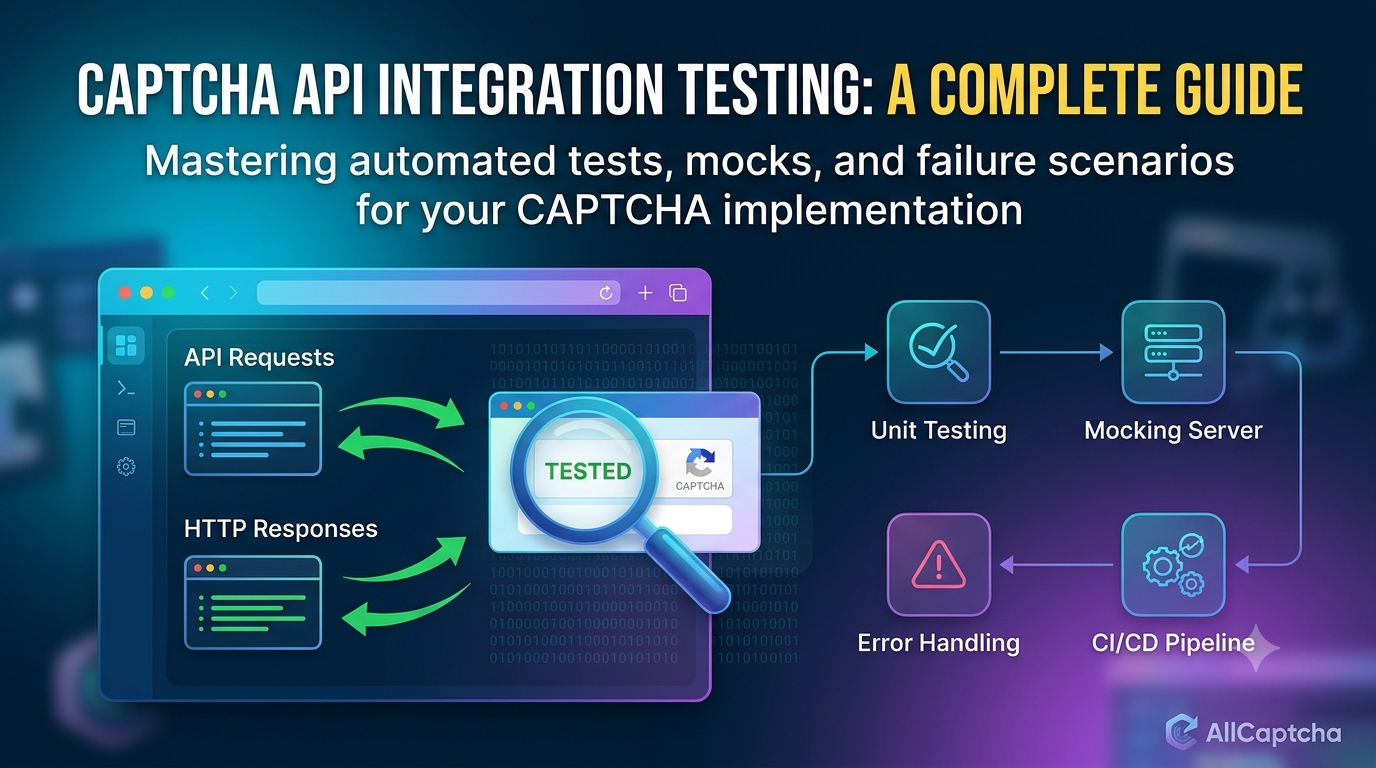
For retryable failures, use exponential backoff with jitter and a maximum number of attempts. Respect a Retry-After header when provided. Do not automatically retry every request: repeating a task creation operation could create duplicate tasks or charges if the API does not support idempotency.
11. Step 7: Test the Integration
Before deploying the integration, verify that the Java client behaves correctly under both normal and failure conditions.
Recommended test checklist
- The application loads credentials from a secure configuration source.
- The endpoint and HTTP method match the official documentation.
- The request contains the required headers and fields.
- The client handles valid JSON responses.
- Invalid credentials produce a clear, sanitized error.
- Connection and request timeouts are enforced.
- Rate-limit responses are handled without uncontrolled retries.
- Asynchronous tasks stop polling after completion or failure.
- Logs exclude API keys, private tokens, and sensitive data.
- Automated tests can run using mocks or official test configurations.
For unit tests, mock the HTTP boundary or wrap it behind an interface. This allows you to test response parsing and error handling without sending real requests.
For integration tests, use a staging environment, official test keys, or other provider-approved test mechanisms. Avoid using production security challenges as a routine way to test application logic.
12. Common CAPTCHA API Integration Errors
Incorrect endpoint
A URL copied from an outdated tutorial may not match the provider's current API.
Solution: Verify the base URL, endpoint path, HTTP method, and API version in the official documentation.
Incorrect authentication
An API may expect a specific header or a different authentication mechanism from the one used in the example.
Solution: Follow the documented authentication scheme and confirm that credentials have the necessary permissions.
Malformed JSON
Missing quotation marks, invalid escaping, or incorrect field types can cause request validation errors.
Solution: Generate JSON using a serializer rather than manually concatenating strings for complex payloads.
Incorrect response parsing
The application may expect a field that does not exist in the provider's actual response.
Solution: Inspect a sanitized response from the documented test environment and update your model accordingly.
Request timeouts
A response may take longer than the client timeout or fail because of network conditions.
Solution: Set sensible connection and request deadlines, record latency, and distinguish between timeouts and application-level errors.
Excessive polling
Checking task status too frequently can increase latency, resource consumption, and rate-limit errors.
Solution: Follow the provider's recommended polling interval and stop when the task reaches a terminal state.
Exposed API credentials
Hardcoded keys can leak through source control, application packages, or logs.
Solution: Use environment variables or a secrets manager, limit access, and rotate exposed credentials.
13. Security and Performance Best Practices
A maintainable Java integration should address security, reliability, and operational visibility from the beginning.
Use HTTPS. Send API requests over HTTPS and validate server certificates. Never disable certificate verification to work around connection errors.
Keep credentials server-side. Do not expose secret API keys in browser code, public repositories, or client applications.
Reuse the HTTP client. Create and reuse an HttpClient rather than constructing a new instance for every request.
Set explicit timeouts. Configure connection and request timeouts to prevent operations from waiting indefinitely.
Validate responses. Check HTTP status codes, parse the documented response schema, and handle missing or unexpected fields safely.
Use bounded retries. Retry only failures that are safe to retry, respect rate-limit instructions, and prevent duplicate operations where possible.
Monitor performance. Record request duration, status codes, timeout counts, and failure rates without logging secrets.
Separate concerns. Keep API communication, response parsing, business rules, and application logging in separate classes or modules.
Use approved testing methods. Prefer official test modes, mock services, and staging systems when validating CAPTCHA-related workflows.
Follow the provider's terms. Confirm that the intended use complies with the service terms and the access rules of the target application.
14. Frequently Asked Questions
Can I integrate a CAPTCHA API with Java?
Yes. Java 11 and later include HttpClient, which can send HTTP requests to REST APIs. You can use it with a JSON library if the service returns JSON.
Do I need Spring Boot to use a CAPTCHA API?
No. A standalone Java application can call an API directly. Spring Boot can be useful when you want to expose the integration through a backend service or manage configuration and dependency injection.
Which Java HTTP client should I use?
For straightforward REST integrations, Java's built-in HttpClient is a good starting point. Other libraries may be appropriate for applications with existing networking frameworks or specialized requirements.
Does every CAPTCHA API use JSON?
No. JSON is common, but the accepted content type and response format depend on the provider. Follow the official API documentation.
How do I authenticate an API request?
Authentication methods vary. A service may require an API key in a header, a bearer token, or another documented mechanism. Do not assume that the illustrative Authorization header in this guide is correct for every provider.
How do I handle an asynchronous CAPTCHA API?
Follow the provider's documented workflow. If it uses task submission and result polling, store the returned task identifier, poll at an appropriate interval, enforce a deadline, and handle terminal states.
How can I test the integration without solving live CAPTCHAs?
Use mocks, official test keys, sandbox environments, or staging configurations approved by the provider. These approaches allow you to test HTTP communication and application behavior without depending on live CAPTCHA challenges.
Can I use this Java example directly with AllCaptcha?
The Java networking pattern can serve as a starting point, but the sample endpoint, authentication header, payload, and response fields are placeholders. Replace them with the current values from AllCaptcha's official API documentation before running a real integration.
15. Conclusion
Integrating a CAPTCHA API with Java involves more than sending an HTTP request. A reliable implementation must manage credentials securely, follow the provider's API contract, parse responses correctly, handle timeouts, and respect rate limits.
Java's built-in HttpClient provides a practical foundation for this work. By separating networking from application logic and testing with mocks or approved staging configurations, developers can build integrations that are easier to maintain and troubleshoot.
If you are evaluating CAPTCHA-related services for an authorized application or test environment, review the provider's official documentation, supported features, authentication requirements, and usage terms before implementing the integration.
Explore more development tutorials on AllCaptcha.com to learn about API integration, error handling, automation testing, and reliable application workflows.
SEO Metadata
SEO Title: How to Integrate a CAPTCHA API with Java (Complete Guide)
Meta Description: Learn how to integrate a CAPTCHA API with Java using HttpClient. Explore HTTP requests, JSON parsing, API authentication, timeouts, error handling, and testing best practices.
Focus Keyword: CAPTCHA API Java
Secondary Keywords:
- Java CAPTCHA API integration
- CAPTCHA API Java tutorial
- Java REST API integration
- Java HttpClient API example
- CAPTCHA API error handling
- Java API authentication
- CAPTCHA integration testing
Suggested URL Slug: captcha-api-java-integration
Suggested H1: How to Integrate a CAPTCHA API with Java: A Complete Guide
Suggested Image Alt Text: Java developer integrating a CAPTCHA API using HTTP requests and JSON responses
Suggested Schema: Article, with FAQPage only if the FAQ content meets Google's current structured-data eligibility guidelines.
Internal Linking Suggestions
Link to relevant existing articles on AllCaptcha.com using natural anchor text:
- How to Integrate a CAPTCHA Solver API with Python — for readers comparing programming languages.
- How to Integrate a CAPTCHA Solver API with Node.js — for JavaScript backend developers.
- CAPTCHA API Error Codes: Common Errors and How to Fix Them — for troubleshooting authentication, timeout, and request errors.
- CAPTCHA API Rate Limits: Best Practices for Developers — for retry strategies and responsible polling.
- CAPTCHA Solver API Tutorial: How REST APIs Work — for readers who need a foundation in HTTP and REST.
Use the actual published URLs for these articles and verify that each destination is live before publishing.