CAPTCHA API Integration with C#: A Complete Guide
Integrating a CAPTCHA API into a C# application can help developers connect their software to external CAPTCHA-related services, automate authorized workflows, and build more reliable integrations.
However, a successful integration requires more than sending an HTTP request. Developers must configure authentication correctly, handle asynchronous operations, validate responses, manage timeouts, and recover safely from temporary network failures.
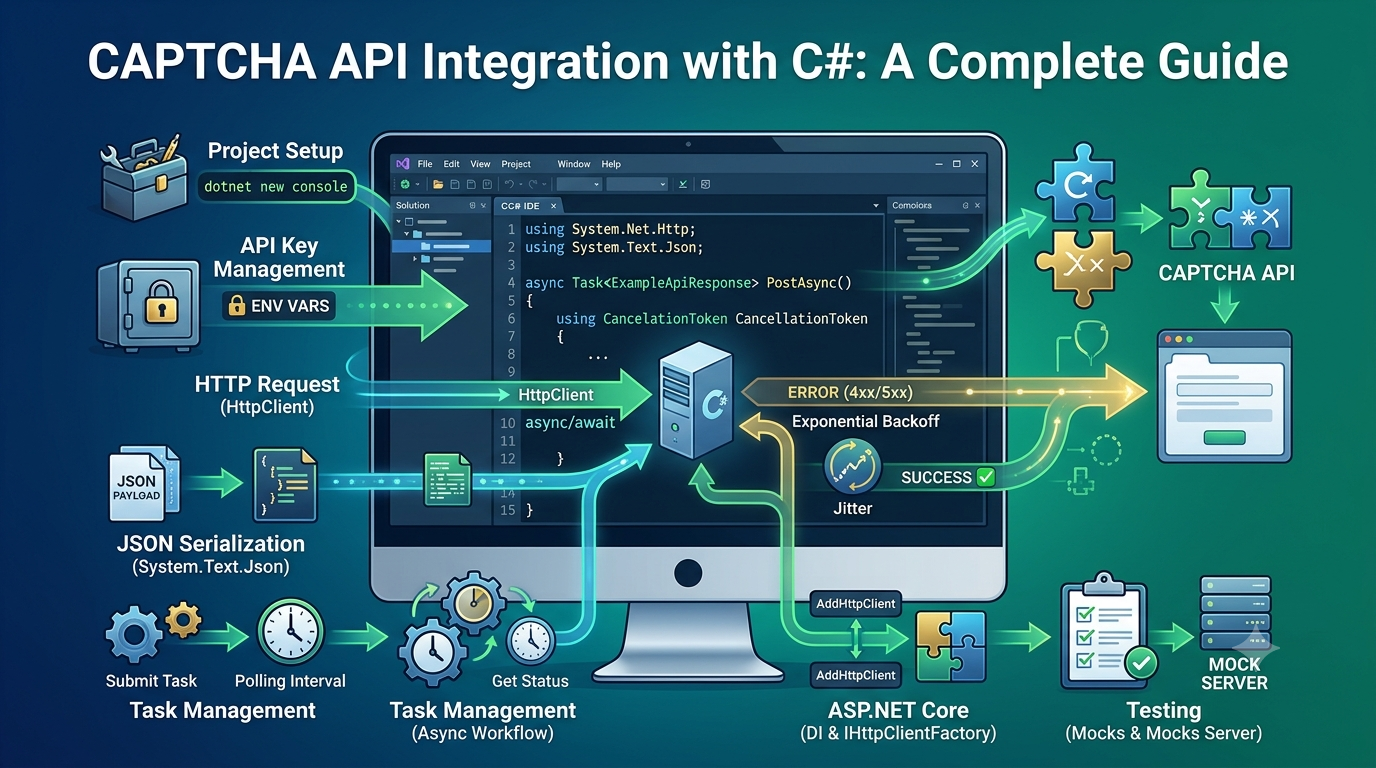
In this guide, you will learn how to integrate a CAPTCHA API with C# and .NET using HttpClient and async/await. We will cover project setup, secure API key management, HTTP requests, JSON serialization, error handling, retries, testing, and production best practices.
The examples use generic API placeholders to demonstrate common integration patterns. They are not official AllCaptcha endpoint specifications. Before connecting to a real service, replace the example endpoint, authentication scheme, request fields, and response model with the details provided in the API documentation of your chosen provider.
What Is a CAPTCHA API?
A CAPTCHA API is an interface that allows an application to communicate with a CAPTCHA-related service. Depending on the provider, the API may support specific CAPTCHA processing tasks, verification workflows, or other documented functionality.
Developers can integrate an API into C# applications using standard HTTP communication and JSON serialization.
Typical use cases include:
- Connecting an application to a documented external API.
- Building a reusable service layer for HTTP requests.
- Processing asynchronous API responses.
- Handling authentication and service errors.
- Testing authorized workflows in a controlled environment.
- Monitoring API latency, request failures, and reliability.
The exact capabilities depend on the provider. Always review the official documentation before assuming that a service supports a particular CAPTCHA type or operation.
Why use C# for CAPTCHA API integration?
C# and .NET provide several features that make API integrations straightforward:
- HttpClient: Sends HTTP requests and receives responses.
- async/await: Supports asynchronous network operations without blocking the calling thread.
- System.Text.Json: Serializes request objects and deserializes JSON responses.
- Dependency injection: Makes clients easier to configure, test, and maintain.
- Logging: Integrates with the .NET logging ecosystem.
- CancellationToken: Allows operations to be cancelled when a request or application workflow no longer needs them.
These capabilities make it possible to create a maintainable API client without introducing unnecessary dependencies.
Prerequisites
Before starting, make sure you have:
- A supported version of the .NET SDK.
- Basic knowledge of C# classes, methods, and exceptions.
- Familiarity with HTTP methods and JSON.
- Access to the API documentation for your chosen provider.
- An API key or other credentials, if required by that provider.
You can check your installed .NET SDK with:
dotnet --version
Create a new console application:
dotnet new console -n CaptchaApiDemo
cd CaptchaApiDemo
The examples below use modern C# syntax and System.Net.Http.Json, available in current .NET versions.
Step 1: Configure the API Endpoint and Credentials
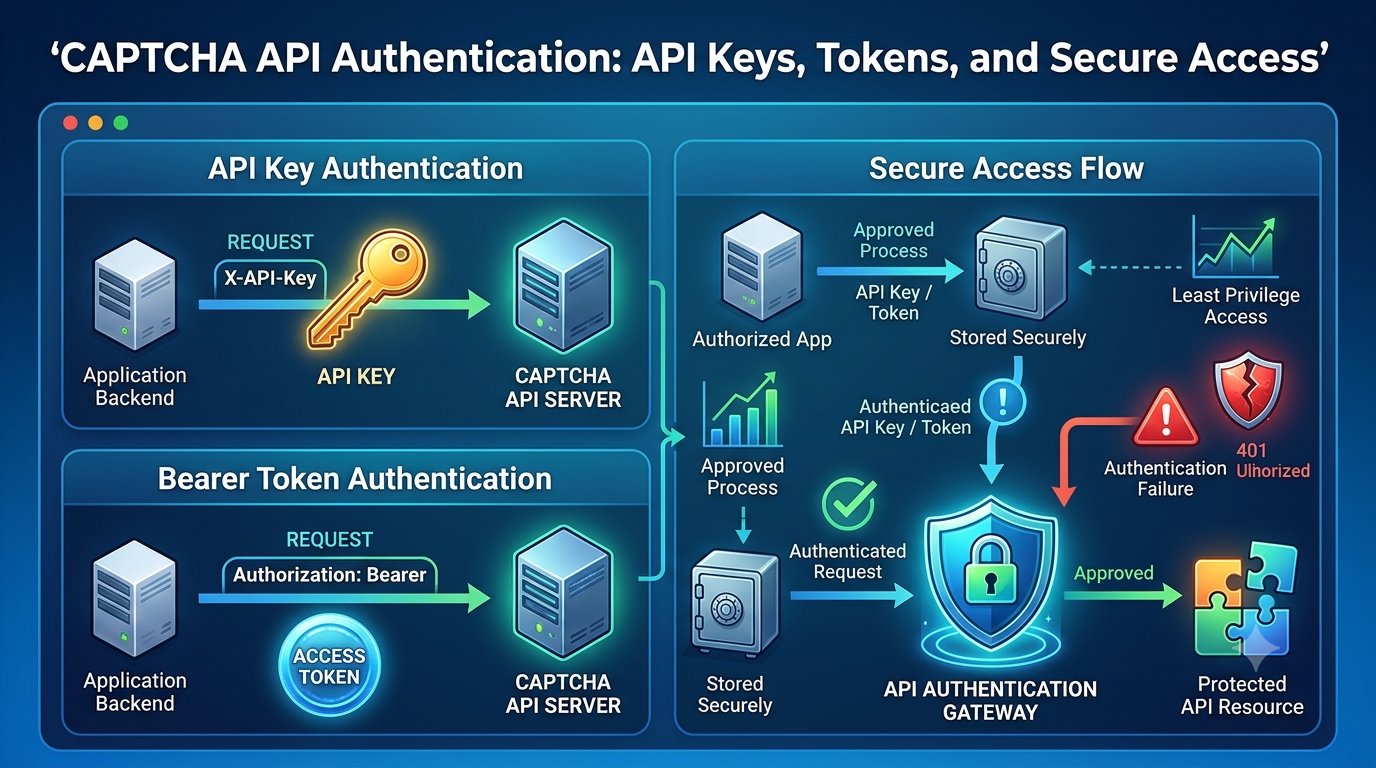
Avoid hardcoding API keys directly into your source code. Store credentials in environment variables or a suitable secrets-management system.
For a local development environment, you can define variables in your terminal.
PowerShell:
$env:CAPTCHA_API_BASE_URL="https://api.example.invalid"
$env:CAPTCHA_API_KEY="replace_with_your_secret"
Bash:
export CAPTCHA_API_BASE_URL="https://api.example.invalid"
export CAPTCHA_API_KEY="replace_with_your_secret"
The .invalid domain is intentionally nonfunctional. Replace it with the real HTTPS endpoint documented by your provider.
Read the values in C#:
string? baseUrl =
    Environment.GetEnvironmentVariable("CAPTCHA_API_BASE_URL");

string? apiKey =
    Environment.GetEnvironmentVariable("CAPTCHA_API_KEY");

if (string.IsNullOrWhiteSpace(baseUrl))
{
    throw new InvalidOperationException(
        "CAPTCHA_API_BASE_URL is not configured.");
}

if (string.IsNullOrWhiteSpace(apiKey))
{
    throw new InvalidOperationException(
        "CAPTCHA_API_KEY is not configured.");
}

if (!Uri.TryCreate(baseUrl, UriKind.Absolute, out var apiUri)
    || apiUri.Scheme != Uri.UriSchemeHttps)
{
    throw new InvalidOperationException(
        "The CAPTCHA API base URL must be a valid HTTPS URL.");
}
This example validates that the endpoint is an absolute HTTPS URL. Production applications should also validate the expected host and avoid accepting untrusted endpoint values.
For deployed applications, consider managed secrets, restricted environment access, and a credential rotation procedure.
Step 2: Understand the HTTP Request
Most HTTP-based APIs require a request containing some combination of:
- An endpoint path.
- An HTTP method such as
GETorPOST. - Authentication information.
- Request headers.
- A JSON body, where required.
For example, an API might document a task submission operation using POST and JSON. Another API may use a different method, authentication header, or request structure.
Do not assume that all providers share the same endpoint paths or parameters.
The following example demonstrates the general structure of a JSON request using a fictional endpoint.
using System.Net.Http;
using System.Net.Http.Headers;
using System.Net.Http.Json;
using System.Text.Json;

using var httpClient = new HttpClient();

httpClient.Timeout = TimeSpan.FromSeconds(15);

httpClient.DefaultRequestHeaders.Accept.Add(
    new MediaTypeWithQualityHeaderValue("application/json"));

var payload = new
{
    exampleField = "example-value"
};

using var response = await httpClient.PostAsJsonAsync(
    "https://api.example.invalid/example-endpoint",
    payload);

string responseBody = await response.Content.ReadAsStringAsync();

Console.WriteLine($"HTTP status: {(int)response.StatusCode}");
Console.WriteLine(responseBody);
This code is an illustration of HTTP communication, not a working request for a real CAPTCHA service. Replace the URL, payload, and authentication with the provider's documented values.
For reusable application code, avoid creating a new HttpClient for every request. Use dependency injection or an appropriate long-lived client configuration.
Step 3: Create a Reusable CAPTCHA API Client
A dedicated client class centralizes HTTP communication and makes the integration easier to test.
Create a file named CaptchaApiClient.cs.
using System.Net.Http;
using System.Net.Http.Headers;
using System.Net.Http.Json;
using System.Text.Json;

public sealed class CaptchaApiClient
{
    private readonly HttpClient _httpClient;

    public CaptchaApiClient(
        HttpClient httpClient,
        string apiKey)
    {
        _httpClient = httpClient;

        if (string.IsNullOrWhiteSpace(apiKey))
        {
            throw new ArgumentException(
                "An API key is required.",
                nameof(apiKey));
        }

        // Example only. Use the authentication scheme
        // documented by your actual API provider.
        _httpClient.DefaultRequestHeaders.Authorization =
            new AuthenticationHeaderValue("Bearer", apiKey);
    }

    public async Task<JsonDocument> PostAsync(
        string relativePath,
        object payload,
        CancellationToken cancellationToken = default)
    {
        using var response = await _httpClient.PostAsJsonAsync(
            relativePath,
            payload,
            cancellationToken);

        string body = await response.Content.ReadAsStringAsync(
            cancellationToken);

        if (!response.IsSuccessStatusCode)
        {
            throw new HttpRequestException(
                $"CAPTCHA API returned HTTP {(int)response.StatusCode}.");
        }

        try
        {
            return JsonDocument.Parse(body);
        }
        catch (JsonException ex)
        {
            throw new InvalidOperationException(
                "The CAPTCHA API returned invalid JSON.",
                ex);
        }
    }
}
The Bearer authentication scheme is only an example. Some providers require a different header or request format. Update the constructor to match the official documentation.
The client returns a JsonDocument, which the caller must dispose. In a larger application, strongly typed response models are usually preferable because they make response validation clearer.
Why use a reusable client?
A reusable client offers several benefits:
- Authentication configuration is centralized.
- HTTP requests follow consistent patterns.
- Error handling can be implemented in one place.
- Unit tests can substitute a mock HTTP handler.
- Changes to the provider integration require fewer code modifications.
Keep business logic outside the HTTP client so the same client can be used by different parts of the application.
Step 4: Handle JSON Responses Safely
A successful HTTP status does not guarantee that the response contains the fields your application needs.
For example, an API may return JSON with a task identifier, a status, or a result object. The actual property names and data types depend on the provider.
Define a response model that matches the documented schema:
using System.Text.Json.Serialization;

public sealed class ExampleApiResponse
{
    [JsonPropertyName("status")]
    public string? Status { get; init; }

    [JsonPropertyName("message")]
    public string? Message { get; init; }
}
The property names here are illustrative. Replace them with the actual JSON fields returned by your API.
Deserialize the response:
using System.Net.Http.Json;

ExampleApiResponse? result =
    await response.Content.ReadFromJsonAsync<ExampleApiResponse>(
        cancellationToken: cancellationToken);

if (result is null)
{
    throw new InvalidOperationException(
        "The API response was empty.");
}

if (string.IsNullOrWhiteSpace(result.Status))
{
    throw new InvalidOperationException(
        "The API response is missing a required status.");
}
The snippet assumes that response and cancellationToken have already been defined in the surrounding method.
For production applications, validate required fields and permitted status values before using a response to make application decisions.
Step 5: Implement Timeout and Cancellation Handling
External services may respond slowly or become temporarily unavailable. A timeout helps prevent an application from waiting indefinitely.
With .NET, you can configure a timeout on HttpClient:
using var httpClient = new HttpClient
{
    Timeout = TimeSpan.FromSeconds(15)
};
Choose a value based on provider guidance, measured response times, and your application's overall latency budget. Fifteen seconds is an illustrative value, not a universal recommendation.
You can also pass a CancellationToken to individual operations:
using var cancellationTokenSource =
    new CancellationTokenSource(TimeSpan.FromSeconds(10));

using var response = await httpClient.GetAsync(
    "https://api.example.invalid/example-endpoint",
    cancellationTokenSource.Token);
The endpoint is a placeholder.
Cancellation is useful when a user abandons a workflow, a background job is stopped, or the application reaches an operation deadline.
Timeout versus cancellation
These concepts are related but not identical:
- Timeout: The operation exceeds a configured time limit.
- Cancellation: The caller signals that the operation should stop.
An OperationCanceledException may result from either condition, depending on how the request is configured. Applications should distinguish these cases when practical so logs and metrics remain useful.
Step 6: Handle HTTP Errors
HTTP status codes help determine why a request failed and what the client should do next.
| HTTP status | Common meaning | Recommended action |
|---|---|---|
400 |
Bad Request | Check request fields and JSON structure |
401 |
Unauthorized | Verify credentials and authentication format |
403 |
Forbidden | Check permissions and access policies |
404 |
Not Found | Verify the endpoint and resource identifier |
408 |
Request Timeout | Consider a retry if the operation is safe |
429 |
Too Many Requests | Respect rate-limit guidance |
500 |
Internal Server Error | Investigate and retry only when appropriate |
502 |
Bad Gateway | Check upstream availability |
503 |
Service Unavailable | Follow provider guidance and use bounded retries |
504 |
Gateway Timeout | Review latency and retry policy |
These are general HTTP interpretations. A provider may define additional error codes or more specific meanings in its documentation.
Avoid treating every non-success response as the same failure. A malformed request should be corrected, while a temporary service error may be eligible for a controlled retry.
Also avoid returning raw provider responses directly to end users. They may contain technical details or sensitive information that should remain internal.
Step 7: Add a Safe Retry Policy
Retries can improve resilience when a failure is temporary, but they can also create duplicate requests and unnecessary traffic.
A sound retry policy should include:
- A maximum attempt count.
- Exponential backoff.
- Random jitter.
- A maximum delay.
- An overall operation deadline.
- A clear classification of retryable errors.
- Protection against repeating unsafe operations.
A simple delay calculation is:
static TimeSpan CalculateRetryDelay(
    int attempt,
    TimeSpan baseDelay,
    TimeSpan maxDelay)
{
    double exponentialMs = Math.Min(
        maxDelay.TotalMilliseconds,
        baseDelay.TotalMilliseconds * Math.Pow(2, attempt));

    double jitteredMs =
        Random.Shared.NextDouble() * exponentialMs;

    return TimeSpan.FromMilliseconds(jitteredMs);
}
For example, a client could begin with a 250-millisecond base delay and cap the calculated delay at 5 seconds. These values should be tuned to the API's documented limits and your application's requirements.
Which errors should be retried?
Depending on the operation and provider, a retry may be reasonable for:
- Temporary network failures.
- Certain request timeouts.
- HTTP
429responses, following applicable retry guidance. - Selected transient server errors such as
502,503, or504.
Do not automatically retry invalid credentials, permission failures, or malformed requests without correcting the underlying issue.
Important: A network timeout does not prove that the server failed to process the original request. If the API operation creates a task or triggers a side effect, repeating it may create a duplicate. Use documented idempotency support or a safe recovery procedure where available.
Step 8: Work with Asynchronous Task APIs
Some APIs return a result immediately. Others process requests asynchronously and require a later status check.
If your provider documents an asynchronous task model, the workflow may look like this:
- Submit a task using the documented request schema.
- Validate the response.
- Save the task identifier.
- Wait for the documented polling interval.
- Retrieve the task status or result.
- Stop when the task completes, fails, or reaches its deadline.
The following is conceptual pseudocode rather than a provider-specific implementation:
// Pseudocode: replace these methods and fields with
// the actual provider's documented API contract.

var submission = await SubmitTaskAsync(
    request,
    cancellationToken);

if (string.IsNullOrWhiteSpace(submission.TaskId))
{
    throw new InvalidOperationException(
        "The API did not return a valid task identifier.");
}

var deadline = DateTimeOffset.UtcNow.AddMinutes(2);

while (DateTimeOffset.UtcNow < deadline)
{
    cancellationToken.ThrowIfCancellationRequested();

    var status = await GetTaskStatusAsync(
        submission.TaskId,
        cancellationToken);

    if (status.IsCompleted)
    {
        break;
    }

    if (status.IsFailed)
    {
        throw new InvalidOperationException(
            "The task failed.");
    }

    await Task.Delay(
        TimeSpan.FromSeconds(2),
        cancellationToken);
}
The method names, response properties, and polling interval are examples only. Use the provider's actual task lifecycle and recommended polling behavior.
Avoid polling too frequently, and do not create a new task simply because retrieving an existing result failed.
Step 9: Use Dependency Injection in ASP.NET Core
For an ASP.NET Core application, dependency injection helps manage the lifetime and configuration of HttpClient.
A basic registration might look like this:
builder.Services.AddHttpClient<CaptchaApiClient>(client =>
{
    client.BaseAddress = new Uri(
        builder.Configuration["CaptchaApi:BaseUrl"]
        ?? throw new InvalidOperationException(
            "CaptchaApi:BaseUrl is missing."));

    client.Timeout = TimeSpan.FromSeconds(15);
});
This example assumes that CaptchaApiClient has a compatible constructor registration. Since the earlier sample requires an API key, you must also supply that key through a secure configuration source, such as a managed secret or environment variable, when registering the client.
Do not store real credentials in source control or expose them through client-side configuration.
Using IHttpClientFactory helps manage underlying HTTP connections and provides a standard place to configure headers, timeouts, logging, and resilience policies.
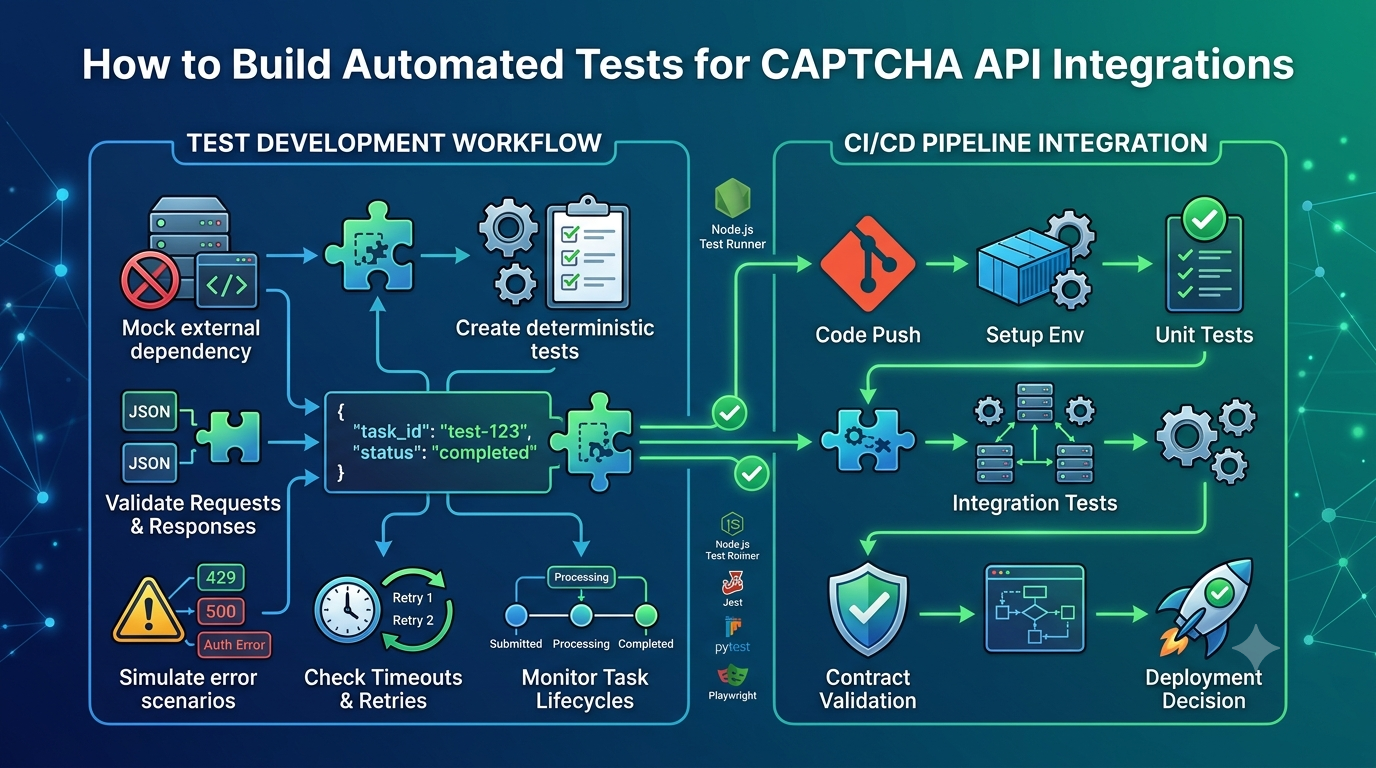
Step 10: Test the Integration
Testing should cover successful responses as well as failure scenarios.
Recommended tests include:
- Valid API responses.
- Missing or invalid configuration.
- Authentication failures.
- Invalid request parameters.
- HTTP
429responses. - Temporary server errors.
- Network interruptions.
- Request timeouts.
- Invalid JSON.
- Missing response fields.
- Retry exhaustion.
- Cancellation during an operation.
- Duplicate-submission scenarios.
- Asynchronous tasks that remain pending or fail.
Use mocks for repeatable tests
A mock HTTP handler can simulate API responses without contacting the real service. This makes tests faster, cheaper, and more predictable.
For integration tests, use a provider-approved test environment or a controlled staging setup when available.
Do not assume that a provider offers a dedicated test mode unless its documentation confirms that feature.
Best Practices for Production C# CAPTCHA API Integration
Before deploying your application, follow these recommendations.
Secure API credentials
Store private credentials in environment variables or a secrets manager. Rotate exposed credentials and limit access to the services that need them.
Reuse HttpClient appropriately
Use IHttpClientFactory in modern .NET applications or another suitable long-lived client configuration. Avoid creating a new client for every request in a high-volume application.
Validate every response
Check HTTP status codes, JSON structure, required fields, and provider-specific response values before using the result.
Apply bounded retries
Retries should be limited, use appropriate delays, and respect rate limits. Avoid retrying non-idempotent operations blindly.
Use structured logging
Record operation names, status codes, durations, retry counts, and safe error categories. Never log API keys, authorization headers, or sensitive tokens.
Monitor reliability
Track request volume, success rate, error rate, timeouts, latency percentiles, and retry frequency. Investigate sustained increases rather than relying on retries alone.
Keep API-specific code isolated
Place provider-specific endpoint paths, request models, response parsing, and authentication rules inside a dedicated client or adapter. This makes future provider changes easier to manage.
Use authorized testing environments
Use mocks, official test configurations, and staging systems for development and testing. Do not use API integrations to bypass security controls on systems you do not own or have permission to test.
Frequently Asked Questions
Can I integrate a CAPTCHA API with C#?
Yes. C# applications can communicate with HTTP-based APIs using HttpClient, asynchronous methods, and JSON serialization. You must use the endpoint, authentication scheme, and request format documented by the provider.
Do I need a third-party library?
Not necessarily. Modern .NET includes HttpClient, System.Text.Json, and System.Net.Http.Json, which are sufficient for many integrations. Additional libraries may be useful if your application needs specialized resilience, validation, or observability features.
How should I store a CAPTCHA API key in a C# application?
Use environment variables, a managed secrets service, or another approved secure configuration mechanism. Avoid hardcoding private credentials or committing them to source control.
How do I handle CAPTCHA API timeouts?
Configure a suitable HTTP timeout, pass cancellation tokens where appropriate, and distinguish temporary failures from configuration errors. Retry only when the operation is safe to repeat.
Should I retry HTTP 429 responses?
Potentially, but follow the provider's documented rate-limit policy. Respect a valid Retry-After header when applicable, reduce request pressure, and enforce a maximum retry count and overall deadline.
Can I use the same C# client in an ASP.NET Core application?
Yes. A reusable client can be registered with dependency injection, typically using IHttpClientFactory. Make sure credentials and provider-specific configuration are supplied securely.
How do I test the integration without making real API requests?
Use a mock HTTP handler or mock server to simulate success, failure, timeouts, and rate limits. For end-to-end tests, use an authorized staging environment or provider-approved test configuration if available.
Does every CAPTCHA API use the same JSON format?
No. Request fields, response structures, authentication methods, task models, and supported operations vary by provider. Always follow the documentation for the specific service.
Conclusion
Integrating a CAPTCHA API with C# is straightforward when you use the right .NET tools and design the client carefully.
HttpClient provides HTTP communication, async/await supports responsive asynchronous operations, and System.Text.Json makes it possible to process structured responses. Secure configuration, explicit timeouts, consistent error handling, bounded retries, and automated tests help make the integration more dependable.
The most important step is to separate generic HTTP client logic from provider-specific behavior. Build your reusable client around the official API contract, validate every response, and avoid assumptions about endpoints or task formats.
By following these practices, you can create a C# integration that is easier to maintain, test, monitor, and adapt as your application evolves.
SEO Metadata
- SEO Title: CAPTCHA API Integration with C#: A Complete Guide
- Meta Description: Learn how to integrate a CAPTCHA API with C# and .NET using HttpClient, async/await, JSON, secure API keys, timeouts, retries, and error handling.
- Focus Keyword: CAPTCHA API C# integration
- Secondary Keywords: C# CAPTCHA API, .NET API integration, HttpClient API example, C# API error handling, CAPTCHA API authentication, C# HTTP requests, CAPTCHA API timeout
- URL Slug:
captcha-api-csharp-integration - Suggested H1: CAPTCHA API Integration with C#: A Complete Guide
Internal Linking Suggestions
Add contextual links to these related articles on AllCaptcha using their actual published URLs:
- How to Integrate a CAPTCHA Solver API with Python: A Complete Guide — link from the section discussing programming language integrations.
- How to Integrate a CAPTCHA Solver API with Node.js: A Complete Guide — link from the reusable client and HTTP request sections.
- CAPTCHA API Error Codes: Common Errors and How to Fix Them — link from the HTTP error handling section.
- CAPTCHA API Rate Limits: Best Practices for Developers — link from the retry and rate-limit sections.
- How to Build a Reliable CAPTCHA API Client with Retries, Timeouts, and Error Handling — link from the reliability and production best practices sections.
Featured Image Recommendation
- Image concept: A C# developer working with .NET code, JSON API responses, and an HTTP request flow on a computer screen.
- Filename:
captcha-api-csharp-integration.webp - Alt text: C# and .NET CAPTCHA API integration using HttpClient and JSON responses.
- Format: WebP.
- Placement: After the introduction, before the prerequisites section.
Structured Data Recommendations
Use Article schema for the article and BreadcrumbList schema if the page includes breadcrumb navigation. Add FAQ structured data only where appropriate under current search engine guidelines. All structured data should accurately reflect the content visible on the page.