CAPTCHA Testing in CI/CD Pipelines: Best Practices for Developers
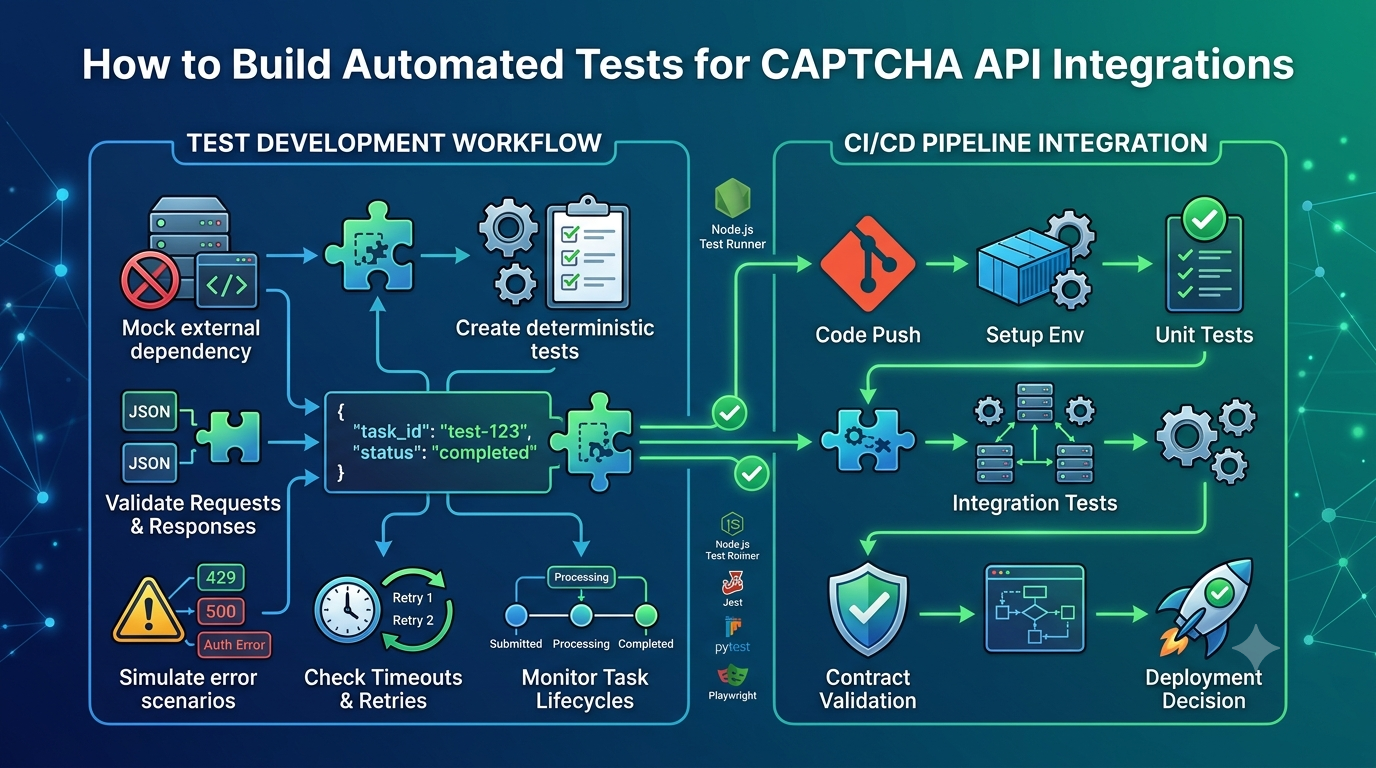
Continuous integration and continuous delivery (CI/CD) help development teams build, test, and deploy applications more frequently. However, CAPTCHA integrations can introduce challenges into automated testing. Live CAPTCHA challenges, external API dependencies, network failures, and rate limits can make test results inconsistent.
CAPTCHA testing in CI/CD pipelines helps developers verify that CAPTCHA-related application logic works correctly without making every build depend on a live security challenge.
In this guide, you will learn how to test CAPTCHA integrations in automated pipelines, configure mock services, use staging environments, manage API credentials, and handle common failures. You will also see practical examples using GitHub Actions and Jenkins.
Whether you are building a Java application, a Node.js backend, or a web application using Selenium or Playwright, the same principle applies: make routine tests deterministic, isolate external dependencies, and use approved testing methods.
Important: Use official CAPTCHA test modes, mocks, sandbox environments, or authorized staging configurations. Do not attempt to bypass security controls on systems you do not own or have permission to test. The configuration examples below are generic and do not represent verified AllCaptcha API endpoints or features.
Table of Contents
- What Is CAPTCHA Testing in CI/CD?
- Why CAPTCHA Can Be Difficult to Automate
- How to Structure a CAPTCHA Testing Pipeline
- Choose the Right Testing Strategy
- Use Mock CAPTCHA Services
- Example: CAPTCHA Tests with GitHub Actions
- Example: CAPTCHA Tests with Jenkins
- Managing API Keys and Secrets
- Testing Selenium and Playwright Applications
- Handling Failures and Flaky Tests
- Common CI/CD CAPTCHA Testing Mistakes
- Best Practices Checklist
- Frequently Asked Questions
- Conclusion
1. What Is CAPTCHA Testing in CI/CD?
CAPTCHA testing in CI/CD is the process of validating CAPTCHA-related application behavior as part of an automated software delivery workflow.
A CI/CD pipeline typically runs when a developer pushes code, opens a pull request, merges a change, or triggers a deployment.
For an application that uses CAPTCHA, the pipeline may need to verify that:
- The frontend handles the CAPTCHA component correctly.
- The application submits the expected token or verification data.
- The backend performs server-side verification.
- Invalid verification results are rejected.
- Network failures and timeouts are handled safely.
- CAPTCHA-related errors do not break unrelated functionality.
- Production secrets are not exposed during testing.
These checks help developers identify integration problems before code reaches production.
A simple example
Suppose a registration page uses a CAPTCHA provider to reduce automated abuse.
When a developer changes the registration form, the CI/CD pipeline can test several scenarios:
- A valid test response allows the application to continue.
- An invalid response causes the protected operation to be rejected.
- A missing token is handled correctly.
- A simulated provider outage produces a controlled error.
- The application does not log secret credentials.
These scenarios can be tested with mocks or provider-approved test configurations without requiring a real CAPTCHA challenge during every build.
2. Why CAPTCHA Can Be Difficult to Automate
CAPTCHA systems are designed to distinguish legitimate interactions from suspicious automation. As a result, a production CAPTCHA challenge may not behave consistently in a headless browser or an automated testing environment.
Several factors can make these tests unreliable.
External service dependencies
A live test depends on the provider's availability, network conditions, response time, and current service behavior.
A temporary outage can cause a build to fail even when the application code has not changed.
Dynamic challenge behavior
Some CAPTCHA systems adapt their behavior based on browser signals, risk assessments, or other contextual factors. This can make a live challenge unsuitable for deterministic end-to-end tests.
Token expiration
Tokens may have limited validity periods or restrictions on reuse. A token captured during one test may not be valid later.
Rate limits and quotas
Repeated requests from CI runners may consume quotas or trigger rate limits, especially when multiple jobs run concurrently.
Secrets and configuration
Automated test environments may not have the same environment variables, credentials, or allowed domains as local development.
Headless browser differences
A CAPTCHA integration may behave differently under a headless browser than in a regular browser. This is another reason to avoid depending on live challenges for routine UI tests.
The solution is not to weaken production security. Instead, use testing mechanisms that isolate application behavior from live challenge behavior.
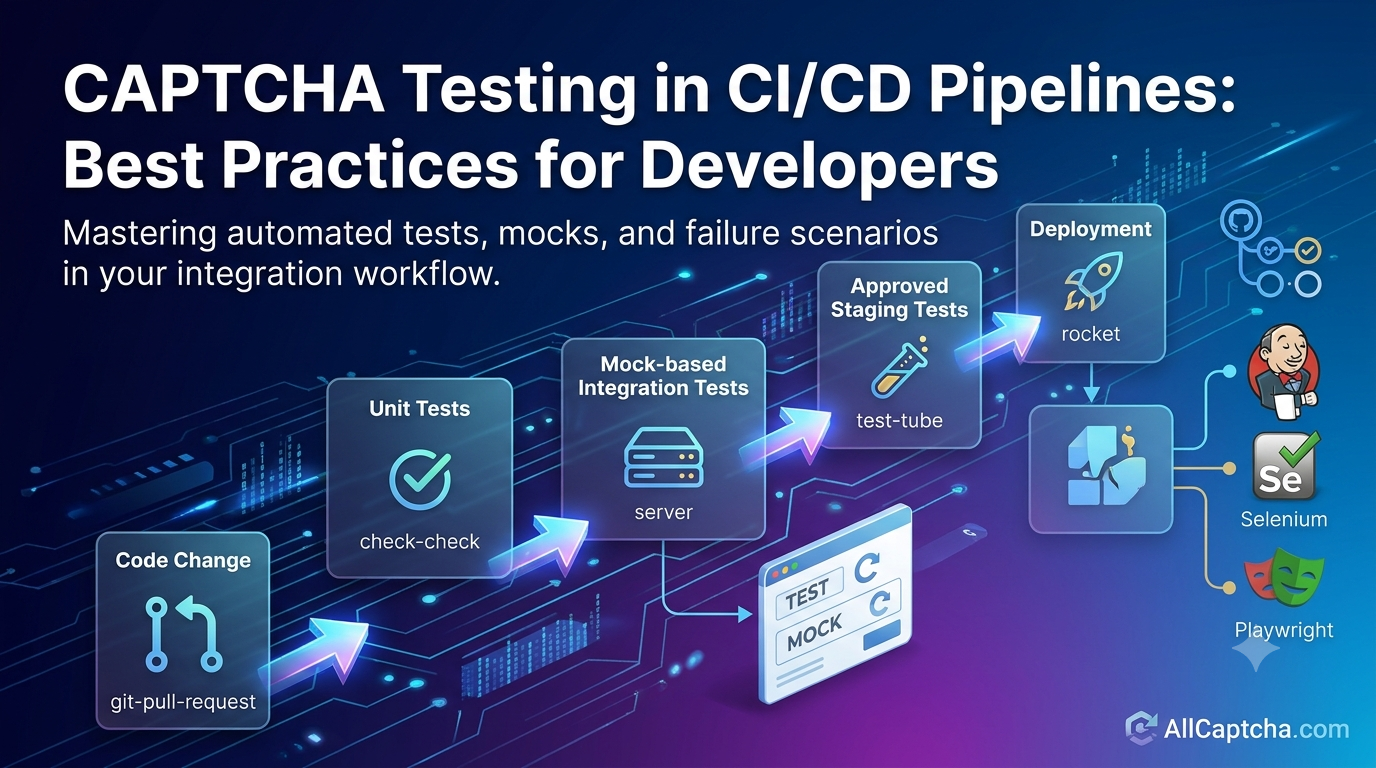
3. How to Structure a CAPTCHA Testing Pipeline
A reliable pipeline separates fast, repeatable tests from tests that depend on external services.
<box border radius="lg" padding={4} gap={3}> <box background="surface-secondary" radius="md" padding={3} align="center" gap={1}> <icon name="git-pull-request" size="xl" /> **1. Code change** <text color="secondary" size="sm" textAlign="center">A developer opens a pull request or pushes a commit.</text> </box> <box align="center"> <icon name="arrow-down" size="xl" color="secondary" /> </box> <box border radius="md" padding={3} align="center" gap={1}> <icon name="check-check" size="xl" /> **2. Unit tests** <text color="secondary" size="sm" textAlign="center">Validate token handling, response parsing, and application rules.</text> </box> <box align="center"> <icon name="arrow-down" size="xl" color="secondary" /> </box> <box border radius="md" padding={3} align="center" gap={1}> <icon name="server" size="xl" /> **3. Mock-based integration tests** <text color="secondary" size="sm" textAlign="center">Simulate success, invalid tokens, timeouts, and service failures.</text> </box> <box align="center"> <icon name="arrow-down" size="xl" color="secondary" /> </box> <box border radius="md" padding={3} align="center" gap={1}> <icon name="test-tube" size="xl" /> **4. Approved staging tests** <text color="secondary" size="sm" textAlign="center">Check real connectivity using provider-approved test configurations, when needed.</text> </box> <box align="center"> <icon name="arrow-down" size="xl" color="secondary" /> </box> <box background="surface-secondary" radius="md" padding={3} align="center" gap={1}> <icon name="rocket" size="xl" /> **5. Deployment** <text color="secondary" size="sm" textAlign="center">Deploy only when the required checks pass.</text> </box> </box>Keep the pipeline layered
Unit tests should be fast and run frequently.
Mock-based integration tests should validate communication between your application components and a simulated CAPTCHA service.
Staging tests should verify real integration behavior where appropriate and permitted.
Production monitoring should detect operational issues after deployment without turning routine production traffic into an uncontrolled test environment.
This layered design keeps most builds independent of external CAPTCHA service availability.
4. Choose the Right Testing Strategy
The best testing method depends on what you need to validate.
| Testing method | Best use | Live provider required? |
|---|---|---|
| Unit tests | Response parsing and business logic | No |
| Mock API | Request construction and error handling | No |
| Contract tests | Compatibility with documented request and response schemas | Not necessarily |
| Official test mode | Provider-supported test behavior | Depends on the provider |
| Staging integration tests | Real connectivity and configuration | Usually |
| End-to-end tests | Complete application workflow | Depends on the setup |
Unit tests
Unit tests verify isolated logic such as whether an application rejects a missing token or maps an error response to the correct application result.
They should not require network access.
Mock-based integration tests
A mock service simulates the HTTP responses your application expects. This lets developers test request formatting, status handling, JSON parsing, and retry behavior.
Mocks are particularly useful for simulating failures that are difficult to reproduce reliably with a live service.
Official test modes
Some providers document special test keys, test configurations, or sandbox environments. Use these when they are available and appropriate for your integration.
Do not assume that a provider offers a particular test mode unless its official documentation confirms it.
Staging integration tests
Staging tests verify the configuration and connectivity of a real integration. Run them with dedicated credentials and controlled test data.
These tests are useful, but they should not replace deterministic tests that run on every commit.
5. Use Mock CAPTCHA Services
Mocking the external service is one of the most effective ways to make CAPTCHA testing predictable.
A mock server can return predefined responses for different scenarios.
For example:
| Scenario | Mock response | Expected behavior |
|---|---|---|
| Verification succeeds | Documented success response | Continue if other application checks pass |
| Verification fails | Documented failure response | Reject the protected operation |
| Token missing | Application receives no token | Reject or request a valid token |
| Rate limit | HTTP 429 | Respect documented retry guidance |
| Provider unavailable | HTTP 503 | Handle the failure safely |
| Request timeout | No response before the deadline | Return a controlled timeout result |
| Invalid JSON | Malformed response body | Reject the response safely |
The HTTP statuses and response formats in this table are illustrative. Use the actual provider contract when implementing real integration tests.
Example: A mock verification service
For a simple Node.js application, you can isolate the verification service behind a function:
async function verifyCaptchaToken(token, verifier) {
  if (typeof token !== "string" || token.length === 0) {
    return { verified: false, reason: "missing_token" };
  }

  const result = await verifier(token);

  if (result.verified !== true) {
    return { verified: false, reason: "verification_failed" };
  }

  return { verified: true };
}
Here, verifier is an injected dependency. Production code can supply an implementation that calls the provider's documented verification service, while tests can supply a fake implementation.
A simple test can simulate a successful result:
const fakeVerifier = async () => ({ verified: true });

const result = await verifyCaptchaToken(
  "TEST_TOKEN",
  fakeVerifier
);

if (result.verified !== true) {
  throw new Error("Expected verification to succeed");
}
This example tests application logic without contacting a real CAPTCHA provider. The test token is just a placeholder and is not a real verification token.
For a production implementation, also test provider errors, timeouts, malformed responses, and the behavior of the HTTP client itself.
6. Example: CAPTCHA Tests with GitHub Actions
GitHub Actions can run automated tests whenever a developer pushes code or opens a pull request.
The following workflow demonstrates a generic Node.js test pipeline. It runs local tests and does not require a live CAPTCHA service.
name: CAPTCHA Integration Tests

on:
  push:
  pull_request:

jobs:
  test:
    runs-on: ubuntu-latest

    steps:
      - name: Check out repository
        uses: actions/checkout@v4

      - name: Set up Node.js
        uses: actions/setup-node@v4
        with:
          node-version: "22"
          cache: npm

      - name: Install dependencies
        run: npm ci

      - name: Run tests
        run: npm test
Before adopting the workflow, verify that the selected Node.js and GitHub Actions versions match your project's requirements and current organizational policies.
What does this workflow do?
Checkout: Retrieves the repository source code.
Setup Node.js: Installs the selected Node.js runtime.
Install dependencies: Uses the lockfile to install the project's declared dependencies.
Run tests: Executes the test script defined in package.json.
For example, a project using Node.js's built-in test runner might include:
{
  "scripts": {
    "test": "node --test"
  }
}
Your actual test command may differ if the project uses Jest, Vitest, Mocha, or another testing framework.
Add staging tests separately
If you need to test connectivity to a real CAPTCHA provider, create a separate staging job with explicit configuration and appropriately scoped secrets.
The staging job should:
- Use dedicated test credentials.
- Target an approved staging endpoint or official test configuration.
- Run only when the required secrets are available.
- Avoid exposing secrets to untrusted pull requests.
- Apply request limits and reasonable timeouts.
- Report failures separately from local unit tests.
This separation helps prevent temporary provider outages from making every code change appear broken.
7. Example: CAPTCHA Tests with Jenkins
Jenkins can run the same types of tests through a declarative pipeline.
Here is a generic example for a Node.js project:
pipeline {
    agent any

    stages {
        stage('Install Dependencies') {
            steps {
                sh 'npm ci'
            }
        }

        stage('Unit Tests') {
            steps {
                sh 'npm run test:unit'
            }
        }

        stage('Integration Tests') {
            steps {
                sh 'npm run test:integration'
            }
        }
    }

    post {
        always {
            echo 'CAPTCHA test pipeline finished.'
        }
    }
}
The script assumes that the project defines test:unit and test:integration in package.json. Add those scripts to your project or change the commands to match the actual test setup.
Separate staging verification
A real staging test can be placed in a separate Jenkins stage or pipeline.
Use Jenkins Credentials or another approved secrets-management mechanism to provide credentials at runtime. Avoid writing secret values into the Jenkinsfile or printing them in the build log.
The staging stage should run only against an approved environment and should follow the provider's test instructions.
8. Managing API Keys and Secrets
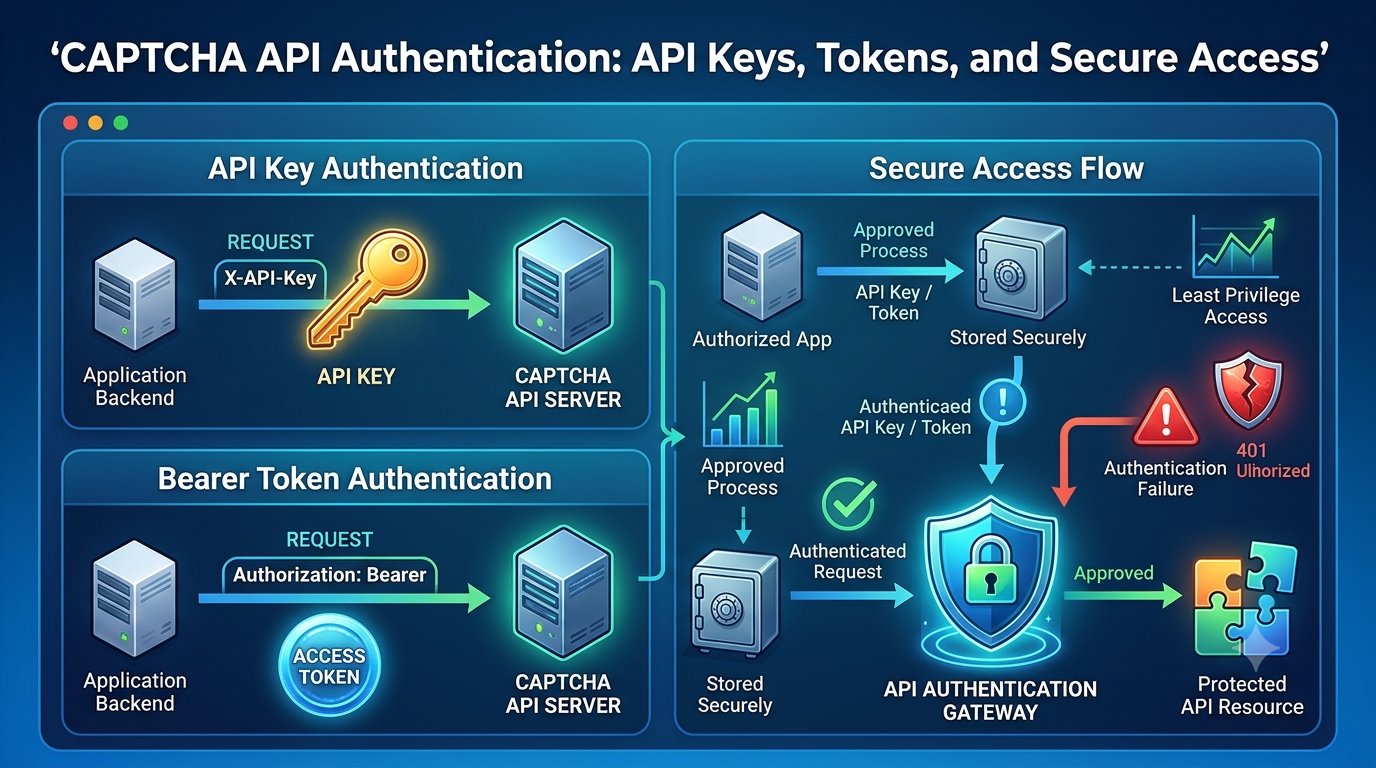
CI/CD systems often run in shared or cloud-hosted environments. Poor credential management can expose sensitive API keys or allow test jobs to affect production services.
Use dedicated test credentials
Where the provider supports it, use credentials specifically intended for development or staging.
Do not use production credentials for ordinary unit tests or mock-based integration tests.
Store secrets in the CI/CD platform
Use the secret-management features provided by GitHub Actions, Jenkins, or your organization's secrets manager.
Read credentials at runtime rather than committing them to source code.
Limit secret access
Only jobs that genuinely require a live staging integration should receive the relevant credentials.
Do not make production secrets available to untrusted pull requests or arbitrary external contributors.
Never print credentials
Avoid logging API keys, verification secrets, complete authorization headers, or raw CAPTCHA tokens.
If debugging requires request information, log the endpoint category, HTTP status, duration, and a sanitized error message instead.
Separate environments
Use distinct configurations for local development, automated tests, staging, and production.
A missing test credential should cause an explicit configuration error in a staging job rather than silently switching the job to production.
9. Testing Selenium and Playwright Applications
Browser automation tools such as Selenium and Playwright are commonly used for end-to-end testing. CAPTCHA integrations require particular care because live challenges may be designed to behave differently in automated environments.
Test application behavior separately from the live challenge
For routine UI tests, use one of the following when supported:
- An official CAPTCHA test mode.
- A provider-approved staging configuration.
- A mock verification endpoint in a controlled test environment.
- A test-only dependency that returns predetermined verification results.
These approaches let you test form submission, error messages, and application state without depending on live challenge behavior.
Example: Test the invalid-token workflow
A browser test can submit a form using a controlled test configuration that makes the backend return a verification failure.
The test should verify that:
- The form submission reaches the backend.
- The backend rejects the protected operation.
- The user receives an appropriate error message.
- No protected action is performed.
- The application remains usable for another attempt.
The goal is to validate your application's response to a verification outcome, not to defeat the CAPTCHA mechanism.
Keep browser tests focused
Use unit and mock-based integration tests for detailed API error scenarios. Reserve end-to-end browser tests for the workflows that benefit from testing the complete user experience.
This reduces flaky tests and makes failures easier to diagnose.
For additional guidance, see the related AllCaptcha articles on Selenium and Playwright integration.
10. Handling Failures and Flaky Tests
A flaky test sometimes passes and sometimes fails without a relevant code change. CAPTCHA-related tests can become flaky when they rely on live challenges, external network requests, or shared test credentials.
Identify the failure category
Classify failures into clear groups:
- Application assertion failure.
- Invalid test configuration.
- Authentication or permission problem.
- Network timeout.
- External service outage.
- Rate limit.
- Test environment setup failure.
This classification helps the team identify whether a code change or an external dependency caused the failure.
Set timeouts
Every external request should have an explicit timeout. A test should not wait indefinitely for a CAPTCHA service or browser action.
Retry carefully
Retries can help with transient failures, but they can also hide real defects.
Use bounded retries only for operations that are safe to repeat. Respect Retry-After where applicable and avoid automatically repeating non-idempotent requests.
Keep mocks deterministic
Mocks should return predictable responses and avoid relying on real-time network conditions.
If a test needs random input, use controlled fixtures or reproducible seeds where appropriate.
Report enough information to debug
Store test reports, relevant stack traces, and sanitized diagnostic details.
Do not include secrets or raw CAPTCHA tokens in build logs or uploaded test artifacts.
11. Common CI/CD CAPTCHA Testing Mistakes
Running live CAPTCHA challenges in every build
This creates unnecessary external dependencies and can make builds slow or inconsistent.
Better approach: Use mocks for routine tests and reserve live staging verification for appropriate integration checks.
Treating a passing mock test as proof of live connectivity
A mock proves that the application behaves as expected against the simulated response. It does not prove that the real provider is reachable or that credentials are valid.
Better approach: Add separate staging tests for the checks that require a real service.
Sharing production credentials with pull requests
Untrusted code may access secrets exposed to a build job.
Better approach: Restrict secret access and use separate staging credentials with limited permissions.
Ignoring negative test cases
A test suite that checks only successful verification may miss serious handling errors.
Better approach: Test missing tokens, invalid responses, timeouts, rate limits, and malformed JSON.
Automatically retrying every failure
Retries can create duplicate tasks, consume quotas, and conceal defects.
Better approach: Classify errors and retry only when the operation and error category permit it.
Allowing tests to fail open
If the provider is unavailable, an application might accidentally continue as though verification succeeded.
Better approach: Define an explicit failure policy based on the protected operation's risk. Sensitive operations should not silently treat an unknown verification result as success.
Confusing CAPTCHA verification with authorization
A valid CAPTCHA result does not establish a user's identity or permissions.
Better approach: Continue to enforce authentication, authorization, business rules, and rate limits.
12. Best Practices Checklist
Use this checklist when preparing a CAPTCHA integration for deployment.
- Read the current official documentation for the CAPTCHA provider.
- Separate unit tests, mock-based integration tests, and staging tests.
- Use deterministic mock responses for routine CI runs.
- Test successful and unsuccessful verification outcomes.
- Test timeouts, malformed responses, and rate-limit handling.
- Keep live provider tests separate from fast unit tests.
- Use approved test modes and staging environments.
- Store credentials in a secrets manager or CI/CD secret store.
- Restrict access to credentials in pull-request workflows.
- Set explicit request and test timeouts.
- Use bounded retries only for eligible operations.
- Prevent tests from sending unexpected production requests.
- Ensure verification failures do not silently allow protected operations.
- Keep API keys and raw CAPTCHA tokens out of logs.
- Publish test reports and useful sanitized diagnostics.
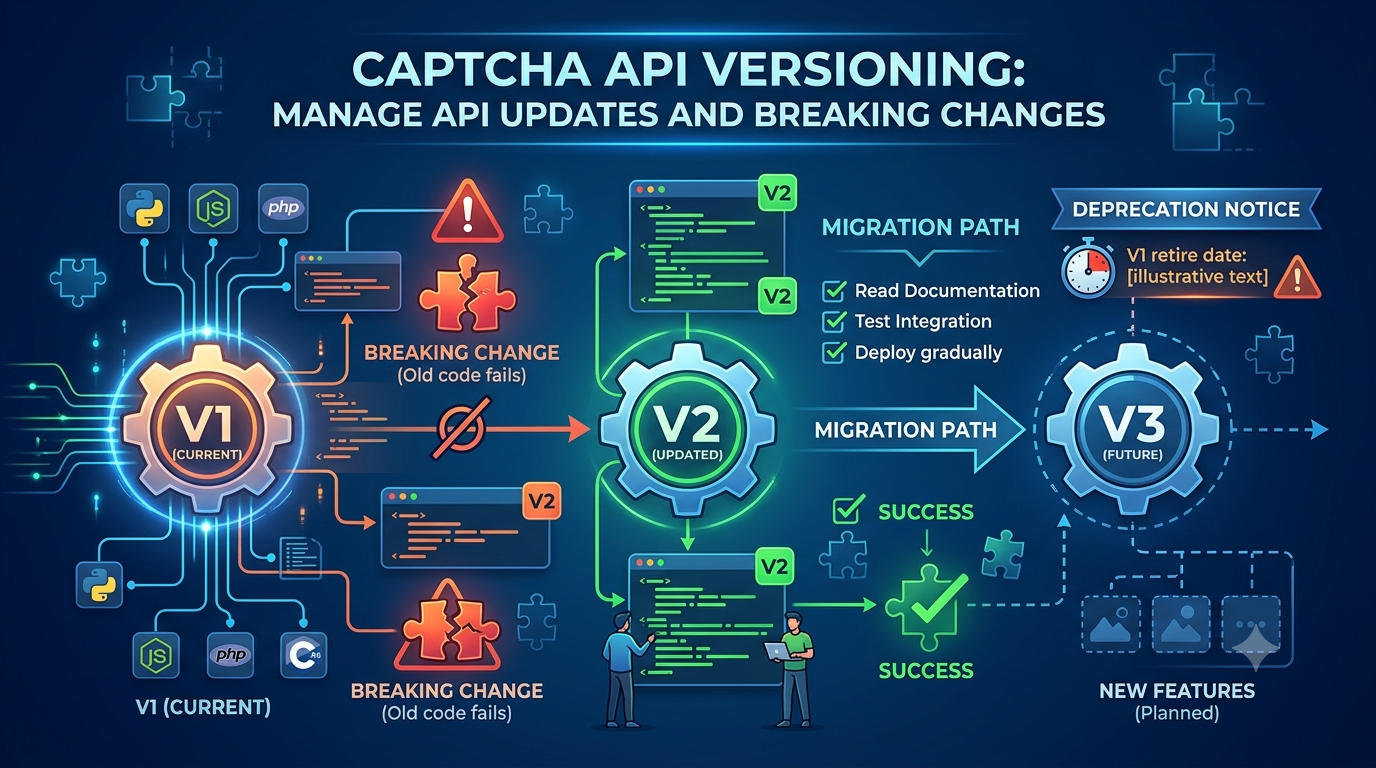
- Revalidate the integration when the provider's API contract changes.
Following these practices makes CAPTCHA testing more predictable while preserving the security controls used by the production application.
13. Frequently Asked Questions
What is CAPTCHA testing in CI/CD?
It is the practice of automatically testing CAPTCHA-related application behavior as part of a software build, test, and deployment pipeline.
Can CAPTCHA testing be fully automated?
Many aspects can be automated, including request construction, token handling, response parsing, error handling, and UI behavior. Live challenge testing depends on the provider's supported testing options and should not be assumed to work reliably in every automated browser environment.
Should I use a real CAPTCHA API in every CI/CD build?
Usually, no. Use mocks for routine tests and approved staging configurations for tests that require real connectivity. This reduces dependency on external availability and quotas.
How do I test CAPTCHA verification without a real token?
Use a mock verification service, a documented test key, or another provider-approved testing mechanism. A fabricated token should not be treated as valid by a real provider unless the provider explicitly documents it as a test token.
Can Selenium or Playwright be used to test CAPTCHA-protected forms?
Yes. They can test application workflows using approved test modes or controlled mock verification. Avoid designing tests that attempt to circumvent live CAPTCHA security controls.
How should I store CAPTCHA API keys in GitHub Actions?
Use the platform's secret-management features and expose credentials only to jobs that need them. Avoid hardcoding keys, printing them in logs, or exposing production credentials to untrusted pull requests.
How do I reduce flaky CAPTCHA tests?
Mock external responses, set timeouts, isolate test data, use approved test configurations, and separate staging checks from deterministic tests.
What should happen if the CAPTCHA provider is unavailable?
The application should follow a deliberate failure policy based on the operation's risk. It should not automatically treat an unknown verification result as success. A user-facing retry or a controlled temporary failure may be appropriate.
Does AllCaptcha provide a dedicated CAPTCHA testing mode?
Check the current AllCaptcha documentation or contact the provider to confirm which test options, endpoints, and supported workflows are available. This article does not assume the existence of a particular AllCaptcha sandbox or test mode.
14. Conclusion
CAPTCHA testing in CI/CD pipelines helps development teams detect integration problems before deployment while keeping automated builds fast and repeatable.
The most effective strategy combines unit tests, deterministic mocks, contract validation, and carefully controlled staging tests. It also includes secure secret management, explicit timeouts, bounded retries, and tests for failure scenarios.
Rather than depending on live CAPTCHA challenges for every build, isolate the external service and validate application behavior through approved testing mechanisms. Then use staging checks and production monitoring to validate the parts that cannot be covered by mocks.
With a well-structured pipeline, your team can maintain reliable application workflows without compromising the security controls that CAPTCHA is intended to support.
Explore more technical tutorials on AllCaptcha.com to learn about API integration, automated testing, error handling, and reliable developer workflows.
SEO Metadata
SEO Title: CAPTCHA Testing in CI/CD Pipelines: Best Practices
Meta Description: Learn how to test CAPTCHA integrations in CI/CD using mocks, GitHub Actions, Jenkins, secure secrets, staging environments, and automated testing best practices.
Focus Keyword: CAPTCHA testing CI/CD
Secondary Keywords:
- CAPTCHA testing automation
- CAPTCHA CI/CD pipeline
- CAPTCHA integration testing
- automated CAPTCHA testing
- CAPTCHA testing with GitHub Actions
- CAPTCHA testing with Jenkins
- mock CAPTCHA API
- CAPTCHA testing best practices
Suggested URL Slug: captcha-testing-cicd-pipeline
Suggested H1: CAPTCHA Testing in CI/CD Pipelines: Best Practices for Developers
Suggested Image Alt Text: Developer running automated CAPTCHA integration tests in a CI/CD pipeline
Suggested Schema: Article. Use FAQPage structured data only where it meets Google's current eligibility requirements.
Internal Linking Suggestions
Add contextual links to the following related articles on AllCaptcha.com after confirming their published URLs:
- CAPTCHA API Integration Testing: A Complete Guide — for test design, mock servers, and failure scenarios.
- CAPTCHA Token Verification: How It Works and Common Mistakes — for server-side verification and secure token handling.
- CAPTCHA API Rate Limits: Best Practices for Developers — for rate-limit handling and retry strategies.
- How to Integrate a CAPTCHA Solver API with Selenium — for browser automation testing patterns.
- How to Integrate a CAPTCHA Solver API with Playwright — for Playwright workflows and test configuration.