CAPTCHA Token Verification: How It Works and Common Mistakes
CAPTCHA token verification is an essential part of protecting web applications against automated abuse. A CAPTCHA challenge may appear to work correctly in the browser, but the application still needs to verify the resulting token according to the provider's documented process.
Without proper server-side verification, an application may mistakenly accept invalid, expired, or otherwise unusable tokens. This can weaken the protection CAPTCHA is intended to provide.
In this guide, you will learn what a CAPTCHA token is, how token verification works, why server-side validation matters, and how to handle common verification errors. You will also explore implementation patterns, testing strategies, and security best practices for integrating CAPTCHA verification into a web application.
Whether you work with reCAPTCHA, Cloudflare Turnstile, or another CAPTCHA provider, the core principle is the same: never treat the mere presence of a token as proof that verification succeeded.
The exact verification request, required parameters, response fields, and token rules vary by provider. Always consult the official documentation for the service you use.
Table of Contents
- What Is a CAPTCHA Token?
- What Is CAPTCHA Token Verification?
- How CAPTCHA Token Verification Works
- Why Server-Side Verification Matters
- Client-Side Validation vs. Server-Side Verification
- How to Implement CAPTCHA Token Verification
- Example: Generic Server-Side Verification in Node.js
- Common CAPTCHA Token Verification Errors
- How to Test CAPTCHA Token Verification
- CAPTCHA Token Verification Best Practices
- Frequently Asked Questions
- Conclusion
1. What Is a CAPTCHA Token?
A CAPTCHA token is a value generated during a CAPTCHA-related workflow. Depending on the provider, the token may represent the result of a challenge, an assessment of a browser interaction, or another verification event.
The browser typically receives the token after the relevant client-side process completes. The application then sends it to its backend, which verifies it using the CAPTCHA provider's documented server-side mechanism.
A token is not necessarily proof of identity. It also does not automatically guarantee that a request is safe, authorized, or legitimate.
What does a CAPTCHA token contain?
The structure of a token depends on the provider. It may be an opaque value that the application should not attempt to decode, interpret, or modify.
Developers should avoid making assumptions about a token's internal format. Instead, they should submit it to the official verification mechanism and evaluate the documented response.
When are CAPTCHA tokens used?
CAPTCHA tokens commonly appear in workflows such as:
- Account registration.
- Login and password recovery.
- Contact forms.
- Comment submission.
- Checkout and other sensitive transactions.
- Abuse prevention and suspicious-activity checks.
The exact implementation depends on the security requirements of the application and the CAPTCHA provider.
2. What Is CAPTCHA Token Verification?
CAPTCHA token verification is the process of checking whether a token is valid according to the issuing provider's rules.
The application generally sends the token to a trusted server-side verification endpoint. The provider evaluates it and returns a response indicating whether verification succeeded and, where applicable, additional information about the result.
Depending on the provider, verification may consider factors such as:
- Whether the token is valid.
- Whether it has expired.
- Whether it has already been used.
- Whether it belongs to the expected site or configuration.
- Whether the response includes the expected hostname, action, or assessment data.
Not every provider supports all these checks. Implement only those documented by your chosen service.
A simple example
Imagine a registration form protected by a CAPTCHA.
- A user submits the form.
- The browser obtains a CAPTCHA token.
- The browser sends the form data and token to the application backend.
- The backend sends the token to the provider's verification service.
- The backend evaluates the verification response.
- The application processes the registration only if the required checks pass.
This workflow helps ensure that the security decision is made by a trusted server rather than relying solely on browser-side code.
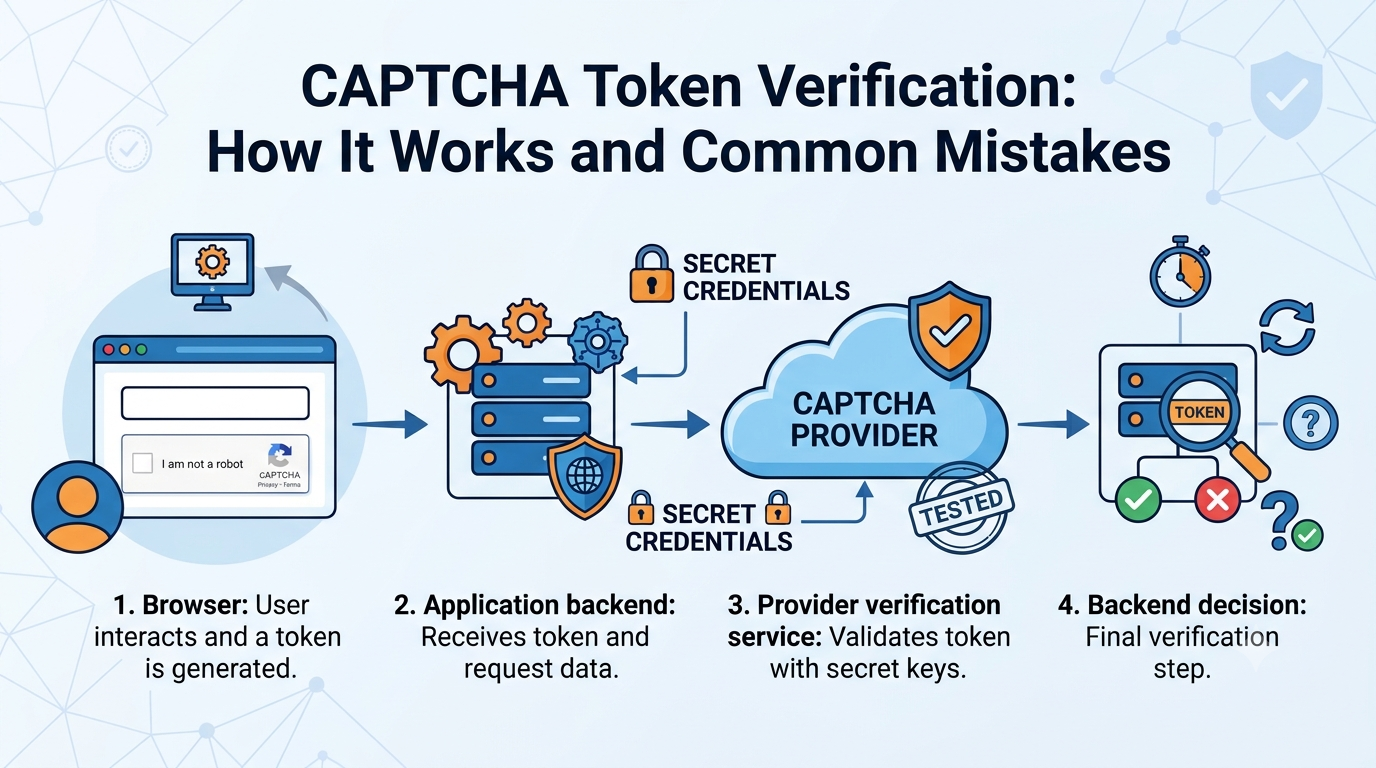
3. How CAPTCHA Token Verification Works
A typical token verification workflow involves several components.
<box border radius="lg" padding={4} gap={3}> <box background="surface-secondary" radius="md" padding={3} align="center" gap={1}> <icon name="monitor" size="xl" /> **1. Browser** <text color="secondary" size="sm" textAlign="center">The CAPTCHA client generates a token through the provider's supported workflow.</text> </box> <box align="center"> <icon name="arrow-down" size="xl" color="secondary" /> </box> <box background="surface" border radius="md" padding={3} align="center" gap={1}> <icon name="server" size="xl" /> **2. Application backend** <text color="secondary" size="sm" textAlign="center">Receives the token and validates the incoming application request.</text> </box> <box align="center"> <icon name="arrow-down" size="xl" color="secondary" /> </box> <box background="surface" border radius="md" padding={3} align="center" gap={1}> <icon name="shield-check" size="xl" /> **3. Provider verification service** <text color="secondary" size="sm" textAlign="center">Checks the token using the provider's documented verification mechanism.</text> </box> <box align="center"> <icon name="arrow-down" size="xl" color="secondary" /> </box> <box background="surface-secondary" radius="md" padding={3} align="center" gap={1}> <icon name="check-circle" size="xl" /> **4. Backend decision** <text color="secondary" size="sm" textAlign="center">Accepts or rejects the protected operation according to the verification result and application policy.</text> </box> </box>Step 1: Generate the token
The browser uses the CAPTCHA provider's supported client-side integration. The resulting token should be treated as untrusted input until it has been verified.
Step 2: Send the token to the backend
The application submits the token along with the relevant form data. The backend should validate the request structure and apply reasonable input-size limits.
Step 3: Verify the token
The backend uses its server-side credentials, where required, to communicate with the provider's official verification endpoint.
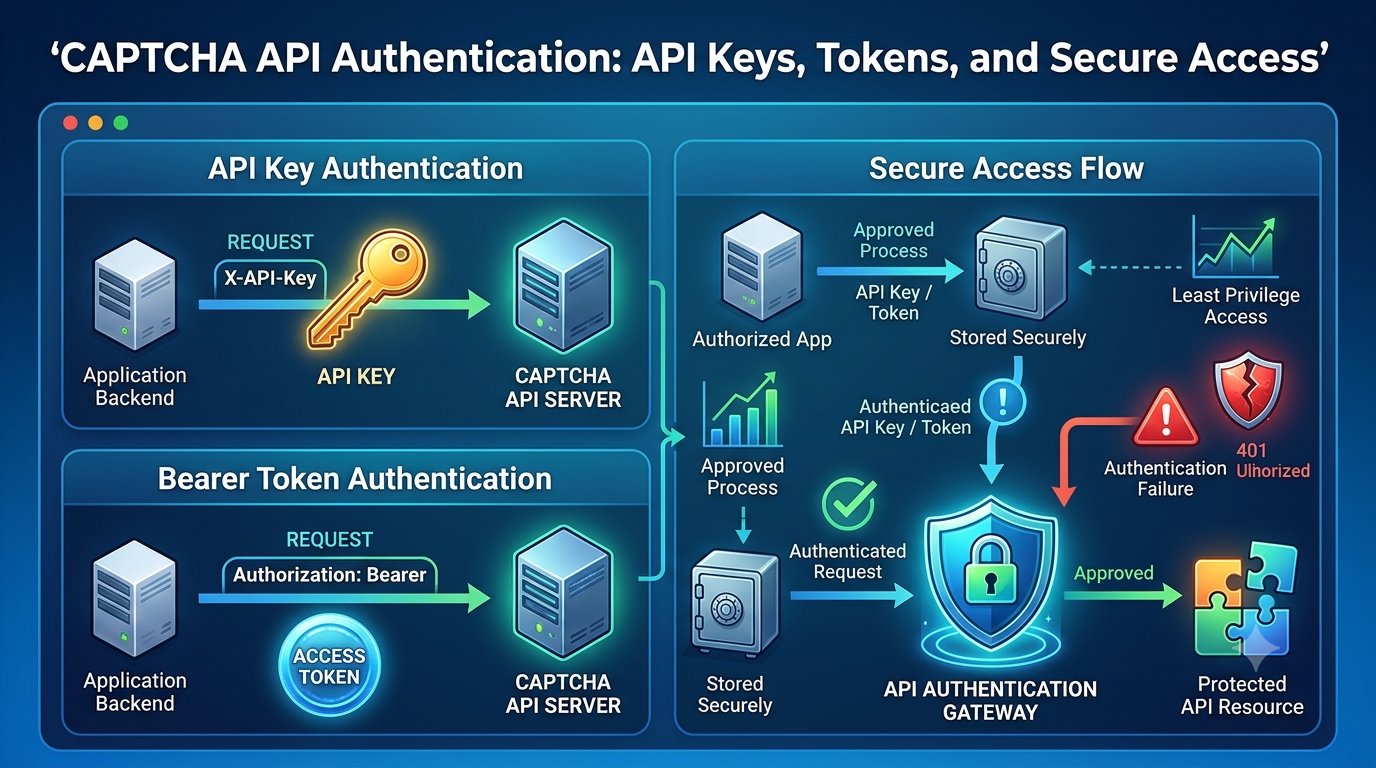
Secret credentials must remain on the server and should never be exposed in public browser code.
Step 4: Evaluate the response
The backend checks the provider's documented success field and any additional required properties, such as hostname or action, when supported.
Step 5: Continue or reject the operation
The application proceeds only when the verification result satisfies its security policy. If verification fails or cannot be completed, the application should follow a deliberate failure-handling policy rather than silently treating the token as valid.
4. Why Server-Side Verification Matters
Client-side checks are useful for user experience, but they cannot be the sole security boundary for a protected operation.
Browser code runs in an environment controlled by the user. A malicious client may alter requests, skip interface validation, or submit unexpected values directly to the backend.
Server-side verification helps prevent the application from trusting a token simply because it was included in a request.
Key benefits
Improved security: The backend checks the token through the provider's trusted verification process.
Better request validation: The application can combine CAPTCHA verification with normal validation of form fields, permissions, and business rules.
Centralized enforcement: Protected operations can share consistent verification logic instead of relying on individual browser interfaces.
Better monitoring: The backend can record verification outcomes, latency, and failure categories without exposing sensitive tokens.
More reliable error handling: Server-side logic can distinguish verification failures from provider outages, malformed requests, and other problems.
Remember that CAPTCHA is only one layer of defense. It should complement rate limiting, authentication, authorization, input validation, and abuse monitoring.
5. Client-Side Validation vs. Server-Side Verification
Although the terms are sometimes used interchangeably, client-side validation and server-side verification serve different purposes.
| Feature | Client-side validation | Server-side verification |
|---|---|---|
| Where it runs | Browser | Trusted backend |
| Main purpose | Improve user experience | Enforce the security decision |
| Can be bypassed by a modified client? | Yes | Not in the same way; backend controls enforcement |
| Uses server-side secret credentials? | No | Where required by the provider |
| Can securely authorize a protected operation alone? | No | It is one input into the backend's authorization decision |
| Suitable for final security enforcement? | No | Yes, when combined with application rules |
Why both layers are useful
Client-side validation can inform users when a required field is missing or when the CAPTCHA interaction has not completed.
The backend must still verify the token and validate the requested operation. This combination improves usability without relying on the browser as a trusted security authority.
6. How to Implement CAPTCHA Token Verification
The precise implementation varies by provider, but most integrations follow a similar pattern.
Step 1: Read the official documentation
Identify the provider's:
- Verification endpoint.
- HTTP method.
- Required request parameters.
- Authentication requirements.
- Response schema.
- Token expiration and reuse rules.
- Recommended handling for network and verification errors.
Do not assume that one provider's integration can be copied directly to another.
Step 2: Receive the token
The backend accepts the token from the application request.
For example, a JSON request might contain a field named captchaToken:
{
  "email": "[email protected]",
  "captchaToken": "EXAMPLE_TOKEN"
}
This is an illustrative application payload, not a real CAPTCHA token or a confirmed provider-specific format.
Validate that the field is present, has the expected type, and does not exceed a reasonable size limit. Never trust the token merely because it passes these checks.
Step 3: Send the verification request
Use the exact verification endpoint and request format documented by the provider.
Include server-side credentials only where required. Use HTTPS and keep secrets out of the client application.
Step 4: Validate the response
Check the provider's documented success indicator. If the integration requires hostname, action, score, or other properties, validate those according to the provider's instructions and the application's policy.
Do not assume that every CAPTCHA system returns a score or uses the same response fields.
Step 5: Make the application decision
If verification succeeds and all additional security checks pass, continue with the protected operation.
If verification fails, reject the operation or ask the user to complete the verification workflow again.
If the provider is temporarily unavailable, use a deliberate failure policy based on the risk of the operation. Sensitive actions should not automatically proceed merely because verification could not be completed.
7. Example: Generic Server-Side Verification in Node.js
The following example demonstrates the general structure of a backend verification function. The endpoint, request body, authentication method, and success response property are placeholders. They are not confirmed AllCaptcha specifications and must not be used against a live service without adapting them to the provider's official documentation.
async function verifyCaptchaToken(token) {
  if (typeof token !== "string" || token.length === 0) {
    return {
      verified: false,
      reason: "missing_token"
    };
  }

  const endpoint = process.env.CAPTCHA_VERIFY_URL;
  const secretKey = process.env.CAPTCHA_SECRET_KEY;

  if (!endpoint || !secretKey) {
    throw new Error("CAPTCHA verification is not configured.");
  }

  const controller = new AbortController();
  const timeoutId = setTimeout(() => controller.abort(), 5000);

  try {
    const response = await fetch(endpoint, {
      method: "POST",
      headers: {
        "Content-Type": "application/json",
        "Accept": "application/json"
      },
      body: JSON.stringify({
        secret: secretKey,
        response: token
      }),
      signal: controller.signal
    });

    if (!response.ok) {
      throw new Error(
        `CAPTCHA verification service returned HTTP ${response.status}`
      );
    }

    const result = await response.json();

    // Illustrative only: use the provider's actual response schema.
    if (result.success !== true) {
      return {
        verified: false,
        reason: "verification_failed"
      };
    }

    return {
      verified: true
    };
  } finally {
    clearTimeout(timeoutId);
  }
}
Important implementation notes
CAPTCHA_VERIFY_URLmust point to the provider's documented verification endpoint.CAPTCHA_SECRET_KEYmust be stored securely on the server.- The request fields
secretandresponseare illustrative and may not match the provider's API. - The response field
successis also illustrative. - A timeout or network error is different from an explicit verification failure. Handle and monitor these outcomes separately.
- Production code should also validate any additional provider-specific response fields required by the application's security policy.
- Avoid returning raw provider responses or secret information to the browser.
The example uses AbortController to enforce a request timeout. It illustrates the verification pattern, not a drop-in integration for a specific CAPTCHA service.
8. Common CAPTCHA Token Verification Errors
Verification failures can arise from incorrect implementation, expired tokens, configuration errors, or temporary service problems.
The exact error names and response fields vary by provider. The following table describes common categories rather than AllCaptcha-specific error codes.
| Error category | Possible cause | Recommended action |
|---|---|---|
| Missing token | The client did not submit a token | Check form submission and backend validation |
| Invalid token | The token is malformed or rejected | Review the documented token-generation and verification workflow |
| Expired token | Verification occurred outside the allowed time window | Request a fresh token using the supported client flow |
| Reused token | The provider does not allow the token to be verified again | Generate a new token when required by the provider |
| Invalid credentials | Incorrect or inactive server-side secret | Verify the credentials and their configuration |
| Wrong hostname or action | The response does not match expected context | Validate the documented properties where supported |
| Invalid request | Required parameters are missing or malformed | Compare the request against the official API specification |
| Rate limit | Too many verification requests | Follow documented quotas and retry instructions |
| Network timeout | The provider did not respond within the configured deadline | Handle the timeout separately and monitor service availability |
| Provider unavailable | Temporary service or network issue | Apply a deliberate failure policy and bounded retries where appropriate |
Invalid or expired tokens
Tokens may have a limited validity period or other usage restrictions.
Do not attempt to extend token validity or bypass the provider's rules. Follow the documented client flow to obtain a fresh token when needed.
Invalid credentials
Verification may fail if a secret is missing, incorrect, or associated with a different configuration.
Keep separate credentials for different environments and ensure that the server uses the appropriate configuration.
Network errors
A timeout does not necessarily mean that the token itself is invalid. It means the application could not obtain a verification result within the expected time.
Record the failure category, protect sensitive information, and decide whether the user should retry or the operation should be deferred.
Verification response mismatch
Some implementations check only one response property and ignore additional security-relevant fields.
Validate every property required by the provider's documentation and your application's security policy.
9. How to Test CAPTCHA Token Verification
Testing should cover both successful verification and failure scenarios.
Recommended test cases
- A valid test token is accepted in the approved test environment.
- A missing token is rejected.
- An invalid token is rejected.
- An expired or reused token is handled according to provider rules.
- Missing server-side credentials cause a controlled configuration error.
- Unexpected response fields are handled safely.
- A malformed response does not cause the application to accept the request.
- A timeout produces a controlled failure.
- Rate-limit responses do not trigger uncontrolled retries.
- Logs do not expose tokens or secret credentials.
- Protected actions require successful verification and normal application validation.
Use mocks for automated tests
Mocks allow developers to simulate verification outcomes without contacting the real provider.
For example, a mock verification service can return:
- A successful verification response.
- A documented invalid-token response.
- A timeout.
- A rate-limit response.
- Malformed JSON.
These tests should validate how the application handles each outcome. They do not establish that a token is valid with the actual provider.
Use approved staging configurations
When testing real connectivity, use official test credentials, sandbox environments, or another explicitly approved mechanism.
Do not rely on repeatedly submitting live CAPTCHA challenges as the primary method for testing ordinary application logic.
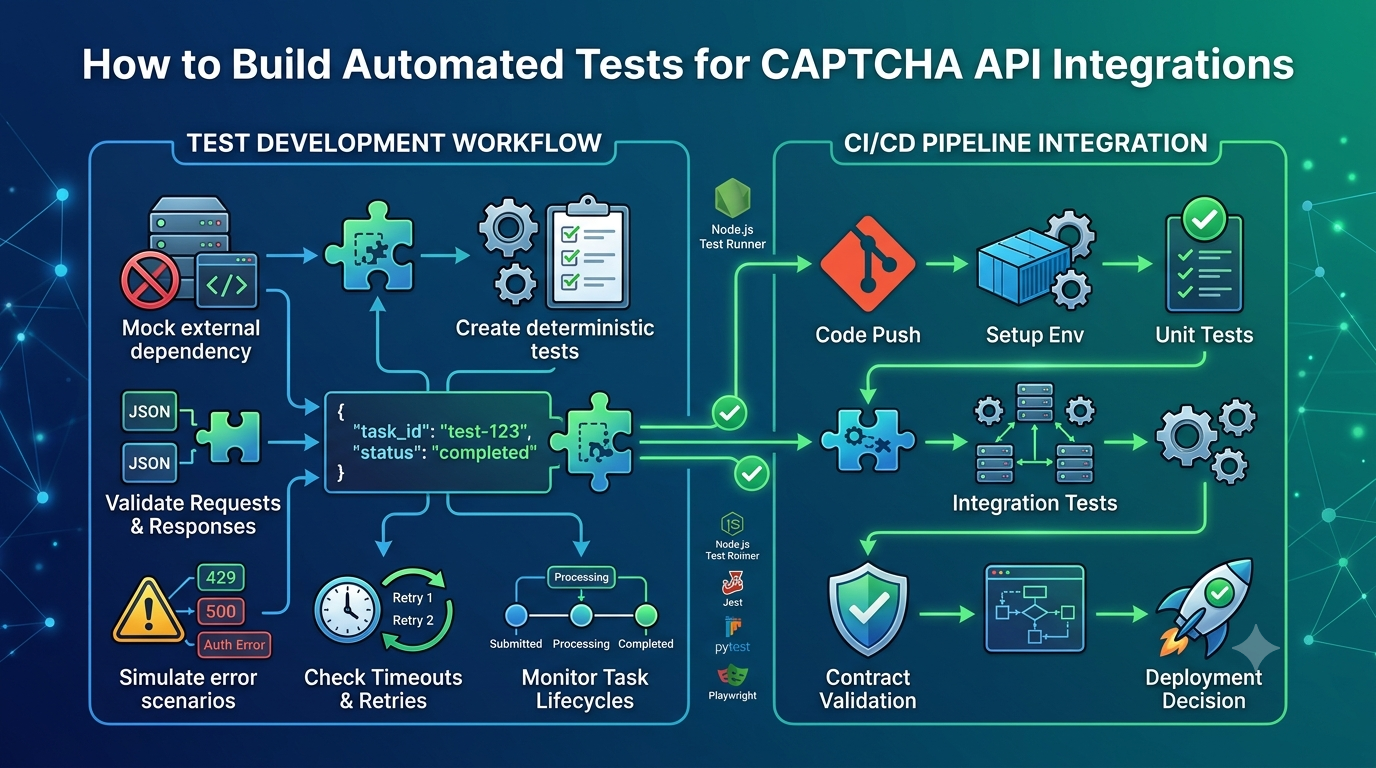
For more detailed testing techniques, see our related guide, CAPTCHA API Integration Testing: A Complete Guide.
10. CAPTCHA Token Verification Best Practices
Always verify tokens on the server
The backend should make the verification decision using the provider's official mechanism. Client-side success messages alone are not sufficient.
Protect secret credentials
Store verification secrets in environment variables or a secrets manager. Restrict access, rotate exposed credentials, and avoid logging them.
Follow token expiration and reuse rules
Respect the provider's documented validity period and single-use requirements, where applicable. Obtain a new token through the supported workflow when necessary.
Validate the expected context
If the provider returns hostname, action, score, or other contextual data, validate it when required. Do not blindly accept a successful response that fails your application's documented policy.
Apply rate limiting
Limit requests to sensitive application endpoints. CAPTCHA verification should complement, not replace, server-side rate limiting.
Handle failures deliberately
Distinguish between invalid tokens, invalid configuration, rate limits, and service outages. Choose a failure policy appropriate to the operation's risk.
Avoid logging sensitive data
Log operational details such as timestamps, status categories, and latency. Do not log raw CAPTCHA tokens or secret keys.
Keep application authorization separate
A successful CAPTCHA check does not prove that a user is authenticated, owns an account, or has permission to perform an action. Apply normal authentication and authorization checks independently.
Monitor reliability
Track verification success rates, timeout frequency, provider latency, and failure categories. Avoid collecting unnecessary personal information.
Keep documentation current
Provider APIs can change. Review the official documentation before updating endpoints, parameters, authentication, or response parsing.
11. Frequently Asked Questions
What is CAPTCHA token verification?
CAPTCHA token verification is the process of checking a token through the provider's trusted verification mechanism to determine whether it satisfies the provider's validation rules.
Why must CAPTCHA tokens be verified on the server?
The browser is controlled by the client and cannot be trusted as the final security authority. Server-side verification allows the application to validate the token before processing a protected operation.
Can a CAPTCHA token expire?
Yes. Some providers impose token expiration rules. The exact validity period and handling requirements depend on the provider's documentation.
Can a CAPTCHA token be used more than once?
Some providers require tokens to be used only once or impose restrictions on reuse. Follow the specific provider's rules and obtain a new token when required.
What happens if CAPTCHA verification fails?
The application should not process the protected operation as though verification succeeded. Depending on the failure, it may ask the user to retry, reject the request, or handle a temporary provider outage according to a predefined security policy.
Does a successful CAPTCHA verification guarantee that a request is safe?
No. CAPTCHA verification is one signal in a broader security strategy. Applications still need authentication, authorization, input validation, rate limiting, and monitoring.
Can I verify CAPTCHA tokens directly in frontend JavaScript?
Frontend code may handle token generation and submission, but secret-based verification must remain on the server when the provider requires a server-side secret. Never expose private verification credentials in browser code.
How can I test token verification without using real challenges?
Use mocks, official test keys, sandbox environments, or provider-approved staging configurations. These methods let you test success, failure, and timeout handling without depending on live challenges.
Is CAPTCHA token verification the same for every provider?
No. The overall security principle is similar, but endpoints, authentication, token rules, request parameters, response schemas, and additional checks differ by provider.
Can I use this example directly with AllCaptcha?
The code illustrates a generic server-side verification pattern. The endpoint, request fields, authentication scheme, and response structure are placeholders. Consult AllCaptcha's current official documentation to determine the actual supported verification workflow before implementing a live integration.
12. Conclusion
CAPTCHA token verification is a critical part of a secure CAPTCHA integration. Generating a token in the browser is not enough; the application must verify it through the provider's documented server-side process and enforce the result before continuing with a protected operation.
By validating required response fields, respecting token expiration and reuse rules, handling errors deliberately, and testing with mocks or approved staging environments, developers can build more reliable applications.
For the strongest protection, combine CAPTCHA verification with authentication, authorization, rate limiting, input validation, and security monitoring.
Explore more technical tutorials on AllCaptcha.com to learn about API integration, testing, troubleshooting, and reliable application security workflows.
SEO Metadata
SEO Title: CAPTCHA Token Verification: How It Works and Common Mistakes
Meta Description: Learn how CAPTCHA token verification works, why server-side validation matters, how to handle invalid or expired tokens, and how to improve integration security.
Focus Keyword: CAPTCHA token verification
Secondary Keywords:
- CAPTCHA token validation
- server-side CAPTCHA verification
- CAPTCHA verification errors
- invalid CAPTCHA token
- expired CAPTCHA token
- CAPTCHA API security
- CAPTCHA verification integration
- CAPTCHA token validation best practices
Suggested URL Slug: captcha-token-verification
Suggested H1: CAPTCHA Token Verification: How It Works and Common Mistakes
Suggested Image Alt Text: Diagram showing browser CAPTCHA token generation and server-side token verification
Suggested Schema: Article. Use FAQPage structured data only if the content meets Google's current eligibility requirements.
Internal Linking Suggestions
Add contextual links to these related AllCaptcha.com articles after confirming their published URLs:
- CAPTCHA API Integration Testing: A Complete Guide — for automated testing and mock verification workflows.
- CAPTCHA API Error Codes: Common Errors and How to Fix Them — for troubleshooting invalid requests and verification failures.
- What Is Cloudflare Turnstile and How Does It Work? — for a deeper look at one CAPTCHA alternative and its verification process.
- reCAPTCHA v2 vs reCAPTCHA v3: What Is the Difference? — for differences between challenge-based and score-based approaches.
- CAPTCHA Solver API Tutorial: How REST APIs Work — for readers who need more background on HTTP requests, authentication, and JSON responses.