How to Build a Reliable CAPTCHA API Client with Retries, Timeouts, and Error Handling
Integrating a CAPTCHA API into an application is not just about sending an HTTP request and receiving a response. A reliable integration must also handle network failures, unexpected responses, rate limits, authentication errors, and temporary service interruptions.
Without proper error handling, a single failed request can interrupt an automation workflow, slow down an application, or create unnecessary API traffic. Poor retry logic can make these problems even worse by repeatedly sending requests that are unlikely to succeed.
The solution is to build a reliable CAPTCHA API client with clearly defined timeouts, controlled retries, structured error handling, and useful monitoring.
In this guide, you will learn how to design a maintainable CAPTCHA API client, implement common reliability features in Node.js, handle asynchronous tasks safely, and test failure scenarios before deploying your integration.
The examples use generic HTTP requests and placeholder API methods. They are intended as implementation patterns, not as official AllCaptcha API specifications. Before connecting the code to a real service, replace the placeholder URLs, request fields, authentication headers, and response parsing with the provider's documented requirements.
What Is a CAPTCHA API Client?
A CAPTCHA API client is a software component that manages communication between your application and a CAPTCHA-related service.
Instead of writing HTTP requests, authentication logic, timeout handling, and error processing throughout your application, you centralize them in one reusable module.
A well-designed client typically handles:
- API authentication and configuration.
- HTTP requests and response parsing.
- Connection and request timeouts.
- Retry policies for temporary failures.
- Rate-limit responses.
- Validation of unexpected responses.
- Safe error reporting and logging.
- Task submission and result retrieval, when supported by the API.
- Monitoring and automated tests.
For example, an application might use a client to submit an authorized task to an external service. The client handles communication failures and returns a predictable result or a meaningful error to the application.
This separation makes the application easier to maintain and reduces duplicated code.
Why Reliability Matters in CAPTCHA API Integration
External APIs depend on networks, servers, authentication systems, and service-specific limits. Even a correctly configured integration can experience temporary failures.
Several problems commonly affect API reliability.
Network interruptions
A request may fail because of an unstable connection, DNS resolution problems, a connection reset, or a temporary routing issue.
The application must distinguish a potentially temporary network failure from a permanent configuration problem.
Slow responses
An API request may take longer than expected. Without a timeout, the application may wait indefinitely or consume resources while waiting for a response.
A timeout places a limit on how long the client waits for a particular operation.
Rate limits
Providers may limit how frequently clients can send requests. Exceeding those limits can produce HTTP 429 Too Many Requests responses or other provider-specific errors.
The correct response is to respect the provider's documented limits, reduce request pressure, and retry only when appropriate.
Temporary server failures
HTTP 500, 502, 503, and 504 responses can indicate server-side problems or an unavailable upstream service. Some of these failures may be temporary, but they do not guarantee that retrying will succeed.
Invalid requests and authentication failures
HTTP 400, 401, and 403 responses often require a different approach. Depending on the provider, they may indicate malformed input, invalid credentials, or insufficient permissions.
Repeating the same request without correcting the underlying problem is unlikely to help.
The Core Components of a Reliable API Client
Before writing code, define the responsibilities of the client.
| Component | Purpose | Recommended behavior |
|---|---|---|
| Configuration | Stores the base URL and credentials | Validate required settings at startup |
| HTTP layer | Sends requests and parses responses | Use a supported HTTP client and explicit timeouts |
| Error handling | Classifies failed operations | Preserve useful status and error context |
| Retry policy | Recovers from temporary failures | Use bounded retries and exponential backoff |
| Rate-limit handling | Responds to provider limits | Respect Retry-After when applicable |
| Task management | Tracks asynchronous operations | Follow documented task states and polling rules |
| Logging | Records operational events | Exclude API keys, tokens, and sensitive payloads |
| Testing | Validates expected behavior | Simulate success, failure, timeout, and rate limiting |
Keep the client focused. Application-specific decisions, such as whether to cancel an order or reject a registration, should remain in the application layer.
Step 1: Configure the API Client Securely
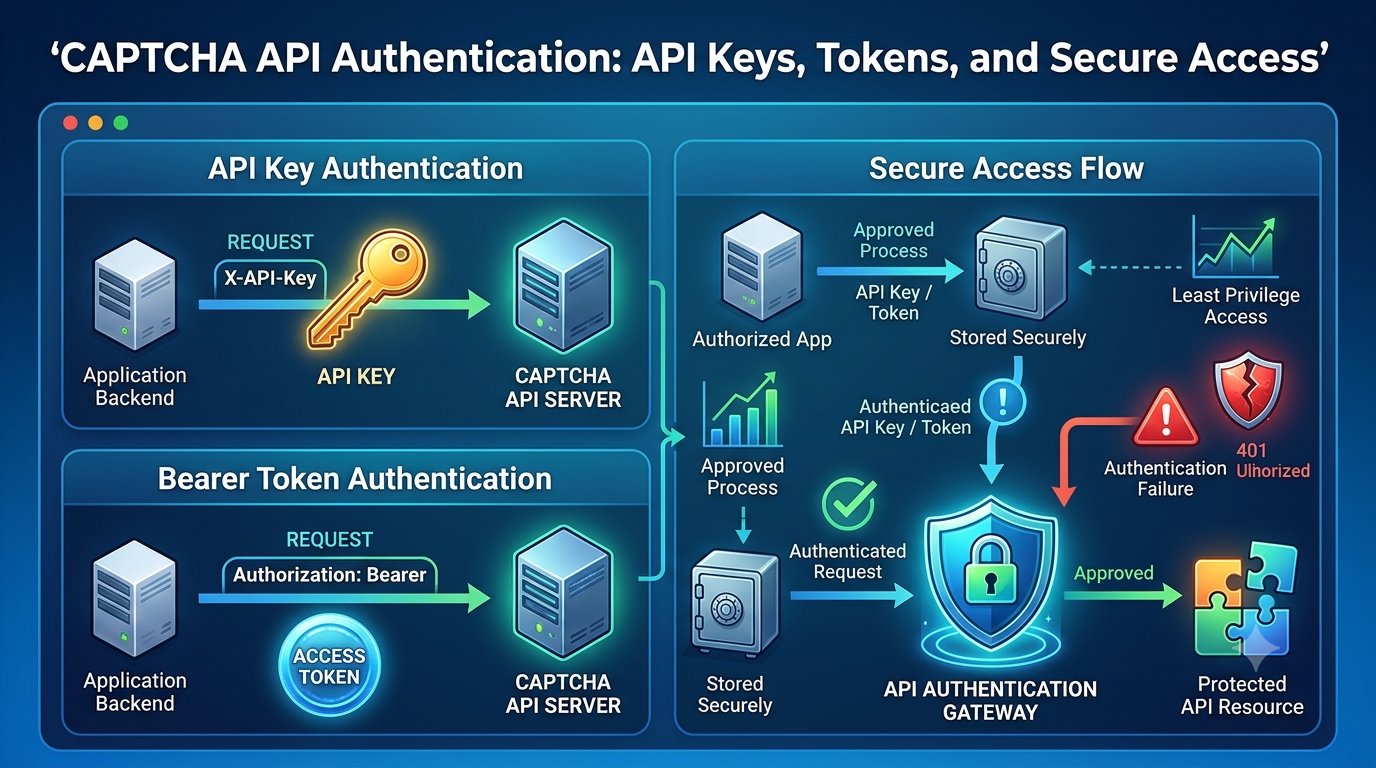
Start by storing the API endpoint and credentials outside the source code.
For a Node.js application, environment variables are a common option.
CAPTCHA_API_BASE_URL=https://api.example.invalid
CAPTCHA_API_KEY=replace_with_your_secret
The .invalid domain is intentionally nonfunctional and serves only as a placeholder. Replace it with the endpoint documented by your provider.
Do not commit real credentials to a public repository or embed private API keys in frontend JavaScript.
Create a configuration module:
// config.js
export function loadCaptchaConfig() {
  const baseUrl = process.env.CAPTCHA_API_BASE_URL;
  const apiKey = process.env.CAPTCHA_API_KEY;

  if (!baseUrl) {
    throw new Error("Missing CAPTCHA_API_BASE_URL");
  }

  if (!apiKey) {
    throw new Error("Missing CAPTCHA_API_KEY");
  }

  let parsedUrl;

  try {
    parsedUrl = new URL(baseUrl);
  } catch {
    throw new Error("CAPTCHA_API_BASE_URL must be a valid URL");
  }

  if (parsedUrl.protocol !== "https:") {
    throw new Error("CAPTCHA API endpoint must use HTTPS");
  }

  return {
    baseUrl: parsedUrl.toString().replace(/\/$/, ""),
    apiKey
  };
}
This example assumes the service uses HTTPS and a single base URL. Adapt the validation if your provider documents a different configuration model.
Step 2: Implement Request Timeouts
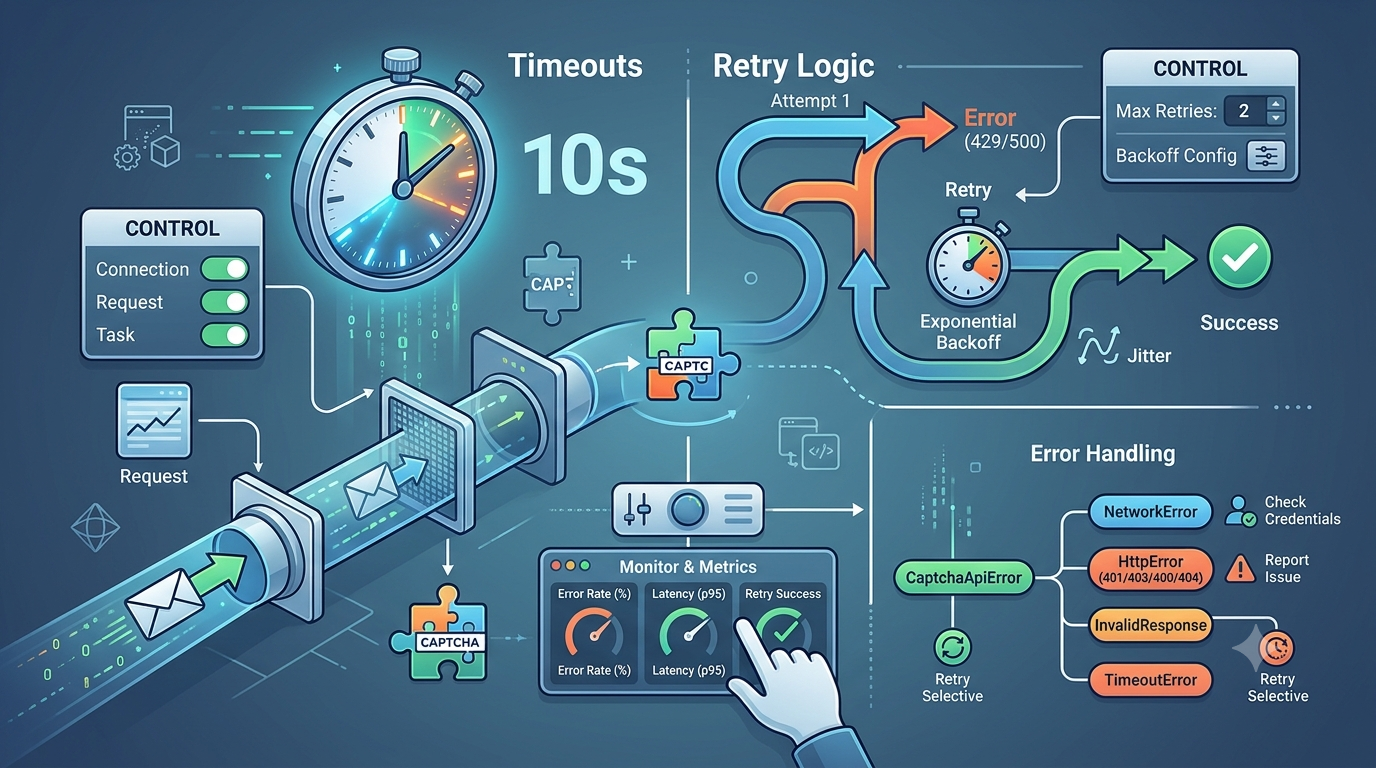
A timeout prevents the client from waiting indefinitely for a response.
Node.js provides AbortController, which can be used with fetch() to cancel a request after a specified period.
export async function fetchWithTimeout(
  url,
  options = {},
  timeoutMs = 10000
) {
  const controller = new AbortController();

  const timeoutId = setTimeout(() => {
    controller.abort();
  }, timeoutMs);

  try {
    return await fetch(url, {
      ...options,
      signal: controller.signal
    });
  } finally {
    clearTimeout(timeoutId);
  }
}
The default timeout in this example is 10 seconds. It is illustrative rather than a recommended limit for every API.
Choose a timeout based on the provider's documented response behavior and your application's latency requirements.
It is also important to distinguish different timeout types:
- Connection timeout: The client cannot establish a connection in time.
- Request timeout: The entire HTTP operation exceeds its deadline.
- Task timeout: An asynchronous task does not complete within the application's allowed waiting period.
A task-based API may accept a request quickly but process the task asynchronously. In that situation, the HTTP request timeout and the overall task deadline should be managed separately.
Step 3: Create a Consistent Error Model
A reliable client should return predictable errors rather than exposing inconsistent exceptions throughout the application.
For example, you can define a custom error class that retains the HTTP status code and whether retrying may be appropriate.
export class CaptchaApiError extends Error {
  constructor(message, options = {}) {
    super(message);

    this.name = "CaptchaApiError";
    this.status = options.status ?? null;
    this.code = options.code ?? "UNKNOWN_ERROR";
    this.retryable = options.retryable ?? false;
  }
}
This structure allows the application to make decisions based on error categories instead of matching arbitrary error-message text.
A practical error classification may look like this:
| Error category | Typical examples | Suggested response |
|---|---|---|
| Configuration | Missing endpoint or API key | Fix configuration; do not retry automatically |
| Authentication | HTTP 401 |
Check credentials and authentication format |
| Permission | HTTP 403 |
Check access rights and provider rules |
| Invalid request | HTTP 400 |
Validate request fields and parameters |
| Rate limited | HTTP 429 |
Respect retry guidance and reduce request pressure |
| Temporary server error | HTTP 500, 502, 503, 504 |
Consider a bounded retry if safe |
| Network failure | Connection reset or temporary DNS failure | Retry selectively if the operation is safe |
| Timeout | Request exceeds its deadline | Apply a bounded retry only when appropriate |
| Invalid response | Unexpected JSON or missing fields | Report a protocol or response-validation error |
These categories are general HTTP integration patterns. The meaning of a particular status or provider-specific error code must be confirmed in the service's documentation.
Step 4: Add Exponential Backoff and Jitter
Retrying immediately after a failure can increase pressure on an already overloaded service.
Exponential backoff gradually increases the delay between attempts. Jitter adds a random component to reduce the chance that many clients retry simultaneously.
A common backoff formula is:
delay = random(0, min(maxDelay, baseDelay × 2^attempt))
For example, a client might use a base delay of 250 milliseconds and a maximum delay of 5 seconds. These are sample values, not provider-specific requirements.
A retry policy should include:
- A maximum number of attempts.
- A maximum delay between attempts.
- A list of retryable failures.
- A total operation deadline.
- Respect for
Retry-After, when present and valid. - A decision about whether the operation can safely be repeated.
Not every failure should trigger a retry. Invalid credentials and malformed requests should generally be corrected rather than resubmitted unchanged.
Step 5: Build a Reusable CAPTCHA API Client
The following example combines timeout handling, response parsing, error classification, and bounded retries into a small Node.js client.
It uses a generic POST request to demonstrate the architecture. The request path, authentication header, payload, and expected response are placeholders. Replace them with the actual provider's documented API contract.
import { setTimeout as sleep } from "node:timers/promises";
import { CaptchaApiError } from "./CaptchaApiError.js";

function parseRetryAfter(value) {
  if (!value) return null;

  const seconds = Number(value);

  if (Number.isFinite(seconds) && seconds >= 0) {
    return seconds * 1000;
  }

  const date = Date.parse(value);

  if (!Number.isNaN(date)) {
    return Math.max(0, date - Date.now());
  }

  return null;
}

function isRetryableStatus(status) {
  return (
    status === 408 ||
    status === 429 ||
    status === 500 ||
    status === 502 ||
    status === 503 ||
    status === 504
  );
}

export class CaptchaApiClient {
  constructor({
    baseUrl,
    apiKey,
    timeoutMs = 10000,
    maxRetries = 2,
    baseDelayMs = 250,
    maxDelayMs = 5000
  }) {
    if (!baseUrl || !apiKey) {
      throw new Error("API URL and API key are required");
    }

    this.baseUrl = baseUrl.replace(/\/$/, "");
    this.apiKey = apiKey;
    this.timeoutMs = timeoutMs;
    this.maxRetries = maxRetries;
    this.baseDelayMs = baseDelayMs;
    this.maxDelayMs = maxDelayMs;
  }

  async request(path, payload, { retrySafe = false } = {}) {
    const url = new URL(
      path.replace(/^\//, ""),
      `${this.baseUrl}/`
    );

    for (let attempt = 0; ; attempt++) {
      const controller = new AbortController();

      const timeoutId = setTimeout(
        () => controller.abort(),
        this.timeoutMs
      );

      let response;

      try {
        response = await fetch(url, {
          method: "POST",
          headers: {
            "Content-Type": "application/json",

            // Placeholder only. Use the provider's
            // documented authentication scheme.
            "Authorization": `Bearer ${this.apiKey}`
          },
          body: JSON.stringify(payload),
          signal: controller.signal
        });
      } catch (error) {
        const timedOut = error?.name === "AbortError";

        clearTimeout(timeoutId);

        const canRetry =
          retrySafe &&
          attempt < this.maxRetries;

        if (!canRetry) {
          throw new CaptchaApiError(
            timedOut
              ? "CAPTCHA API request timed out"
              : "CAPTCHA API network request failed",
            {
              code: timedOut ? "TIMEOUT" : "NETWORK_ERROR",
              retryable: true
            }
          );
        }

        const exponential = Math.min(
          this.maxDelayMs,
          this.baseDelayMs * (2 ** attempt)
        );

        const jittered = Math.random() * exponential;

        await sleep(jittered);
        continue;
      } finally {
        clearTimeout(timeoutId);
      }

      let data;

      try {
        data = await response.json();
      } catch {
        throw new CaptchaApiError(
          "CAPTCHA API returned an invalid JSON response",
          {
            status: response.status,
            code: "INVALID_RESPONSE"
          }
        );
      }

      if (!response.ok) {
        const retryable = isRetryableStatus(response.status);

        if (
          retrySafe &&
          retryable &&
          attempt < this.maxRetries
        ) {
          const retryAfter = parseRetryAfter(
            response.headers.get("Retry-After")
          );

          const exponential = Math.min(
            this.maxDelayMs,
            this.baseDelayMs * (2 ** attempt)
          );

          const jittered = Math.random() * exponential;

          const delayMs = retryAfter === null
            ? jittered
            : Math.max(retryAfter, jittered);

          // A production client should also enforce an
          // overall deadline and a maximum Retry-After wait.
          await sleep(delayMs);
          continue;
        }

        throw new CaptchaApiError(
          "CAPTCHA API request was rejected",
          {
            status: response.status,
            code: "HTTP_ERROR",
            retryable
          }
        );
      }

      return data;
    }
  }
}
Important implementation notes
This example illustrates common design patterns, but it is not a complete drop-in client for every production environment.
Before using it in production:
- Replace the placeholder authentication header and request path.
- Validate the response against the provider's actual response schema.
- Add a total operation deadline so repeated attempts and delays cannot exceed your application's time budget.
- Cap and validate any
Retry-Afterdelay before waiting. - Ensure that retrying cannot accidentally create duplicate tasks or duplicate side effects.
- Add structured logging and metrics.
- Consider limiting response-body size and validating content types.
- Review redirect behavior and ensure credentials are not forwarded to an untrusted host.
- Add tests for timeout, invalid JSON, rate limits, and server failures.
The retrySafe option is deliberately conservative. It defaults to false because repeating a POST request can create duplicate operations if the server processed the original request but the response was lost.
Set it to true only when the operation is safe to repeat or the provider supports a documented idempotency mechanism.
Step 6: Handle Asynchronous CAPTCHA Tasks Correctly
Some APIs process tasks asynchronously. The client may submit a task, receive an identifier, and retrieve the result later.
A typical generic workflow is:
- Submit a task using the documented request format.
- Validate the response and extract the task identifier.
- Wait for the documented polling interval.
- Request the task status or result.
- Stop when the task completes, fails, or reaches its deadline.
Do not assume that every CAPTCHA API uses this workflow. Some services return results synchronously or provide a different notification mechanism.
Avoid overly aggressive polling
Polling too frequently wastes requests and may cause rate-limit errors.
A better polling strategy should:
- Follow the provider's recommended polling interval.
- Apply a total task deadline.
- Stop when the task reaches a terminal state.
- Use bounded backoff if the provider permits it.
- Avoid submitting a new task just because retrieving an existing result failed.
- Distinguish a pending task from a failed task.
The client should also validate task identifiers and status values before acting on them.
Step 7: Prevent Duplicate Requests and Side Effects
One of the most important reliability issues is the difference between a failed request and a failed operation.
Suppose the client sends a task-creation request. The provider processes the task, but the network connection breaks before the client receives the response.
The client cannot necessarily tell whether the provider created the task.
Submitting the request again might create a second task.
To handle this situation safely:
- Check whether the provider supports idempotency keys.
- Use documented request identifiers if available.
- Track task identifiers after successful submission.
- Avoid automatically repeating non-idempotent operations.
- Make application-level processing safe against duplicate events.
- Follow the provider's rules for task lookup and recovery.
An idempotency mechanism allows a service to recognize repeated submissions as the same logical operation, when supported and correctly implemented.
Never invent an idempotency header or parameter. Use only the mechanism documented by the provider.
Step 8: Add Logging and Monitoring
A client that silently retries failed requests can appear healthy while consuming more resources and experiencing increased latency.
Structured logging and metrics make these problems easier to identify.
Useful metrics
| Metric | Why it matters |
|---|---|
| Request count | Shows API usage over time |
| Success rate | Measures the proportion of successful requests |
| Error rate | Identifies increases in failed operations |
| Timeout rate | Reveals slow responses or network problems |
| Retry count | Shows how frequently the client needs recovery |
| Retry success rate | Indicates whether retries are helping |
| HTTP 429 count | Helps identify rate-limit pressure |
| Latency percentiles | Reveals slow requests that averages may hide |
| Task completion time | Measures end-to-end processing for asynchronous tasks |
For latency monitoring, consider p50, p95, and p99 values rather than relying only on average response time.
Example of safe structured logging
function logApiFailure({
  operation,
  status,
  attempt,
  durationMs,
  code
}) {
  console.error(JSON.stringify({
    event: "captcha_api_failure",
    operation,
    status,
    attempt,
    durationMs,
    code,
    timestamp: new Date().toISOString()
  }));
}
Avoid logging API keys, authorization headers, raw CAPTCHA tokens, session cookies, or full request payloads that may contain sensitive information.
Use stable error categories so that monitoring tools can group similar incidents together.
Step 9: Test Failure Scenarios
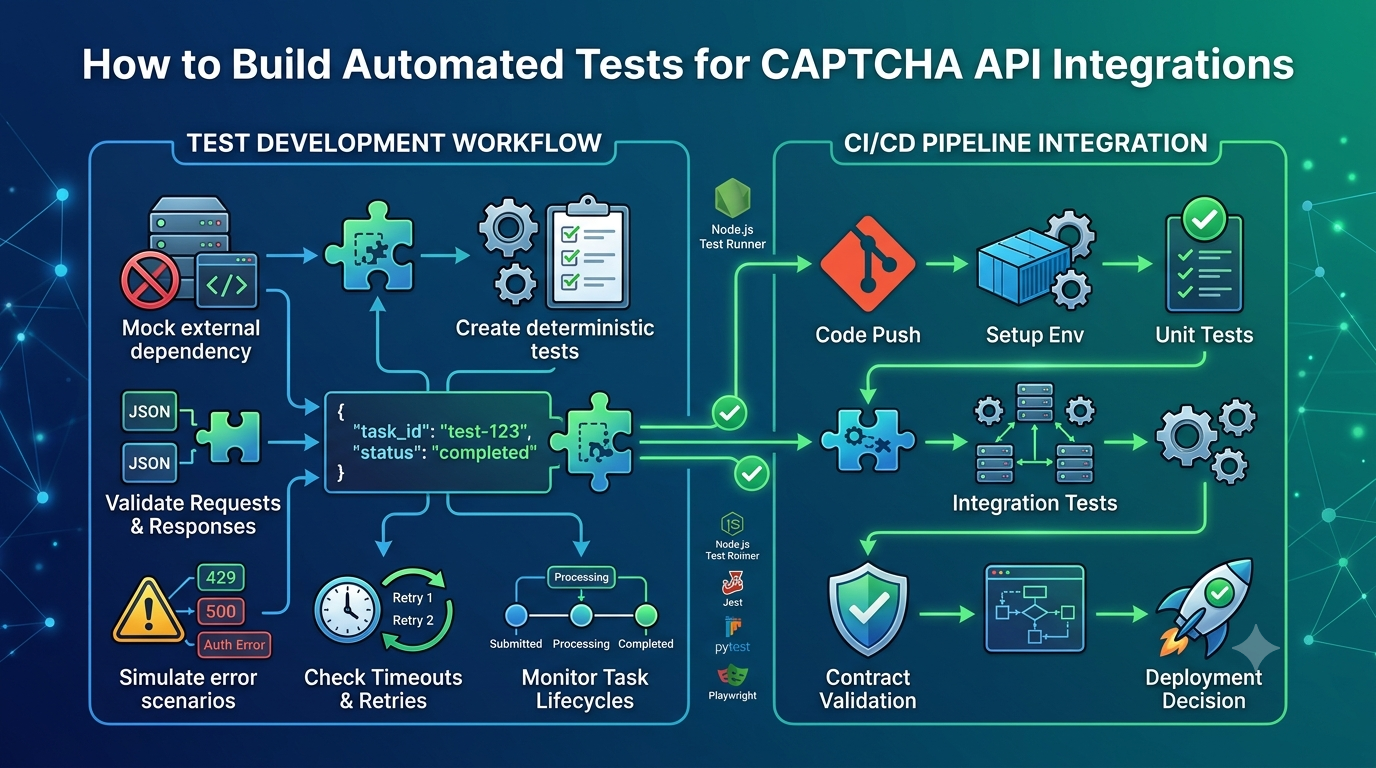
Testing only the successful response is not enough. A reliable API client must behave predictably when the external service is slow, unavailable, or returns unexpected data.
Create automated tests for the following cases:
- Successful HTTP response.
- Invalid request data.
- Authentication failure.
- Permission denial.
- HTTP
429with a validRetry-Afterheader. - Temporary HTTP
503response. - Network connection failure.
- Request timeout.
- Malformed JSON.
- Missing required response fields.
- Task that remains pending.
- Task that fails.
- Retry exhaustion.
- Duplicate submission risk.
Use mocked responses or an authorized staging environment for these tests. Avoid generating unnecessary traffic against a production provider.
Example test plan
| Test | Expected behavior |
|---|---|
| Valid response | Return a validated result |
HTTP 400 |
Report the request error without retrying unchanged input |
HTTP 401 |
Report an authentication error |
HTTP 429 |
Respect applicable retry guidance |
HTTP 503 |
Retry only if the operation is safe and attempts remain |
| Network timeout | Abort the request and follow the configured retry policy |
| Invalid JSON | Report a response-format error |
| Retry limit reached | Return a controlled error to the application |
| Overall deadline exceeded | Stop further attempts and report a timeout |
Automated tests should verify both the final outcome and the number of requests sent. This helps catch accidental infinite retry loops.
Common Mistakes to Avoid
Retrying every error
Not every error is temporary. Repeating a request with invalid credentials or malformed parameters wastes time and may increase service load.
Classify errors before deciding whether to retry.
Setting timeouts too high
Very long timeouts can consume connections and application resources while requests remain unresolved.
Choose timeout values based on measured latency, provider guidance, and the application's total response-time budget.
Retrying immediately
Immediate retries can amplify an outage or rate-limit problem. Use bounded backoff with jitter where appropriate.
Ignoring Retry-After
When a provider returns a valid Retry-After header, respect it subject to your application's overall deadline and a reasonable maximum wait.
Retrying unsafe operations
A network error does not prove that the server failed to process a request. Repeating a task-creation request can create duplicates.
Use documented idempotency support or another provider-approved recovery mechanism.
Polling too frequently
Excessive polling increases request volume and can trigger rate limits. Follow the provider's documented polling guidance.
Logging sensitive information
Diagnostic logs should help identify failures without exposing API keys, tokens, or other secrets.
Treating retries as a substitute for monitoring
Retries can recover from transient errors, but they do not fix persistent service outages, invalid configuration, or systematic rate-limit problems.
Monitor retry frequency and investigate sustained failures.
CAPTCHA API Client Reliability Checklist
Before deploying your client, confirm that the following items are covered.
- API credentials are stored securely.
- The endpoint and request format match official documentation.
- Required configuration is validated at startup.
- Requests have explicit timeouts.
- Errors are classified consistently.
- Retries are bounded and limited to appropriate failures.
- Backoff and jitter are implemented where appropriate.
-
Retry-Afteris handled safely. - Non-idempotent requests are not retried blindly.
- Asynchronous tasks have deadlines and documented polling intervals.
- Logs exclude credentials and sensitive tokens.
- Metrics cover latency, failures, and retries.
- Automated tests cover failure scenarios.
- Integration tests use mocks or authorized environments where possible.
- The application has a deliberate policy for verification-service outages.
Frequently Asked Questions
What is a CAPTCHA API client?
A CAPTCHA API client is a reusable software component that manages communication with a CAPTCHA-related service. It typically handles authentication, HTTP requests, response parsing, errors, timeouts, and any documented task workflow.
Why should a CAPTCHA API client use retries?
Retries can recover from certain temporary failures, such as network interruptions or eligible server errors. However, retries should be bounded and used only when repeating the operation is safe.
What is the best timeout for a CAPTCHA API request?
There is no universal timeout value. Choose one based on provider documentation, observed latency, and the application's overall deadline. Asynchronous task processing may require separate limits for individual HTTP requests and total task completion.
Should I retry HTTP 429 errors?
Potentially, but only according to the provider's rate-limit guidance. Respect a valid Retry-After header, reduce request pressure, and avoid retries that would exceed the application's deadline.
Can I retry a failed POST request?
It depends on whether the operation is safe to repeat. If the server may have processed the original request, retrying can create duplicates. Use documented idempotency support or a safe recovery mechanism when available.
How should I handle CAPTCHA API timeouts?
Abort requests that exceed their configured timeout, record a safe diagnostic event, and decide whether a retry is appropriate. If the operation is not safe to repeat, do not automatically submit it again.
How do I make an asynchronous CAPTCHA API integration more reliable?
Follow the provider's documented task lifecycle, validate task identifiers and response fields, use appropriate polling intervals, impose a total deadline, and avoid creating duplicate tasks when a response is lost.
How can I test API error handling safely?
Use mocked HTTP responses, unit tests, contract tests, and authorized staging environments. Simulate timeouts, rate limits, malformed responses, and server failures without weakening production security.
Conclusion
A reliable CAPTCHA API client needs more than a successful HTTP request. It needs secure configuration, explicit timeouts, consistent error classification, carefully controlled retries, safe handling of duplicate operations, and monitoring that reveals problems before they disrupt the application.
Exponential backoff and jitter can improve recovery from temporary failures, while appropriate retry rules prevent unnecessary traffic and repeated non-idempotent operations. For asynchronous APIs, task deadlines and documented polling behavior are equally important.
The most effective approach is to build reliability into a reusable client, test both successful and unsuccessful scenarios, and follow the selected provider's official API contract.
With these practices in place, developers can create CAPTCHA API integrations that are easier to debug, safer to maintain, and more resilient to real-world network and service failures.
SEO Metadata
- SEO Title: Build a Reliable CAPTCHA API Client: Retries and Timeouts
- Meta Description: Learn how to build a reliable CAPTCHA API client with Node.js, request timeouts, exponential backoff, retry policies, error handling, and monitoring.
- Focus Keyword: reliable CAPTCHA API client
- Secondary Keywords: CAPTCHA API retries, CAPTCHA API timeout, CAPTCHA API error handling, Node.js API client, exponential backoff, API rate limits, API reliability
- URL Slug:
reliable-captcha-api-client - Suggested H1: How to Build a Reliable CAPTCHA API Client with Retries, Timeouts, and Error Handling
Internal Linking Suggestions
Add contextual links to these related articles on AllCaptcha, using their actual published URLs:
- CAPTCHA API Rate Limits: Best Practices for Developers — link from the sections about HTTP 429 and retry policies.
- How to Debug CAPTCHA API Integration Issues: A Step-by-Step Guide — link from the error classification and troubleshooting sections.
- How to Monitor CAPTCHA API Performance and Reliability: A Complete Guide — link from the monitoring section.
- How to Scale CAPTCHA API Integrations for High-Traffic Applications — link from the discussion of request volume and backpressure.
- CAPTCHA API Security Best Practices: How to Protect API Keys and Requests — link from the configuration and logging sections.
Featured Image Recommendation
- Image concept: A developer dashboard showing an API request lifecycle, timeout handling, retry attempts, and error monitoring.
- Filename:
reliable-captcha-api-client.webp - Alt text: Reliable CAPTCHA API client architecture with retries, timeouts, and error handling.
- Format: WebP.
- Placement: After the introduction and before the section explaining the core components.
Structured Data Recommendations
Use Article schema to describe the article and BreadcrumbList schema if the page uses breadcrumbs. An FAQPage schema should be added only when appropriate under current search engine guidelines. Ensure all structured data accurately represents the visible page content.