How to Mock a CAPTCHA API for Development and Testing
Integrating a CAPTCHA API into an application introduces dependencies on an external service. Network interruptions, rate limits, slow responses, and unexpected errors can make development and automated testing difficult.
One effective solution is to mock the CAPTCHA API during development and testing.
Mocking allows developers to simulate API responses without sending every test request to a real service. It makes automated tests faster, more predictable, and easier to repeat. It also helps development teams test scenarios that may be difficult to reproduce with a live API, such as timeouts, authentication failures, and temporary server outages.
In this guide, you will learn what CAPTCHA API mocking is, why it matters, how to create a mock implementation with Node.js, how to test successful and unsuccessful responses, and how to integrate mocks into a development workflow.
The examples use a fictional CAPTCHA verification interface. They demonstrate testing techniques rather than an actual AllCaptcha API specification. Replace provider-specific endpoints, authentication methods, request fields, and response formats with those documented by your selected service.
What Is CAPTCHA API Mocking?
API mocking is a software testing technique that replaces a real API dependency with a controlled implementation.
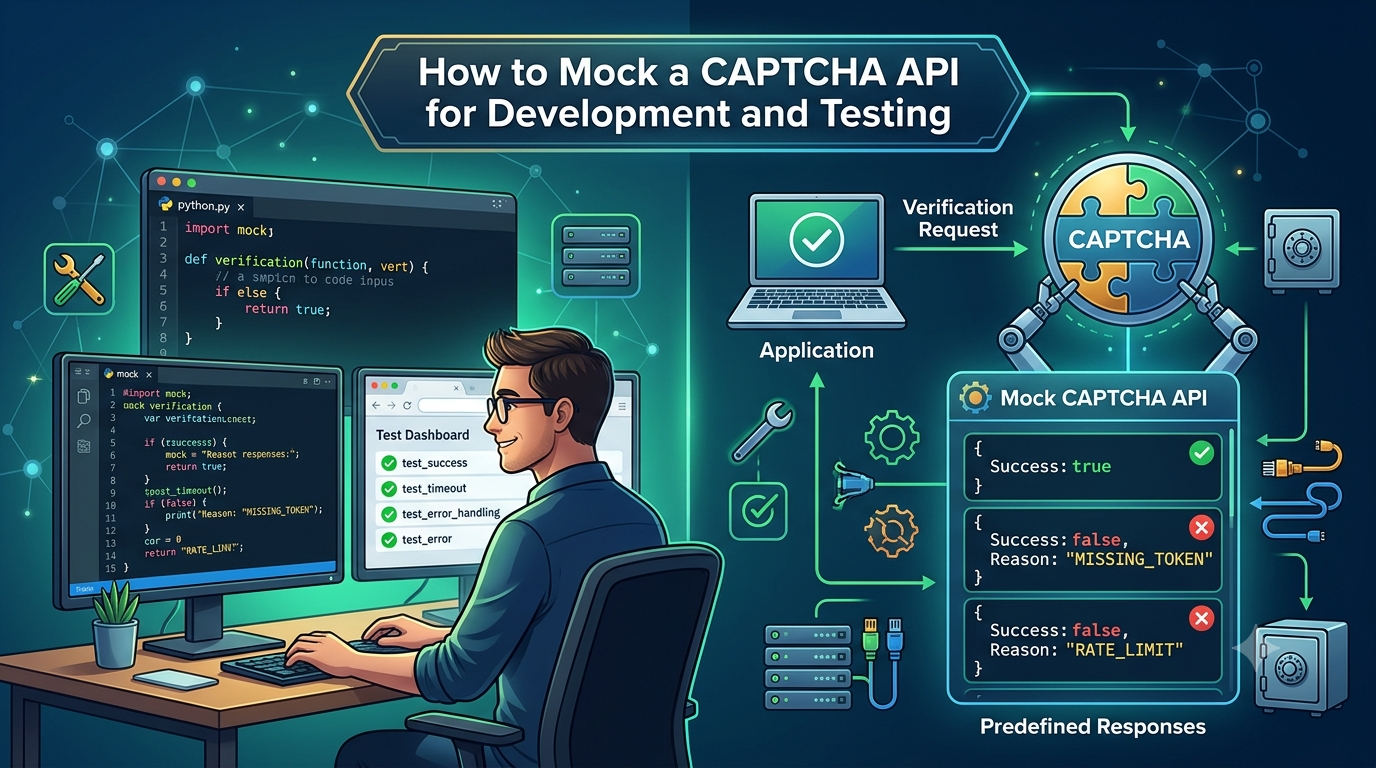
Instead of contacting an external CAPTCHA service, your application communicates with a mock that returns predefined responses.
For example, a mock might simulate these scenarios:
- A successful CAPTCHA verification.
- An invalid or expired token.
- A missing token.
- A rate-limit response.
- A temporary server error.
- A network timeout.
- An unexpected or malformed response.
Because the mock controls the response, developers can reproduce the same scenario repeatedly without relying on external network conditions.
Mocking vs. stubbing vs. integration testing
These terms are related, but they serve different purposes.
| Technique | Purpose | Example |
|---|---|---|
| Mocking | Replaces a dependency with a controlled test implementation | A fake CAPTCHA provider returns a configured response |
| Stubbing | Supplies a predefined response to a particular call | A verification function returns false for an invalid token |
| Unit testing | Tests an isolated component | Check that a protected action is rejected when verification fails |
| Integration testing | Tests how components work together | Verify that the backend sends the expected request to a mock HTTP server |
| End-to-end testing | Tests a broader application workflow | Submit a registration form and verify the resulting application behavior |
A unit test may use a stubbed verification function, while an integration test may use a mock HTTP server that behaves like the documented API.
Neither approach proves that the real provider is available or that the integration matches its current production behavior. That requires separate, controlled integration checks.
Why Mock a CAPTCHA API?
Mocking is useful because external APIs can introduce uncertainty into the development process.
1. Make tests more predictable
A real API can respond differently depending on network conditions, service availability, account configuration, or usage limits.
A mock gives the test a known response, making failures easier to reproduce.
2. Reduce unnecessary API requests
Automated test suites may execute hundreds or thousands of requests. Mocking avoids sending every test case to a real provider.
This can reduce unnecessary traffic and avoid consuming usage allowances during routine development.
3. Test error handling safely
Developers should test what happens when an API returns an error, not just when it succeeds.
A mock can simulate HTTP 400, 401, 403, 429, or 503 responses and help verify that the application handles each case correctly.
These status codes have general HTTP meanings, but their precise interpretation depends on the provider's documentation.
4. Test timeouts and retry behavior
Some failures are difficult to reproduce consistently with a live service. A mock can deliberately delay a response or simulate a temporary outage.
This makes it easier to test cancellation, retry limits, backoff policies, and failure handling.
5. Support continuous integration
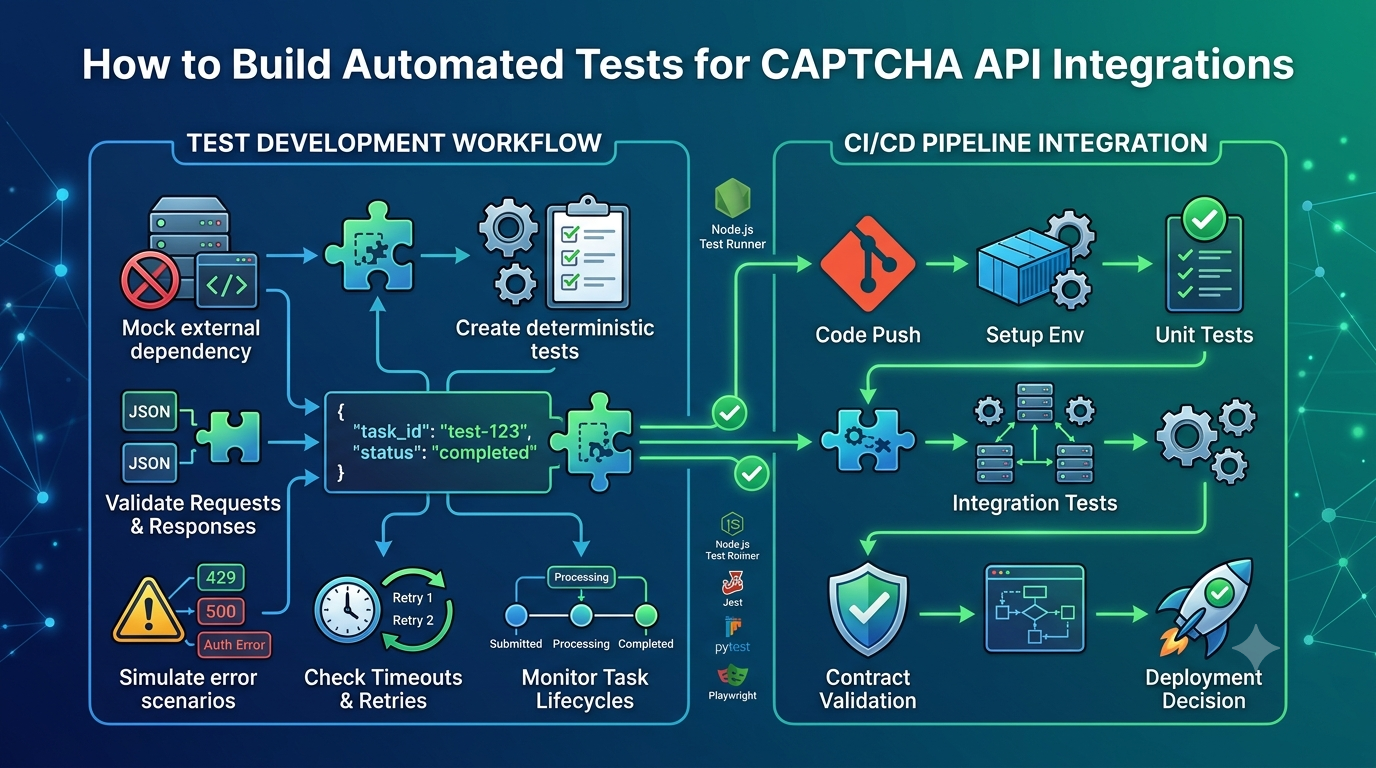
CI pipelines should produce repeatable results. Mocking external dependencies helps prevent temporary third-party outages from making every build fail.
However, mocked tests should be supplemented with appropriate integration tests so that provider-specific incompatibilities are not overlooked.
When Should You Use a Mock Instead of a Real CAPTCHA API?
The right approach depends on the test objective.
| Situation | Recommended approach |
|---|---|
| Testing application logic | Mock or stub the verification dependency |
| Testing form validation | Mock successful and failed verification responses |
| Testing timeout handling | Use a controlled mock with a configurable delay |
| Testing retry logic | Simulate retryable failures followed by success |
| Testing request serialization | Use a mock HTTP server and inspect the request |
| Checking real credentials and authentication | Use an authorized integration environment |
| Confirming compatibility with a provider's current API | Run a limited integration test against the actual service |
| Testing the full production workflow | Use a controlled end-to-end test with appropriate safeguards |
Mocks are especially useful for routine tests. Real API tests remain important when validating the integration contract, authentication, and provider-specific behavior.
Step 1: Create a Node.js Testing Project
For this tutorial, we will use Node.js and its built-in test runner. This avoids the need for an additional testing framework.
Check that Node.js is installed:
node --version
Create a project directory:
mkdir captcha-api-mocking
cd captcha-api-mocking
npm init -y
Update the package.json file to enable ES modules and configure the test command:
{
  "name": "captcha-api-mocking",
  "version": "1.0.0",
  "private": true,
  "type": "module",
  "scripts": {
    "test": "node --test"
  }
}
The private property helps prevent accidental publication of this sample package to the public npm registry.
Create the following files:
captcha-api-mocking/
├── package.json
├── captcha-service.js
└── captcha-service.test.js
The project will contain a verification service and a test suite that replaces its external dependency.
Step 2: Create a CAPTCHA Verification Service
First, create captcha-service.js.
The service will accept a verification function as a dependency. In production, that function can call the selected provider's documented verification endpoint. In tests, it can be replaced with a mock.
// captcha-service.js

export function createCaptchaService(verifyToken) {
  if (typeof verifyToken !== "function") {
    throw new TypeError(
      "verifyToken must be a function"
    );
  }

  return {
    async verify(token) {
      if (
        typeof token !== "string" ||
        token.trim().length === 0
      ) {
        return {
          success: false,
          reason: "MISSING_TOKEN"
        };
      }

      try {
        const result = await verifyToken(token);

        if (
          !result ||
          typeof result.success !== "boolean"
        ) {
          return {
            success: false,
            reason: "INVALID_PROVIDER_RESPONSE"
          };
        }

        if (!result.success) {
          return {
            success: false,
            reason: "VERIFICATION_FAILED"
          };
        }

        return {
          success: true
        };
      } catch {
        return {
          success: false,
          reason: "VERIFICATION_UNAVAILABLE"
        };
      }
    }
  };
}
This service demonstrates dependency injection: the verification function is supplied from outside rather than hardcoded inside the business logic.
The response structure is an application-defined example, not a provider response schema.
In a production application, you may want to distinguish invalid tokens from provider outages more explicitly, log failures securely, and apply different policies to different protected actions.
For security-sensitive operations, the application must not treat an unavailable verification service as a successful verification.
Step 3: Mock a Successful Verification
Create captcha-service.test.js:
// captcha-service.test.js

import test from "node:test";
import assert from "node:assert/strict";

import {
  createCaptchaService
} from "./captcha-service.js";

test("accepts a valid verification response", async () => {
  const mockVerifyToken = async () => ({
    success: true
  });

  const captchaService = createCaptchaService(
    mockVerifyToken
  );

  const result = await captchaService.verify(
    "test-token"
  );

  assert.deepEqual(result, {
    success: true
  });
});
Run the test:
npm test
The test does not contact a real CAPTCHA provider. Instead, mockVerifyToken returns a predetermined successful response.
This is useful when testing application behavior independently of network connectivity or external service availability.
Important: The token in this test is only a placeholder. A successful mock response does not establish that the token is valid with a real CAPTCHA provider.
Step 4: Test Invalid and Missing Tokens
A robust integration should also handle invalid input.
Add these tests to captcha-service.test.js:
test("rejects a missing token", async () => {
  const mockVerifyToken = async () => ({
    success: true
  });

  const captchaService = createCaptchaService(
    mockVerifyToken
  );

  const result = await captchaService.verify("");

  assert.deepEqual(result, {
    success: false,
    reason: "MISSING_TOKEN"
  });
});

test("rejects an unsuccessful verification", async () => {
  const mockVerifyToken = async () => ({
    success: false
  });

  const captchaService = createCaptchaService(
    mockVerifyToken
  );

  const result = await captchaService.verify(
    "invalid-test-token"
  );

  assert.deepEqual(result, {
    success: false,
    reason: "VERIFICATION_FAILED"
  });
});
These tests verify that the application does not accept a request simply because a token string exists.
For a real integration, the provider's documented verification response must be validated on the server before a protected operation is processed.
Step 5: Simulate an API Failure
External services may become unavailable. The application should handle this situation without treating the request as verified.
Add another test:
test("handles a verification service failure", async () => {
  const mockVerifyToken = async () => {
    throw new Error("Simulated network failure");
  };

  const captchaService = createCaptchaService(
    mockVerifyToken
  );

  const result = await captchaService.verify(
    "test-token"
  );

  assert.deepEqual(result, {
    success: false,
    reason: "VERIFICATION_UNAVAILABLE"
  });
});
This test simulates a failed dependency.
The example service deliberately returns a controlled failure result rather than allowing the exception to escape. A different application might propagate a typed error to a controller, which could then return an appropriate HTTP status.
The important requirement is that an external service failure must not silently become a successful verification.
Step 6: Mock HTTP Requests with a Fake API Server
Dependency injection is convenient for unit tests. However, it does not test whether your application constructs the correct HTTP request.
For that, you can use a local mock HTTP server.
A mock server can inspect:
- The HTTP method.
- The requested path.
- Request headers.
- JSON request bodies.
- HTTP status codes.
- Response delays.
- Response content types.
The following example creates a local HTTP server using Node.js built-in modules.
Create mock-server.test.js:
import test from "node:test";
import assert from "node:assert/strict";

import {
  createServer
} from "node:http";

test("mock server returns a controlled JSON response", async () => {
  const server = createServer((req, res) => {
    if (
      req.method === "POST" &&
      req.url === "/test/verify"
    ) {
      let body = "";

      req.on("data", chunk => {
        body += chunk;
      });

      req.on("end", () => {
        let payload;

        try {
          payload = JSON.parse(body);
        } catch {
          res.writeHead(400, {
            "Content-Type": "application/json"
          });

          res.end(JSON.stringify({
            error: "Invalid JSON"
          }));

          return;
        }

        res.writeHead(200, {
          "Content-Type": "application/json"
        });

        res.end(JSON.stringify({
          received: true,
          hasToken:
            typeof payload.token === "string"
        }));
      });

      return;
    }

    res.writeHead(404, {
      "Content-Type": "application/json"
    });

    res.end(JSON.stringify({
      error: "Not found"
    }));
  });

  await new Promise(resolve => {
    server.listen(0, "127.0.0.1", resolve);
  });

  try {
    const address = server.address();

    const response = await fetch(
      `http://127.0.0.1:${address.port}/test/verify`,
      {
        method: "POST",
        headers: {
          "Content-Type": "application/json"
        },
        body: JSON.stringify({
          token: "placeholder-token"
        })
      }
    );

    assert.equal(response.status, 200);

    const data = await response.json();

    assert.deepEqual(data, {
      received: true,
      hasToken: true
    });
  } finally {
    await new Promise((resolve, reject) => {
      server.close(error => {
        if (error) reject(error);
        else resolve();
      });
    });
  }
});
This test sends a request to a local server bound to the loopback interface. It does not contact an external provider.
The mock response intentionally uses a custom schema. A real provider's response fields and endpoint must be taken from its documentation.
What does this test prove?
It verifies that:
- A local server can receive a JSON POST request.
- The server can parse the request body.
- The server returns a predictable response.
- The test can assert the HTTP status and response fields.
It does not prove that a real provider accepts the same endpoint, payload, or token.
Step 7: Simulate Timeouts and Slow Responses
Timeout behavior is another important scenario to test.
A mock server can delay its response to simulate a slow dependency. The client can then verify that its timeout policy behaves as expected.
For example, a request using Node.js fetch() can be cancelled with AbortController:
const controller = new AbortController();

const timeout = setTimeout(() => {
  controller.abort();
}, 1000);

try {
  const response = await fetch(
    "http://127.0.0.1:3000/test/slow",
    {
      signal: controller.signal
    }
  );

  console.log(response.status);
} catch (error) {
  if (error.name === "AbortError") {
    console.log("Request was cancelled or timed out");
  } else {
    throw error;
  }
} finally {
  clearTimeout(timeout);
}
The /test/slow path is illustrative and must be implemented by your mock server.
A complete test should deliberately configure the mock to respond after the timeout threshold and assert that the client aborts the request.
When testing cancellation, remember that an aborted HTTP request does not necessarily mean the remote server did not process the request. For operations that create tasks or trigger side effects, test duplicate-submission handling as well.
Step 8: Test Rate Limits and Retry Logic
If your client implements retries, mock responses can help verify that the retry policy works correctly.
For example, a test server could return:
- HTTP
429 Too Many Requestson the first request. - HTTP
503 Service Unavailableon the second request. - A successful response on the third request.
Your test can then assert that the client:
- Retries only when permitted.
- Respects
Retry-Afterwhen applicable. - Does not exceed the configured attempt limit.
- Stops when the overall deadline is reached.
- Avoids retrying non-idempotent operations without a safe mechanism.
Do not make retry tests depend on long real-time delays. Where possible, inject a delay function or clock into the client so tests can simulate time passing quickly and deterministically.
Mocking is especially useful for verifying that retry behavior does not create an uncontrolled loop.
Step 9: Use Mocks in Continuous Integration
Mocked tests can run automatically whenever developers push code or create a pull request.
For example, a basic GitHub Actions workflow can run the Node.js test suite.
Create .github/workflows/test.yml:
name: Test CAPTCHA API Integration

on:
  push:
  pull_request:

jobs:
  test:
    runs-on: ubuntu-latest

    steps:
      - name: Check out repository
        uses: actions/checkout@v4

      - name: Set up Node.js
        uses: actions/setup-node@v4
        with:
          node-version: 22

      - name: Install dependencies
        run: npm ci

      - name: Run tests
        run: npm test
This example assumes the repository contains a compatible package-lock.json. If it does not, generate and commit the lockfile before using npm ci.
The workflow runs the local test suite without requiring a live CAPTCHA API key because the sample tests use mock implementations.
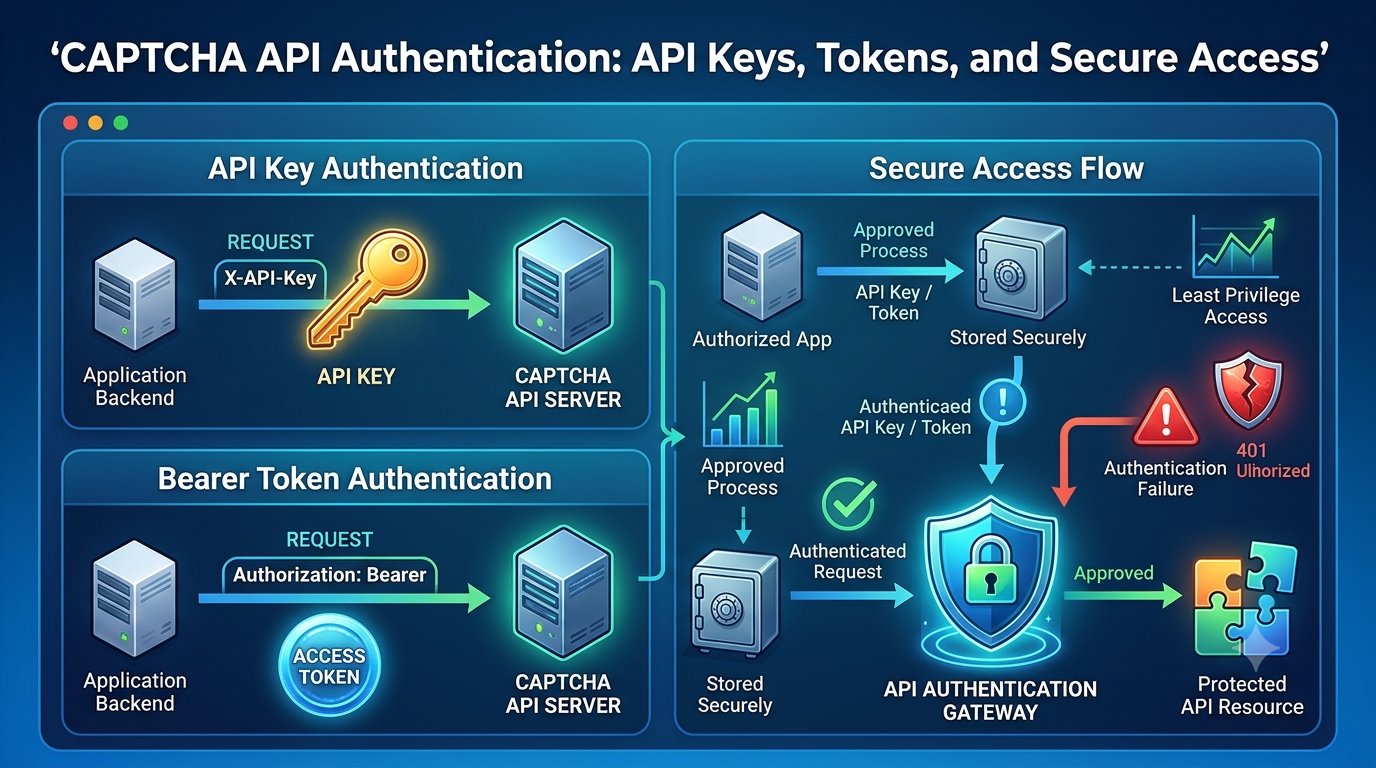
For real integration tests, use protected CI secrets, restricted test credentials, and an authorized environment. Do not print secrets in logs or expose them to untrusted pull-request workflows.
Step 10: Keep Mocked and Real Integration Tests Separate
A mature test strategy usually contains multiple layers.
Unit tests
Test individual functions and application decisions with stubs or mocks.
These tests should be fast and independent of network connectivity.
Mock-server integration tests
Test HTTP request construction, response parsing, status-code handling, and timeout behavior against a controlled local server.
These tests validate more of the HTTP integration without relying on a real provider.
Provider integration tests
Use an authorized test environment or a limited live integration check when appropriate.
These tests validate actual credentials, endpoint configuration, and compatibility with the provider's current API contract.
End-to-end tests
Test a complete application workflow, including the user interface, backend, and security decisions.
Use provider-approved test configurations where available. Do not weaken production CAPTCHA controls merely to make automated browser tests pass.
Common Mistakes When Mocking a CAPTCHA API
1. Assuming a mock proves real API compatibility
A mock can return any response you configure. It cannot prove that a provider uses the same fields or accepts the same request.
Keep the mock aligned with the documented API contract and supplement it with appropriate integration tests.
2. Using mock tokens in production
A token accepted by a mock is not automatically valid with a real provider.
Never configure production verification to accept arbitrary tokens just because development tests use predefined responses.
3. Making tests depend on external network access
If a unit test unexpectedly calls a real provider, it may become slow, unreliable, or costly.
Inject external dependencies and keep routine tests isolated.
4. Testing only successful responses
A robust test suite should cover invalid inputs, provider failures, malformed JSON, timeouts, and rate limits.
5. Allowing tests to bypass security checks
Mocks should replace external dependencies during testing, not remove the application's security requirements.
The application must still enforce server-side verification in production.
6. Ignoring changes to the provider's API
A mock may become outdated when a provider changes its response format or authentication requirements.
Review the documented API contract and update mocks when the integration changes.
7. Exposing credentials in test logs
Avoid logging API keys, authorization headers, tokens, or sensitive request bodies. Use synthetic values for mock tests whenever possible.
CAPTCHA API Mocking Checklist
Before using mocks in your project, check that you have:
- Isolated the CAPTCHA API behind a service or client interface.
- Created deterministic success and failure responses.
- Tested missing and invalid input.
- Tested HTTP errors and malformed responses.
- Simulated timeouts and network failures.
- Verified retry limits and backoff behavior.
- Checked for duplicate submissions.
- Kept unit tests independent of the external service.
- Added mock-server tests for HTTP behavior.
- Separated mock tests from real provider integration tests.
- Protected credentials in CI/CD.
- Ensured production still performs the required server-side verification.
Frequently Asked Questions
What is a mock CAPTCHA API?
A mock CAPTCHA API is a simulated implementation that reproduces selected API responses without contacting a real CAPTCHA service. It is used to test application logic, HTTP behavior, and failure handling.
Why should I mock a CAPTCHA API?
Mocking makes tests faster, more predictable, and easier to reproduce. It also helps developers test failures such as timeouts and rate limits without depending on an external service.
Can I mock a CAPTCHA API with Node.js?
Yes. Node.js supports dependency injection, a built-in test runner, and local HTTP servers. These features are sufficient for many mock-based unit and integration tests.
Does a mock CAPTCHA response mean the token is valid?
No. A mock response is controlled by the test and does not prove that a real CAPTCHA provider accepts the token. Production applications must use the provider's documented verification process.
Should I use a mock server or a stub function?
Use a stub function when you need to test application logic in isolation. Use a mock HTTP server when you need to verify request methods, headers, payloads, status codes, and response parsing.
Can mocks replace all real API integration tests?
No. Mocks test expected behavior under controlled conditions, but they cannot confirm that real credentials, endpoints, or provider-specific response formats work correctly. Maintain a separate, appropriately scoped integration test suite.
How can I test CAPTCHA API failures without making real requests?
Inject a mock verification function or use a local mock HTTP server. Configure it to return the desired status code, delay its response, or simulate a network failure.
How do I prevent mock behavior from reaching production?
Use dependency injection and explicit environment configuration. Keep mock implementations in test code, avoid production defaults that bypass verification, and add tests confirming that production uses the real provider integration.
Conclusion
Mocking a CAPTCHA API is an effective way to improve development speed and test reliability. It allows developers to simulate successful responses, invalid tokens, network failures, rate limits, and timeouts without relying on a live service for every test.
A practical approach is to isolate provider communication behind a reusable service, use stubs for unit tests, use a local mock server for HTTP integration tests, and maintain a separate suite for authorized real-provider checks.
Most importantly, mocking should make your security implementation easier to test, not easier to bypass. Production applications must continue to verify CAPTCHA tokens through the provider's documented server-side mechanism.
With a well-designed mocking strategy, developers can build more maintainable integrations, catch errors earlier, and deploy changes with greater confidence.
SEO Metadata
- SEO Title: How to Mock a CAPTCHA API for Development and Testing
- Meta Description: Learn how to mock a CAPTCHA API with Node.js, simulate success and failure responses, test timeouts and retries, and improve automated testing.
- Focus Keyword: mock CAPTCHA API
- Secondary Keywords: CAPTCHA API testing, mock CAPTCHA verification, Node.js API mocking, CAPTCHA integration testing, mock HTTP server, API test automation
- URL Slug:
mock-captcha-api-development-testing - Suggested H1: How to Mock a CAPTCHA API for Development and Testing
Internal Linking Suggestions
Link to these related AllCaptcha articles using their actual published URLs:
- CAPTCHA API Integration Testing: A Complete Guide — link from the sections about unit tests and integration tests.
- CAPTCHA Testing in CI/CD Pipelines: Best Practices for Developers — link from the CI workflow section.
- CAPTCHA Token Verification: How It Works and Common Mistakes — link from the production security discussion.
- How to Debug CAPTCHA API Integration Issues: A Step-by-Step Guide — link from the error-handling and troubleshooting sections.
- How to Build a Reliable CAPTCHA API Client with Retries, Timeouts, and Error Handling — link from the timeout and retry sections.
Featured Image Recommendation
- Image concept: A developer testing a mock API with simulated JSON responses, status codes, and automated test results.
- Filename:
mock-captcha-api-development-testing.webp - Alt text: Developer testing a mocked CAPTCHA API with simulated responses and automated tests.
- Format: WebP.
- Placement: After the introduction and before the section explaining API mocking.
Structured Data Recommendations
Use Article schema for the main article and BreadcrumbList schema if the website uses breadcrumb navigation. Consider FAQ structured data only where appropriate under current search engine guidelines. All structured data must accurately reflect the visible page content.